 How to resolve AdBlock issue?
 Binauralization
3D Sound through Headphones
Author and photos: Peter Kaminski
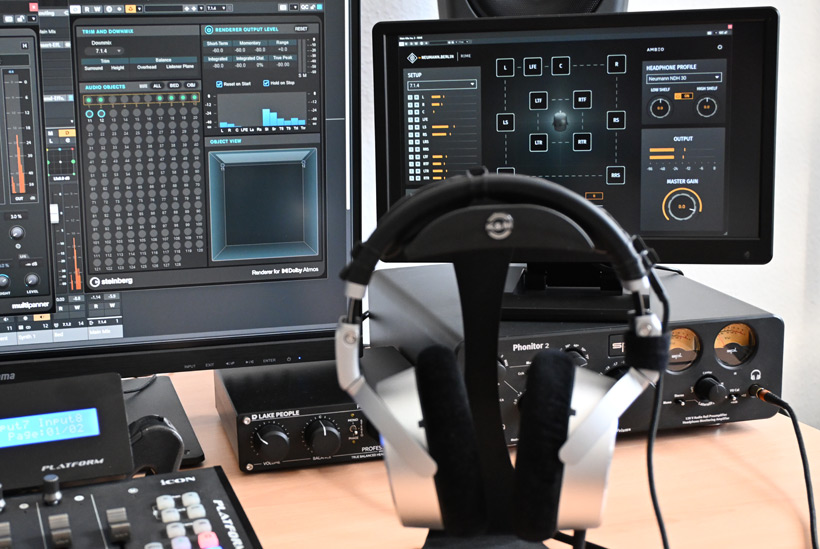
On the consumer side, immersive audio is primarily listened to through headphones. But it’s also becoming increasingly important in the field of 3D audio production - for example, in mobile production or small production suites where a large 3D audio speaker setup isn’t available, or during Dolby Atmos production to verify binauralization parameters. We would therefore like to offer a basic article on this topic that covers all aspects of binauralization and listening through headphones.
Directional Hearing
To better understand binauralization, let’s first examine perception and the human ear. To locate a sound source, differences in sound level and arrival time between the left and right ears are analyzed. However, this would only allow us to determine whether a sound source is more to the left or right, or whether it is right in the center relative to our position.
To determine whether a sound source is in front of or behind us, or above or below us, the brain analyzes the spectrum we perceive. The incoming sound is reflected by the ears, and the geometry of the ears alters the spectrum depending on the direction from which the sound comes. The shape of the head and the upper body also influence the sound and alter the spectrum through reflection and absorption. Since we have subconsciously learned how sound - or rather, its spectrum - changes at certain angles of incidence, the brain can predict the direction of the sound source. In this context, this is also referred to as a direction-dependent spectrum.
Mathematically, this is referred to as the individual head-related transfer function (HRTF), which describes how the outer ear, head, and upper body reflect, diffract, and absorb sound, thereby altering the perceived spectrum in a direction-dependent manner.
With pure sine waves, we have only the level and time-of-flight differences as evaluation criteria for direction due to the lack of an overtone spectrum, and the sound source can therefore be localized only very imprecisely. In contrast, for sound sources with a spectrum rich in overtones, significantly more precise localization is possible because the spectrum can be utilized more effectively in this case. Conversely, this means that the accuracy of localization also depends on the spectral composition of the sound source.
The human ability to interpret the perceived spectrum also varies considerably. The reasons for this lie in the brain’s processing, as we actually hear with the brain, and the ear is merely the sensory organ. Visual assessment of the surroundings also plays a role in the perception process and may support sound localization. If this visual cue is missing in a virtualized environment, it can certainly have a negative impact on localization accuracy. Especially in music production, a visual cue is generally absent.
Signal Chain
In binauralization software, or plug-ins, the effects described above are used to encode discrete 3D audio signals - such as a 7.1.4 or 9.1.6 signal or Dolby Atmos data streams - to two channels in such a way that, in the best-case scenario, the listener perceives the same immersive experience through headphones as they would during playback via speakers. Depending on the quality or design, the result may be more or less far from this optimal outcome.
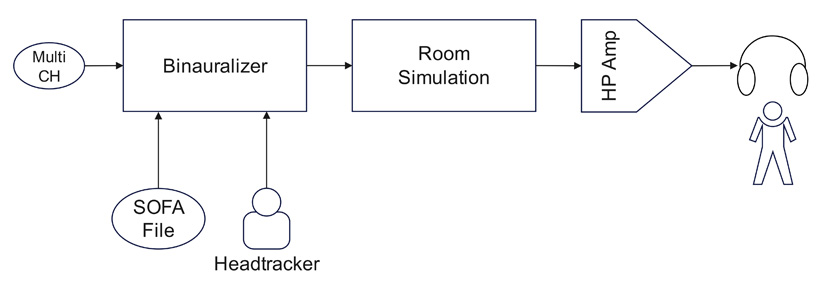
When we look at the possible signal chain of the entire binauralization process, there are a few points we haven’t addressed yet. One point is that the room in which the sound event took place is also part of the virtualization.
Generic vs. Individual HRTF
There are two ways to use an HRTF in the binauralization process: either the user’s HRTF or a generic HRTF. With generic HRTFs, HRTF data is averaged or synthesized using models. Generic HRTFs aim to provide a realistic virtualization experience for a large user group using a non-personalized HRTF. Of course, this comes at the expense of sound quality and directional perception. Therefore, users have varying degrees of success with a generic HRTF. The optimal solution is always an HRTF based on the user’s own ear, head, and upper body geometry.
SOFA File
The data describing the individual HRTF needs to be stored as a file or profile in order to be used in binauralization software or a plug-in. The file format used can be either proprietary (i.e., system-specific) or a standard format.
Across systems and products, a person’s individual outer-ear transfer function is typically stored in the form of a so-called SOFA file. This format has also been defined by the AES69 standard since 2015. The standard was revised again in 2020 and is sometimes referred to as SOFA 2.0. Separate SOFA files must be available for each sample rate, such as 44.1, 48, and 96kHz.
An HRTF based on the Common Acoustical Pole and Zero (CAPZ) model consists of two transfer functions: the Common Transfer Function (CTF) and the Directional Transfer Function (DTF). The DTF is responsible for localization. For those who want to know the exact details, I recommend the paper “Common-Acoustical-Pole and Zero Modeling of Head-Related Transfer Functions”, published by the IEEE. It can be downloaded as a PDF online.
Capturing an HRTF
In principle, there are two methods for capturing an individual HRTF, one of which involves a measurement. To do this, a miniature microphone is placed in the ear canal as close as possible to the eardrum. A sweep or a noise signal is then played from individual speakers positioned at various locations around the person, and the signal from the microphone in the ear is recorded. Using a large number of speakers is recommended here. An HRTF is calculated from the various individual recordings and the recorded spectrum and saved as an HRTF file - ideally in SOFA format.
It is important to note that during HRTF capture, the room in which the measurement is taken is incorporated into the HRTF. Depending on the intended use, one either selects rooms with good acoustics or attempts to minimize the room’s influence by using a close loudspeaker setup - that is, in the near field.
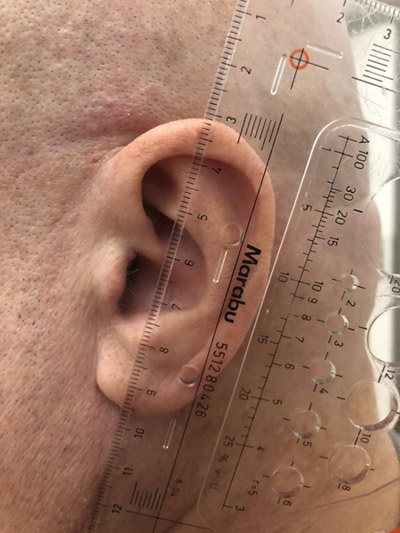
Another way to generate an HRTF is through photos and videos of the outer ears and the head or upper body. For this purpose, reference objects are often included in the shots - such as a ruler with a millimeter scale - or you need to enter the interaural distance or head circumference into the software manually. From this material, a virtual body or outer-ear geometry is typically generated, and an HRTF is then calculated from it.
The processes for calculating an HRTF based on body geometry are constantly improving, but in terms of quality, they currently do not match the quality of a measurement that more accurately reflects reality. The advantage, however, is that an HRTF can be generated using relatively simple methods without the need for a measurement.
Head Tracking
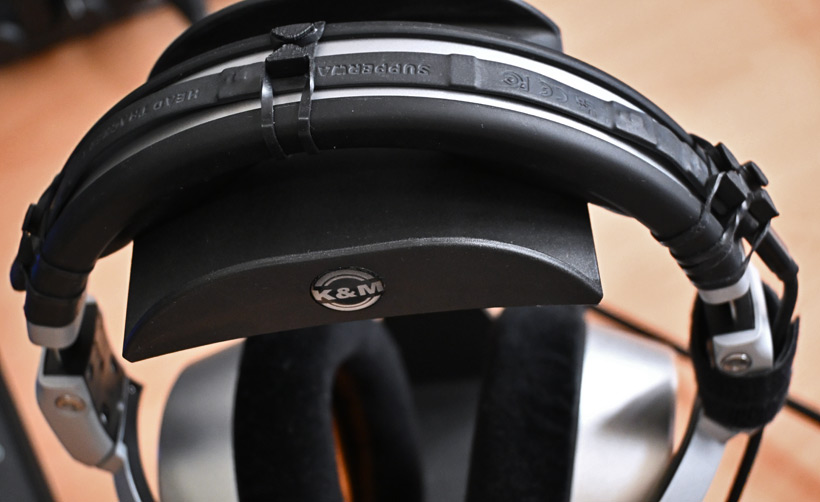
We adjust and refine - partly consciously and partly subconsciously - our perception of sound localization through head movements of varying degrees. Consciously, for example, by turning our heads toward the presumed direction of a sound source to confirm or, if necessary, rule it out. But also subconsciously through very small head movements, almost like a form of calibration.
It is also the case that when you move your head, your perception of the sound field adjusts accordingly. Without compensation, when listening with headphones, a head turn causes the entire sound field to rotate with it, which does not correspond to perception in reality. This results in the brain repeatedly being reminded that the virtual experience does not match the perception of reality.
To account for this in the binauralization process, there are so-called head trackers. Sensors analyze the head’s position, or its orientation in space, and, via a software interface, relay this information to the binauralization plug-in, which then adjusts the sound field according to the head’s position.
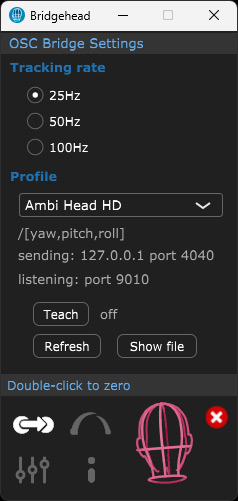
We’ve already written an extensive review of the Supperware Headtracker 1, which is currently the most widely used head tracker when it comes to audio production. It consists of sensor hardware in the form of a headband with various sensors, which is connected to the computer via a USB cable; the data is then transmitted to the binauralizer via the Bridgehead software using the OSC protocol.
Perception and Expectations
An important point is that not only do technical parameters influence the result of binauralization, but human perception also has an influence that is often underestimated. We’ve already briefly touched on the visualization of a performance, but the room in which one is seated is also a factor. If the room and its acoustics in the binauralization do not correlate with the room in which one is accustomed to listening, it can negatively impact perception because expectations may not be met. In some cases, this presents an advantage for binauralization using HRTFs that are not based on acoustic measurements, as it is possible to adapt accordingly using a synthetic room and by adjusting parameters. With HRTFs based on measurements, the room is already part of the HRTF.
Headphones
Another element in the signal chain is the headphone amplifier and, above all, the headphones themselves. Headphone amplifiers also have their own sound and influence the frequency spectrum. However, their influence is not as significant as that of the headphones, which can sound quite different from one another. For this reason, the influence of the headphone amplifier is generally disregarded in virtualization.
With headphones, on the other hand, you can often select the specific pair you’re using from a library. The system attempts to compensate for the headphones’ acoustic characteristics using the stored profile so that they do not negatively affect the binauralization process. However, the stored headphone profile is generally based on the frequency response curve. The complex dynamic behavior of the headphones is not taken into account.
One might also ask which headphones are more suitable than others for reproducing binaural signals. Unfortunately, this question is not quite as easy to answer. Every headphone model has an acoustic correction curve implemented so that it sounds the way the manufacturer intends it to be. The so-called Harman curve, for example, is well known. But there are also curves that deviate significantly from it. Kimio Hamasaki, for instance, has also developed an empirical correction curve specifically aimed at optimizing directional perception (see VDT Magazine 2024, Issue 1, p. 32 ff.). However, this curve is rarely used. There are currently no specialized studio headphones designed for optimal binaural playback. In principle, open-back headphones can be recommended. There are also headphones whose drivers are mounted at a slight angle to enhance off-head localization - but these headphones are generally unsuitable for binaural playback.
Conclusion
Among consumers, listening to 3D audio via personalized binauralization has become the norm, thanks in part to Apple Music. In the studio, it’s more common to use appropriate speaker setups. However, with the help of binauralizers, it’s now entirely possible to produce immersive content for headphones. The quality of these results varies greatly. An individual’s perception also plays a major role, especially regarding generic HRTFs. Some listeners get along more or less well with such generic HRTFs. In terms of realism, methods based on individually measured HRTFs have the advantage. Calculated HRTFs, on the other hand, offer other benefits, such as greater flexibility through room simulation.
The following product tests provide further insight into the world of binaural headphone playback:
https://www.proaudio.tech/reviews/apl-virtuoso-2
https://www.proaudio.tech/reviews/neumann-rime
https://www.proaudio.tech/reviews/supperware-head-tracker-1