 How to resolve AdBlock issue?
 IK Multimedia TONEX ONE+
Guitar Pedal with Bluetooth and MIDI
Author and photos: Peter Kaminski
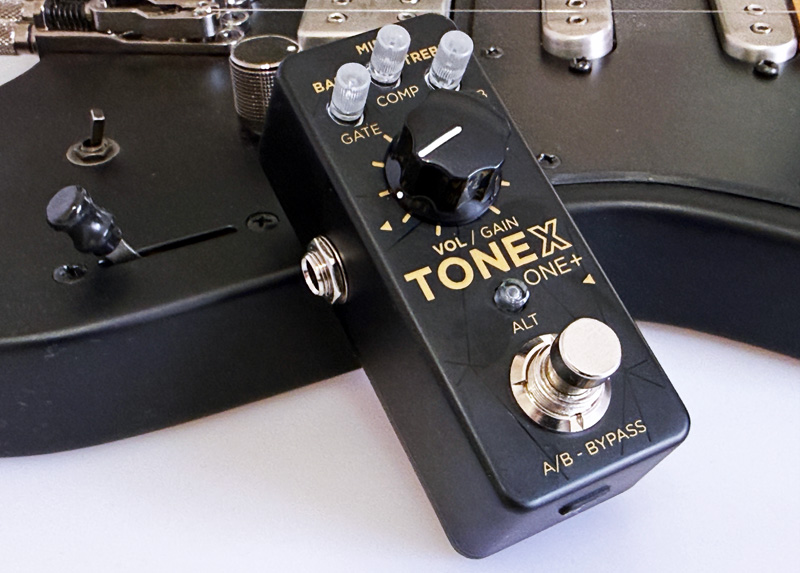
Under the TONEX brand, IK Multimedia offers a wide variety of hardware and software products for electric guitar and electric bass. It has now evolved to the largest ecosystem of its kind. The compact TONEX ONE pedal has now gained a bigger sibling in the TONEX ONE+, and we’d like to take this opportunity to introduce the product and highlight its new features compared to the TONEX ONE. The TONEX ONE+ does not replace the TONEX ONE, as the latter is more affordable and not everyone needs the additional features.
For those interested in the entire TONEX portfolio, we recommend our review of the IK Multimedia AmpliTube TONEX, which provides a comprehensive overview of the entire TONEX ecosystem.
Connections
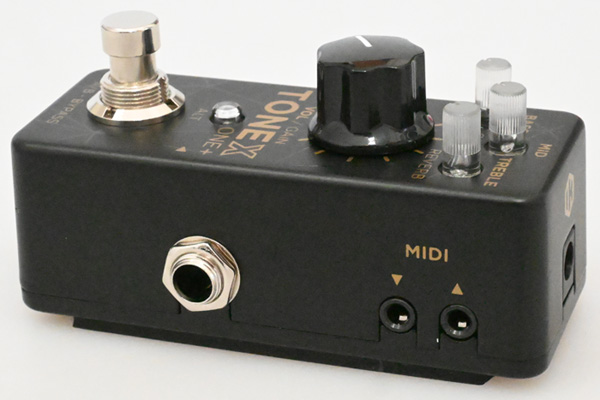
At 48 x 94 x 53mm, the dimensions are the same as those of the TONEX ONE. Visually, the TONEX ONE+ differs from the TONEX ONE not only in its gold lettering but also in the addition of MIDI input and output jacks in the form of 3.5-mm jack sockets (Type A wiring). The audio input jack (6.3mm mono jack) is also located on the right side, while the stereo output is on the left side.
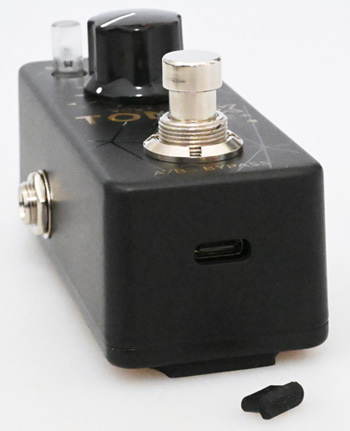
The TONEX ONE+ is powered by 9 volts (150mA) via a barrel jack (center negative) on the back. A USB-C port is located on the front under a cover. The USB interface establishes a connection with the TONEX Editor on a computer and can also be used to operate the TONEX ONE+ as a 2x2 audio interface with a 24-bit word length and a 44.1kHz sample rate. The TONEX ONE+ can also be powered using the USB interface.
Operation
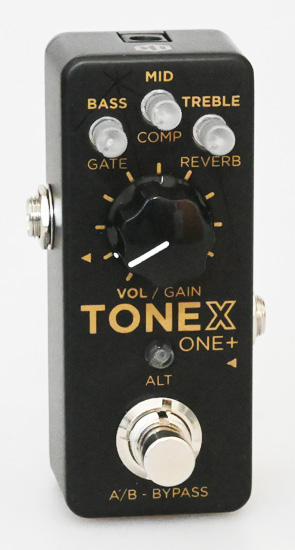
Compared to the large TONEX pedal, the number of controls on this compact unit is of course kept to a minimum. The large knob adjusts volume or, alternatively, gain. At the top are three small knobs for EQ settings or the three alternative gate, compressor, and reverb parameters. There are two different modes for the large “A/B - Bypass” footswitch on the TONEX ONE+: “Dual Mode” and “Stomp Mode.” In Dual Mode, the switch toggles between two presets, while in Stomp Mode, you can toggle between active and bypass. The mode is indicated by the LEDs in the small knobs (Green: Dual Mode, Amber: Stomp Mode).
After pressing the ALT button, you can adjust basic settings using the small knobs, such as footswitch mode, cabinet bypass, input trim, and global volume. If you press the ALT button for three seconds, you can activate Safe Mode to lock changes made through the front controls - and, of course, unlock them again.
The TONEX ONE+ is compatible with the larger TONEX pedal or its little brother, the TONEX ONE, in terms of tone models and presets. This is important for the following section.
TONEX Connect App
The TONEX Connect app allows you to fully control the TONEX ONE+ and manage tone models and presets. This is, of course, a great help - given the limited number of controls. The app is available for Android and iOS. Our examples are from an Apple iPhone.
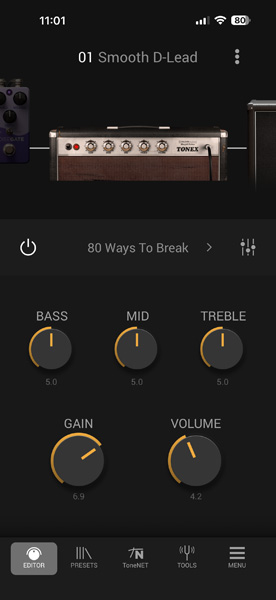
After opening the app, you have to connect your device wirelessly via a Bluetooth connection using the Connect button. Pairing is not required here. The editor then appears, where you can select the block in the signal path at the top and adjust the main parameters at the bottom (see fig. above).
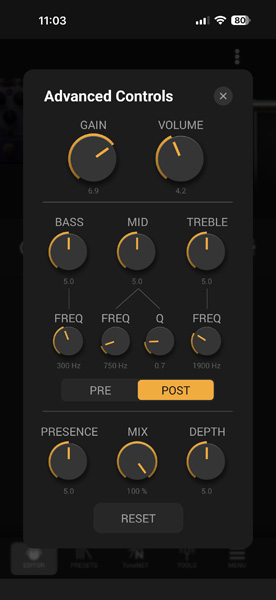
The icon in the top right corner can be used to open a dialog with additional parameters, if needed.
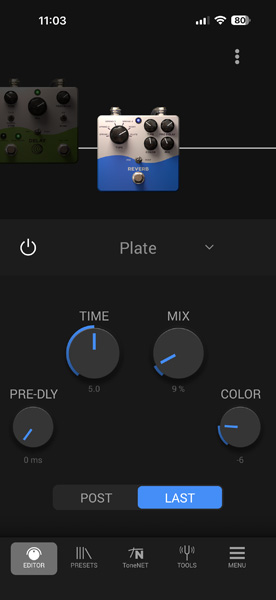
For some blocks in the signal path, you can set whether the block should be positioned before the amplifier and speakers or after them. The exception is the reverb, which can be positioned before the amplifier and speakers or at the very end of the chain.
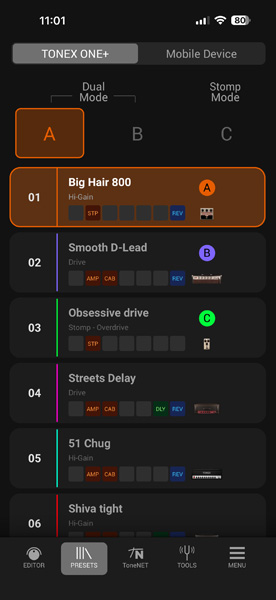
There are 20 preset slots in the TONEX ONE+, which are pre-loaded but can, of course, be changed. The scope of delivery also includes a library with 100 presets from the Signature+ Collection. In the preset dialog, you can select the two presets for Dual Mode or the preset for Stomp Mode, thereby selecting the operation mode at the same time.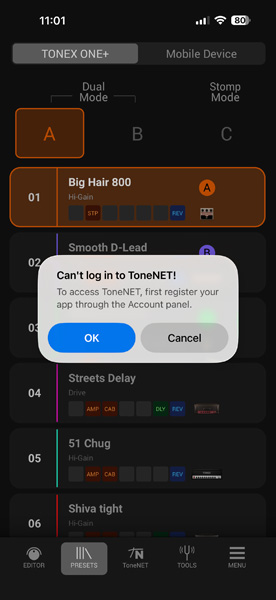
There is also ToneNET, which now features over 60,000 tone models. However, to use ToneNET from within the app, a one-time login is required. You must also register the device in the app.
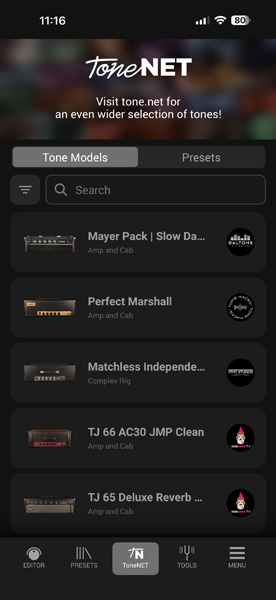
Once that’s done, the tone models and presets from your account will also be available in the TONEX Control app for the TONEX ONE+.
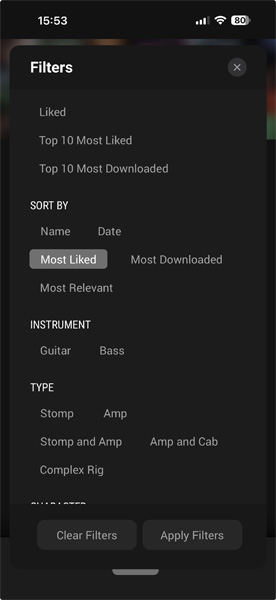
With so many tone models and presets, filtering during the search is, of course, essential (see image above).
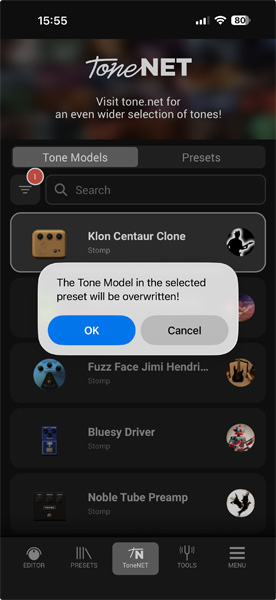
Once you’ve made your selection and want to save it to one of the 20 preset slots on the TONEX ONE+, a warning will appear first that the selected Tone Model will be overwritten. By the way, the 20 presets can of course also be accessed via MIDI.
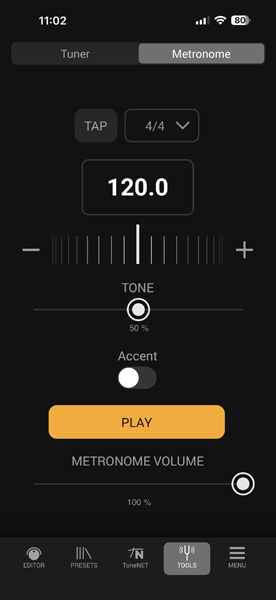
The Tools tab provides both a tuner and a metronome as virtual accessories.
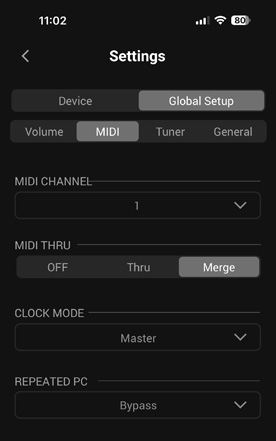
The Editor page also opens a dialog for basic settings. Here, for example, you can set the MIDI channel and MIDI Thru mode, or the reference pitch for the tuner.
In Practice
The TONEX ONE+ can be used in a wide variety of scenarios. One example is to use it as a standalone device where the entire signal chain is simulated. Another application could be a practice scenario, as the Bluetooth audio connection opens up interesting possibilities here as well. Thanks to the switchable speaker simulation, the TONEX ONE+ can also be used in conjunction with a real cabinet.
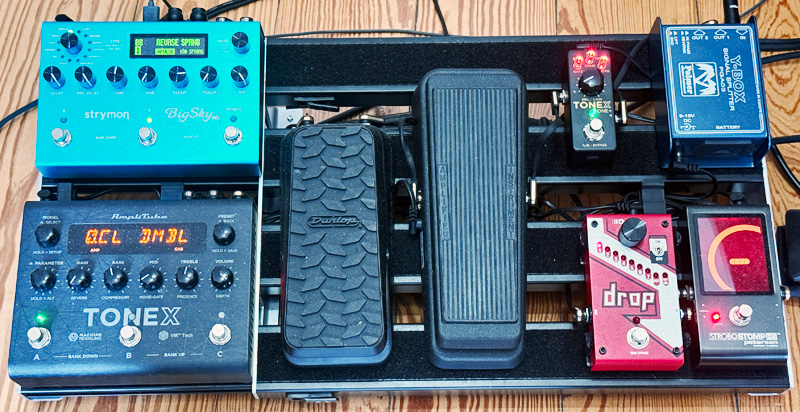
Another scenario is using it as a stompbox to simulate various distortion pedals, for example. This is, of course, also an ideal complement to the TONEX Pedal. There, you can simulate either an amplifier or a stompbox. In combination with the TONEX ONE+, both can be used together. In our test studio, we also integrated the TONEX ONE+ into the entire effects system on the pedalboard as a stompbox (see photo above) and immediately replaced a few standard distortion pedals with it. As you can see, it doesn’t get any more compact than this.
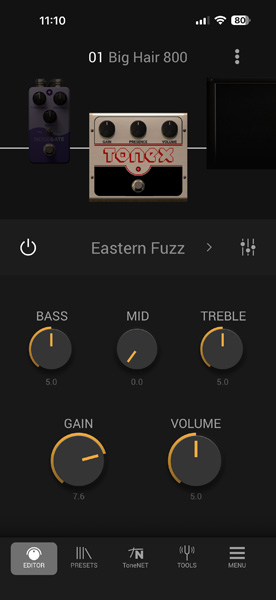
Another nice feature in this context is the filter function when searching in ToneNET, as it allows you to display only the available stompboxes - which makes searching much easier if you want to use the TONEX ONE+ solely as a stompbox.
We don’t need to go into much detail about the sound here, since the signal processing and sound quality are identical to those of its big brother, the TONEX Pedal. The dynamic range is 123dB. Tone models or libraries purchased on ToneNET can also be used in the TONEX ONE+ in the app after logging in.
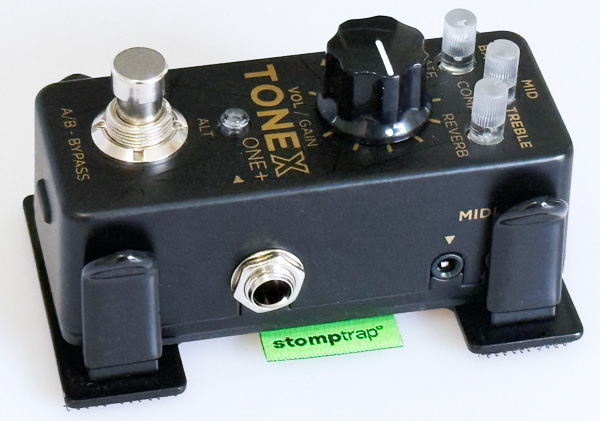
Here’s a tip for practical use: It’s not easy to attach the TONEX ONE+ to a paddleboard using Velcro, because there’s a rubber pad with a hollow space on the back, and Velcro won’t stick there. The solution is a strumptrap mini - which fits perfectly in terms of size. Two Velcro strips can be easily attached to the back of the strumptrap, ensuring a secure hold on the paddleboard. One minor drawback is that the MIDI output jack is covered.
Conclusion
The price of the TONEX ONE+ is around 270 euros. That’s an absolutely attractive price for this range of features. Compared to the TONEX ONE, the TONEX ONE+ offers Bluetooth, app control, and MIDI, and is extremely versatile. It makes another great addition to the TONEX ecosystem.