 How to resolve AdBlock issue?
 The Cargo Cult Slapper 3
3D Audio Delay Plug-in
Author: Peter Kaminski
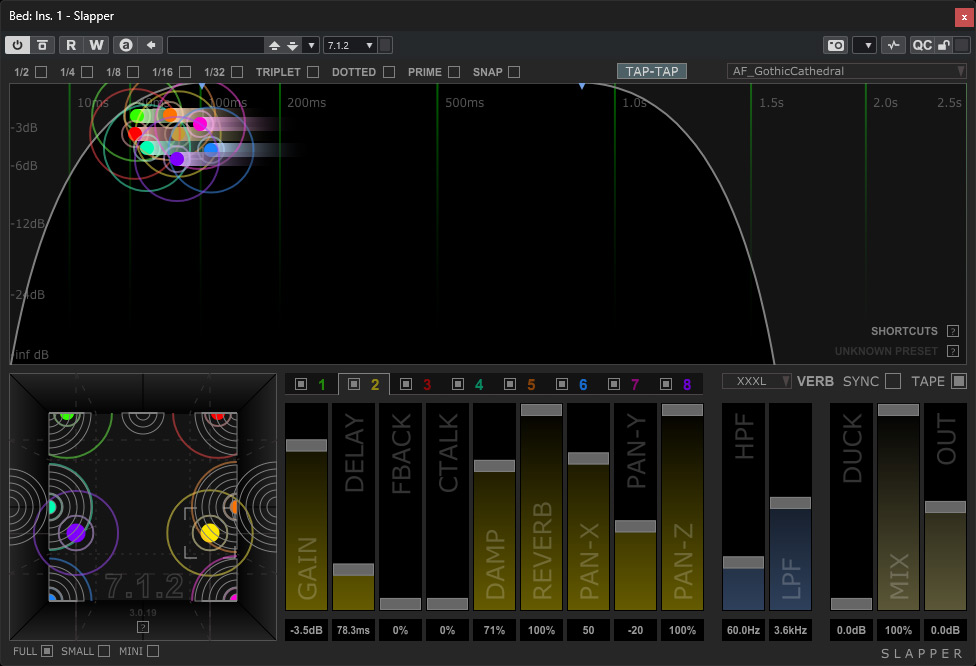
The market for mono/stereo processing plug-ins is now so vast that it is almost impossible to keep track of everything that is available. There is something for every application, whether useful or not. However, the situation is quite different in the field of 3D audio. Here, plug-ins for basic functions, such as equalizers and dynamics processing, are available in a manageable number - but when it comes to more specialized plug-ins, there are often gaps in what the market offers.
While searching for a 3D-audio-capable delay plug-in, I came across “Slapper” from the New Zealand manufacturer “The Crago Cult” in Wellington. The version number 3 already indicates that the plug-in has been available for many years. Version 3, which was released in 2023, offers a whole range of new features and additional multi-channel formats. There are two versions: a stereo-only version and, most importantly for us, a version for multi-channel applications, which we will discuss here. In terms of operation, both are almost identical. The only difference is the number of channels.
Requirements and Installation
The plug-in is available for Windows 10 and above, and for macOS 10.12 (Intel and Apple Silicon) as VST3, AAX (native and Audiosuite), and AudioUnit for macOS. Copy protection is provided through an iLok user account, although an iLok dongle is not required.
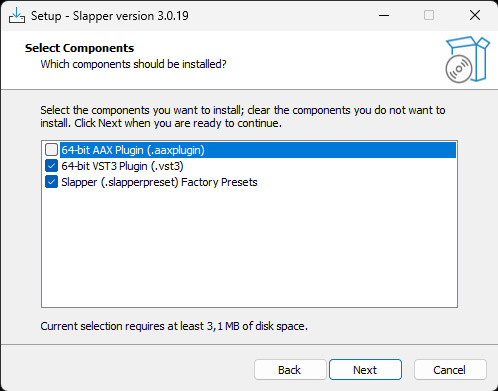
Installation is carried out using an installer program (see image below, example for Windows 11). Here, you can customize various settings, such as installation paths for the program, factory presets, VST3 plug-in folder, and which plug-in formats should be installed. If you don't want to install the factory presets, you can choose not to install them.
The plug-in supports sample rates from 44.1 to 192kHz. Conveniently, all common channel formats are supported, from mono, stereo, LCR, quad, 5.0 to 5.x.x, 7.x.x, 9.x.x up to a maximum of 9.1.6 – and of course 7.1.2 for Dolby Atmos beds. If a smaller format is selected in the plug-in than the channel configuration offers, a downmix is created accordingly so that no signal components are missing.
Operation
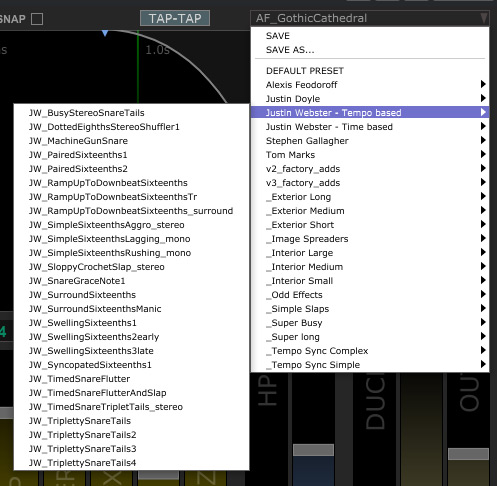
At the top of the header, a menu allows you to access the user and factory presets (see figure below).
Before we now go into detail about the handling of the plug-in, we would like to introduce the concept of Slapper. In all formats, the signal to be processed is summed into a mono signal at the input of the effect path. This mono signal is then sent to eight individual “delay taps.”
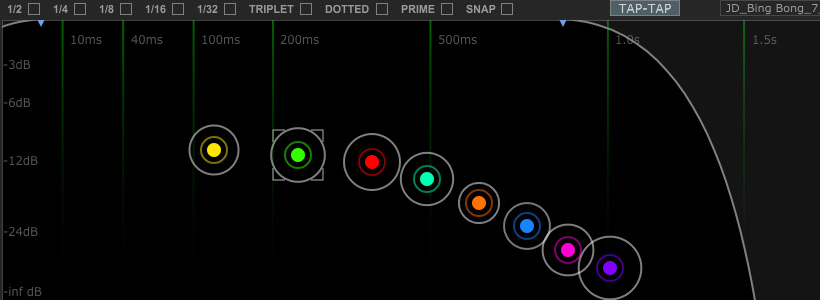
The eight delay taps are visualized at the top of the plug-in. The position of the taps in the graphic indicates the level vertically and the delay time horizontally (see figure above). At the top of the graphic, various options can be used to display the positions of different note lengths as a grid. When SNAP is selected, the tap positions also snap to the note values. The TAP-TAP option allows you to set grid positions manually with the mouse. The shape of the tap symbols provides information about various parameters, such as level, feedback (rings), crosstalk (cross), and damping (color depth).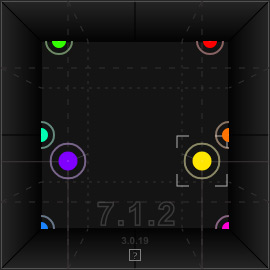
Below this, on the left, is the “Pan Field,” which shows the position of the taps in the 3D audio sound field. The user can also change the position of the taps in the overview and panorama graphics with the mouse.

To the right of the panorama graphic, the parameters (level, delay time, crossfeed, damping, reverb, XYZ position) of one of the eight taps are displayed. You can select a tap in the graphics by clicking on it or by clicking on one of the numbers 1 to 8. Each tap also has a selectable option to the left of the number for individually activating or deactivating the respective tap. To the right of the individual parameters, there are also five global parameters: high/low pass filter frequencies, the strength of a ducking function that reduces the level of the effect signal when an incoming signal is detected, the mix ratio between the original and effect signals, and an adjustment of the output level.
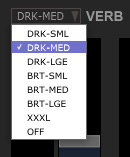
In this area, you can also select an algorithm for the reverb effect (see figure above). There is also a SYNC option that allows you to synchronize with the host software's tempo, as well as a TAPE mode. When this mode is activated, moving taps will not cause any disturbances or interruptions. This allows you to creatively use the change in temporal position. Activating TAPE mode increases the processor load.
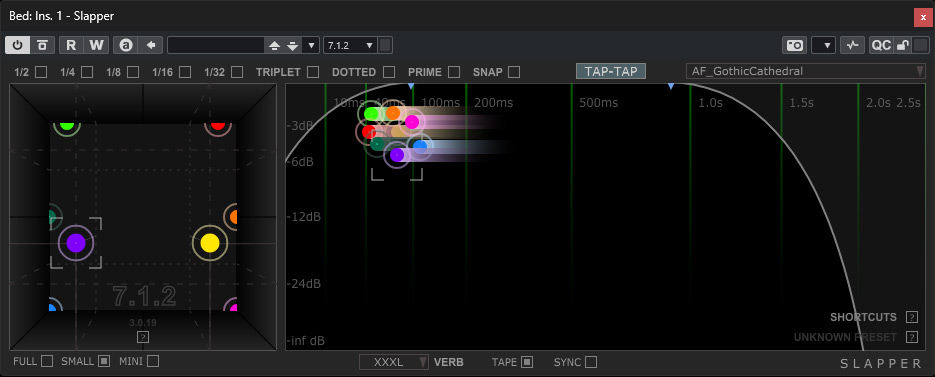
The size of the plug-in is fixed and cannot be scaled with the mouse. However, in addition to the FULL mode, there are two other display modes, SMALL and MINI, which are actually the better solution. In SMALL mode, the graphics for the selected tap and global parameters are hidden, and the panorama and overview displays are arranged side by side.

In MINI mode, only a few parameters are displayed, such as the level meters for the individual channels, the option switches for the eight taps, and switches for TAPE and SYNC.
In Practice
We tested version 3.0.19 of Slapper on Windows 11 on an AudioKern B14 workstation from Digital Audio Service running Nuendo 14. We encountered no problems from installation to operation. The required CPU resources are in the mid-range. In our sample project, the resource usage rose by an average of around 15 percent and peaked at 20 percent according to the Nuendo performance display. Activating TAPE mode, on the other hand, had surprisingly little effect on resource usage in practice.
The interface is very well designed and completely intuitive to use. Only a few terms, such as TAPE, may require a quick look at the ten-page manual, which can be downloaded as a PDF from the manufacturer's website. The manual explains every parameter in detail and also covers parameter automation. The number of factory presets provided is astonishingly high. You don't really need that many though, as creating a preset is very quick thanks to the simple handling of the GUI. The visualization in the graphics is a real help here.
The fact that the input signal for the effects path is summed into a mono signal is not a disadvantage either. If you have input material that is very stereo-heavy, you can also use two channels and treat the plug-in individually for the left and right input channels. However, I never found this necessary. The distribution of the eight taps in the virtual 3D space is absolutely sufficient for a dense sound that creates a very immersive spatiality.
The plug-in can be used for a wide variety of sound sources, from vocals/singing to instruments ranging from synthesizers to piano to guitar and even percussion. I wouldn't want to rule anything out. Producers of immersive audio, both in pop music and film music, as well as sound designers, will certainly enjoy this plug-in.
Conclusion
The stereo version costs $169, and the multi-channel version $439. That's quite a hefty price for a delay plug-in, but in many respects, the multi-channel version of Slapper offers features that you won't find in other plug-ins. I find it to be a very interesting plug-in with an intuitive GUI for 3D audio production, which I will definitely be using more often.