 How to resolve AdBlock issue?
 Focusrite Scarlett 18i20
19-Inch USB Audio Interface
Author: Erol Ergün | Photos: Peter Kaminski and Erol Ergün (2)
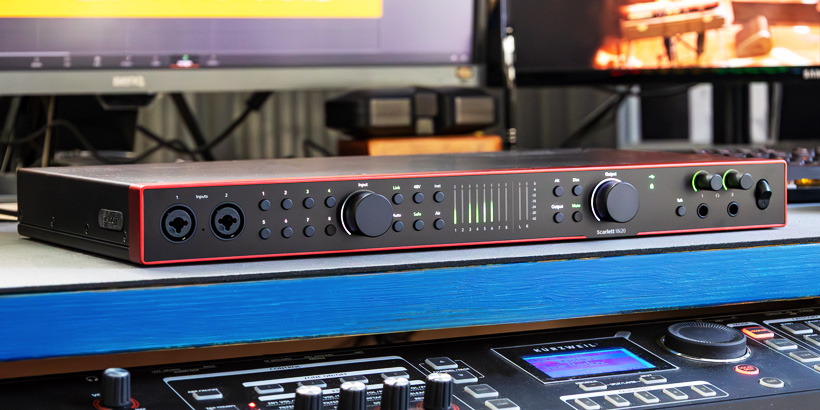
In addition to the Clarett+ model series, Focusrite now also offers various USB audio interfaces from the Scarlett product family for current Windows and macOS computers. The Scarlett 18i20 4th Gen is the version with the highest number of inputs and outputs as a 19-inch version available on the market. We are going to examine it in detail in this review.
Concept and Technology
Just like the compact 2i2, 4i4, 16i16, and 18i16 versions, the Scarlett 18i20 also features a sturdy metal housing with Focusrite's familiar red finish and neatly integrated controls.
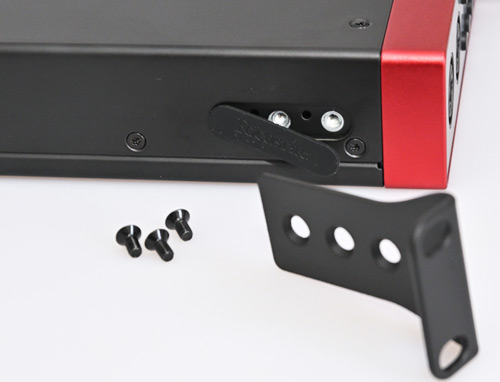
The 19-inch device, which can be mounted with rack angles, weighs 3.3kg. It has a height of 1U and a depth of 260mm. The threads for attaching the metal angles are hidden behind a rubberized cover for desktop use.
Compared to its predecessor, the Focusrite Scarlett 18i20 features an auto-gain and clip-safe function for automatic level adjustment, as well as the option to remotely control relevant parameters on current iOS and Android operating systems via Wi-Fi using an app. When installing the Focusrite Control 2 software user interface, Focusrite offers Easy Start, a tutorial that guides users through online product registration and custom settings. Easy Start is designed for beginners and can be disabled if desired. Users can also register and then use the additional software Hitmaker Expansion Bundle. In addition to the DAW software Ableton Live Lite and Pro Tool Intro+, it includes a six-month license for FL Studio Producer Edition and several plug-ins. It also includes a two-month subscription to the mixing, mastering, and distribution platform Landr Studio.
Connections
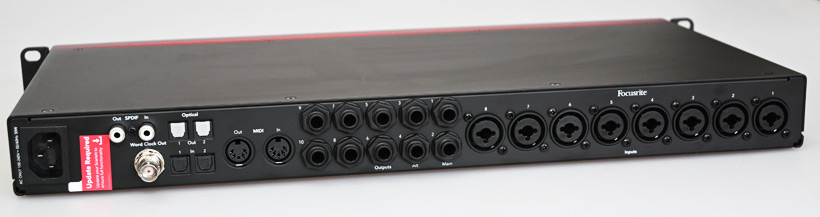
On the front panel, there are two combo jacks for the first two inputs on the left. On the rear panel, from left to right, there is the power connection (100 to 240 V, 50/60 Hz), a USB-C socket for connecting a computer, an S/PDIF input and an output in the form of RCA sockets, as well as a BNC connector for the word clock output. Next to these are two TOSLINK inputs and outputs, as well as a MIDI input and output. In the middle are the ten balanced line output jacks with 6.3mm jacks and eight combo inputs for microphones or instrument signals.
As with the other interfaces in the Scarlett family, sampling rates of 44.1kHz, 48kHz, 88.2kHz, 96kHz, 176.4kHz, and 192kHz are supported at 24-bit resolution. In addition to the eight analog inputs and outputs, there are two separately controllable headphone outputs, as well as S/PDIF and two TOSLINK MIDI inputs and outputs. There are 16 ADAT audio channels available for TOSLINK – a total of 26 inputs and 28 outputs at a sampling rate of 44.1kHz and 48kHz.
The microphone inputs offer a dynamic range of 116dB (A-weighted) and a gain range of 69dB, compared to 111dB and 56dB in the previous model. The dynamic range of the line outputs has also improved from 108.5 to 122dB (A-weighted). The manufacturer specifies the range of frequency transmission as 20Hz to 20kHz (± 0.06dB).
Operation
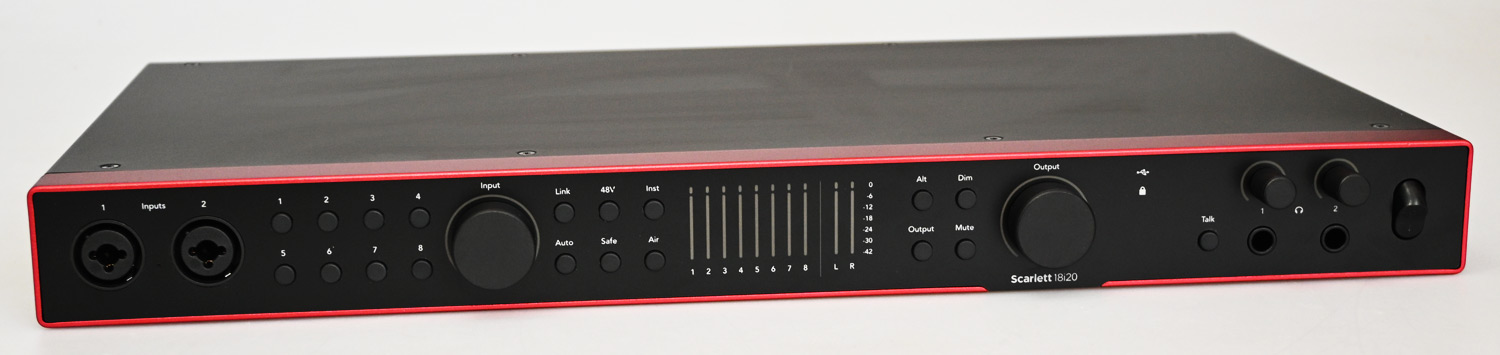
Now let's take a look at the controls on the front panel. On the right-hand side, there are eight buttons with status LEDs for selecting and deselecting the input channels, as well as a large rotary encoder with a white LED ring for adjusting the input level. To the right of these are function buttons for linking in stereo mode, switching the 48-volt phantom power for each preamp channel, and switching between line and instrument levels. Below these, the auto gain, clip safe, and air functions can be activated.
In the middle is an easy-to-read bar graph level meter for the eight inputs or outputs and for the stereo monitor output. Further to the right are function buttons for selecting alternative monitor signals, display options for input or output levels, a dim switch for reducing all output levels by 18dB, a mute switch for all outputs, and a rotary encoder for the output level. With the app, you can also configure to control additional outputs. In my opinion, the talkback switch with the green LED is easy to overlook. Once activated, depending on the routing, the talkback microphone signal is routed to selected outputs, for example, both headphone outputs in the form of a 6.3mm stereo jack socket each, whose output level can be controlled via analog controls.
I find the possibility of using the device without a computer interesting. In standalone mode, for example, the microphone preamps can be routed to the ADAT interfaces in order to forward analog signals to digital mixing console inputs.
In Practice
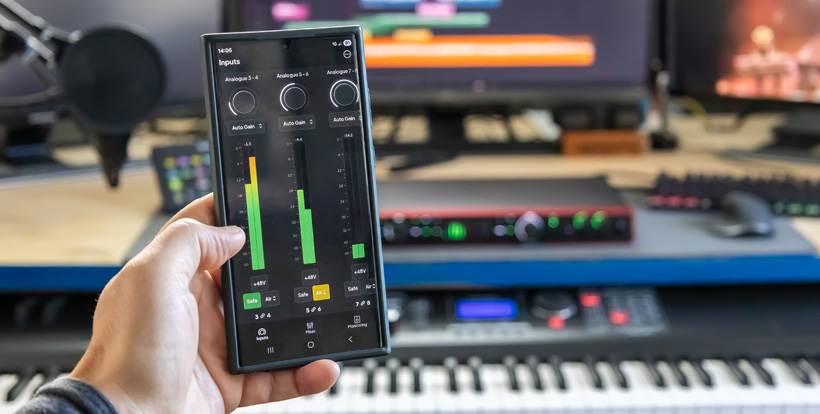
As with the other members of the Focusrite family, the mechanical workmanship is impeccable, and the layout of the controls is very tidy. Despite the intuitive operation of the device, a detailed and linguistically PDF manual is available, which can be downloaded for offline use. There are also online step-by-step video clips that clearly and comprehensively explain all the relevant functions of the device.
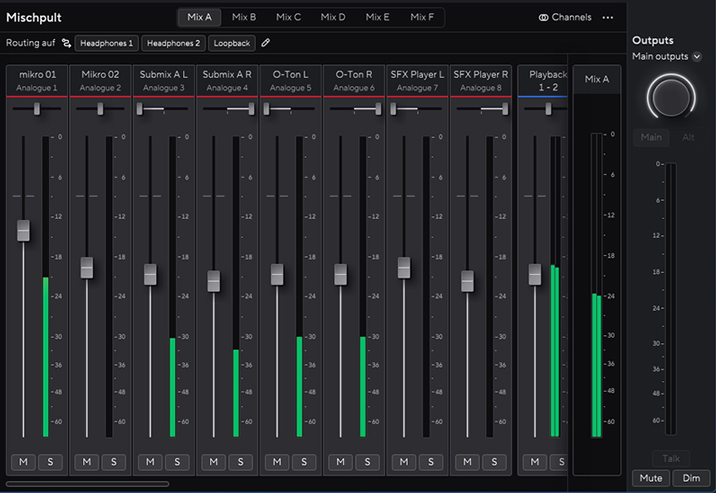
As with the more compact models of the latest Scarlett generation, the Focusrite Scarlett 18i20 audio interface offers low self-noise. The automatic level functions Auto Gain and Safe Gain allow you to comfortably make audio recordings without overloading. All relevant parameters can be configured with the free downloadable Focusrite Control 2 software. We did not experience any crashes on our test systems running Windows 10 and Windows 11. The talkback routing was just as flexible to set up as the digital synchronization settings. When changing the sampling rate beyond 96kHz, no mixer settings were displayed. This leaves only the analog control of levels on the device.
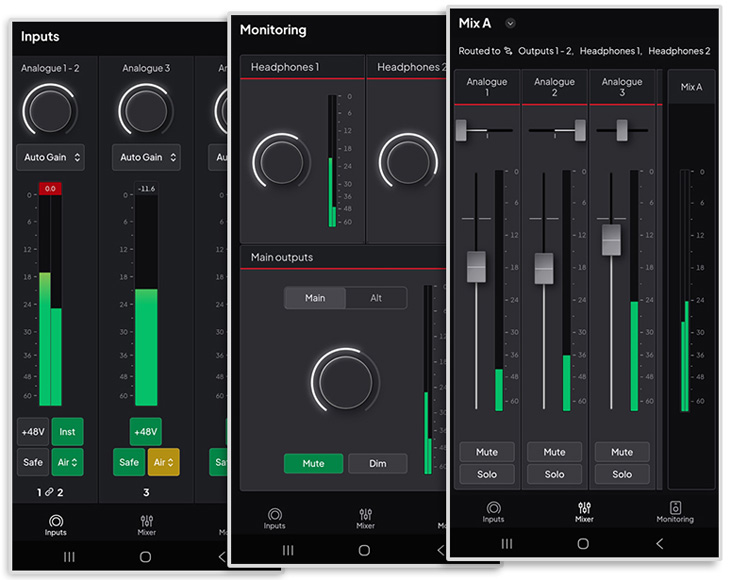
Remote control of parameters using the app proved to be very practical. After downloading it from the App Store, the connection via a QR code was quick and smooth. Channel inputs and outputs, as well as levels for headphones and monitor output, can be controlled.
Conclusion
The new generation of the Scarlett 19-inch audio interface offers very good value for the money spent, as the Scarlett 18i20 4th Gen is available from specialist retailers for around $600. As with its predecessor, the current 19-inch version of the Scarlett family benefits from sustainable and consistent product maintenance. The now diverse control of the various functions is straightforward and greatly enhanced by the real-time remote control of parameters via Android or iOS app on the same Wi-Fi network. The routing of the available 26 inputs and 28 outputs for different settings can be flexibly configured thanks to individually customizable presets. Dynamic sound sequences can be recorded reliably, powerfully, and without distortion using the improved microphone preamps and auto gain options.