 How to resolve AdBlock issue?
 Spectrasonics Omnisphere 3
Update to the Classic Complex Synthesizer
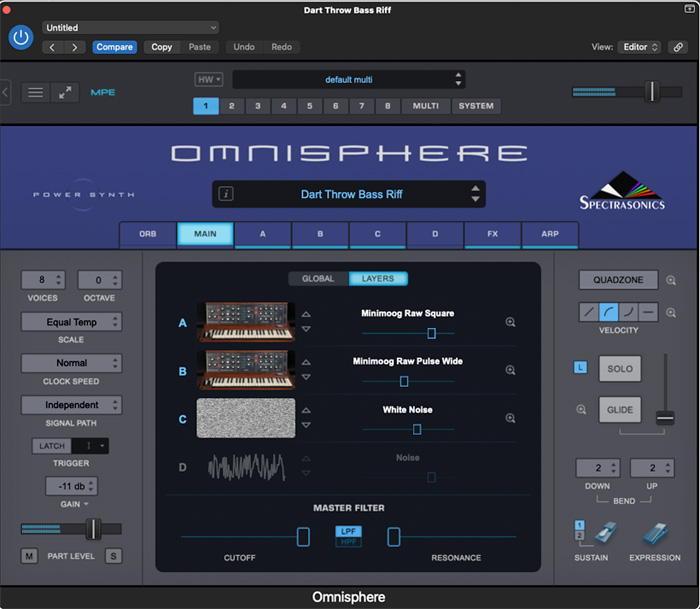
Omnisphere was released in September 2008. At that time I was working in a radio jingle house in Berlin. The owner had just purchased three of the latest and most expensive hardware synths. I was told to spend half a day to familiarize myself with each of them and then half a day with this new plugin called Omnisphere to create the next radio jingle. I did not know at the time that I would have needed more time for Omnisphere alone. It did not take long to realize that Omnisphere's combination of audio “Soundsources“ (I will use their spelling for this article) and synthesis offered sounds that were fresh and more complex than what you could find anywhere else at the time.
Almost twenty years later, on a different continent and two Omnisphere versions later, some things have not changed. I have barely touched the presets in the Analog Vibes category and it feels like I have been listening and playing sounds for an entire day. In the last eighteen years, some version of Omnisphere has made its way onto scores of Marvel movies, a million different records and many producers have relied, sometimes too much, on some of the very detailed and expressive time synced patches. Omnisphere is not only huge in terms of history and impact, but also in what it offers. From the number of patches, to the signal generating and sound processing options, this is a behemoth and it has grown considerably for this third installment.
Installation
Omnisphere has its own installer, which is available on the Spectrasonics website. The first step is to download the download manager from the user account. The download manager will download a 60 GB folder which includes the Mac and PC installer and the Soundsources. Using that installer creates or updates the Steam folder which stores the Omnisphere data. When starting Omnisphere the first time in the DAW it will send you to the Spectrasonics website with a challenge code. The installation both on my Intel MacPro and Silicon MacBookPro worked without a problem. Following Spectrasonics’ instructions, I copied the 60 GB installation folder from my laptop to the desktop instead of re-downloading it.
The authorization worked straightaway on both machines without any issues. Omnisphere 3 works with all major DAWs on Windows 10 or higher and MacOS 13 or higher. It is available as standalone app AAX, VST2, VST3, and AU plug-in versions.
Version 3 will replace Omnisphere 2 in your session. The good news is that in order to add more Soundsources without increasing in installation size, Spectrasonics moved to FLAC as their audio format. If you have an existing installation your STEAM folder will be replaced by a brand new one.
I reached out to Spectrasonics about the audio format change, here is their comment: "For Omnisphere 3, we made sure to keep drive space requirements in mind when building the library. We chose to store our instrument samples using FLAC, widely considered the industry standard for lossless audio compression. It provides bit-perfect decoding identical to the original recordings, with no loss of quality. FLAC typically reduces sample data size by 50–70% while remaining extremely fast to decode, lowering disk bandwidth requirements and making it ideal for high-performance real-time sample streaming.”
Concept
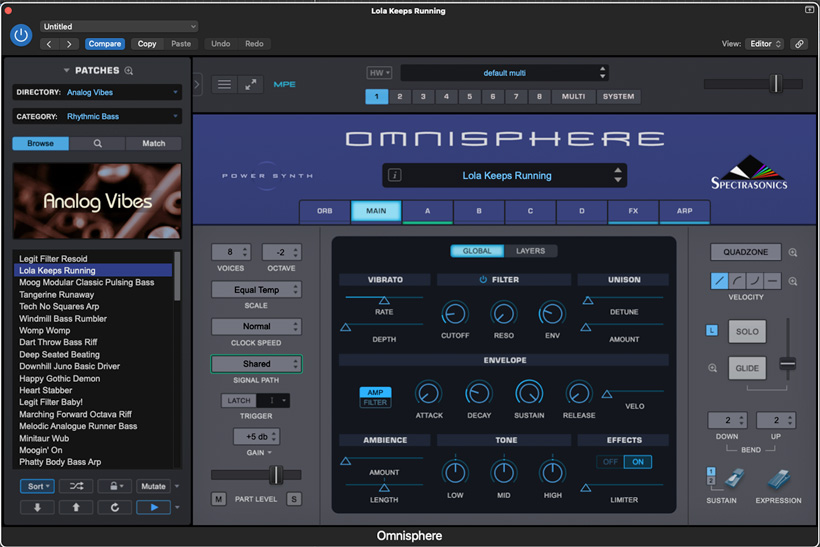
It seems the abundance of sounds and processing options is the core of the concept of Omnisphere. If you can only own one VST synth and you want it to be able to regular synthesizer things, you will find plenty to play with here. If you are into elaborate sound design and running audio files through oscillators, you will have more options here than in any other synth I know. If you are into building patches with plenty of onboard routing, you will have more ingredients than at least I could ever get through. The depth and size of Omnisphere means that it can be different things to different people. The composer, the producer, the keyboard player and the sound designer might all find different reasons to use Omnisphere 3 on their productions or on stage.
CPU and Handling
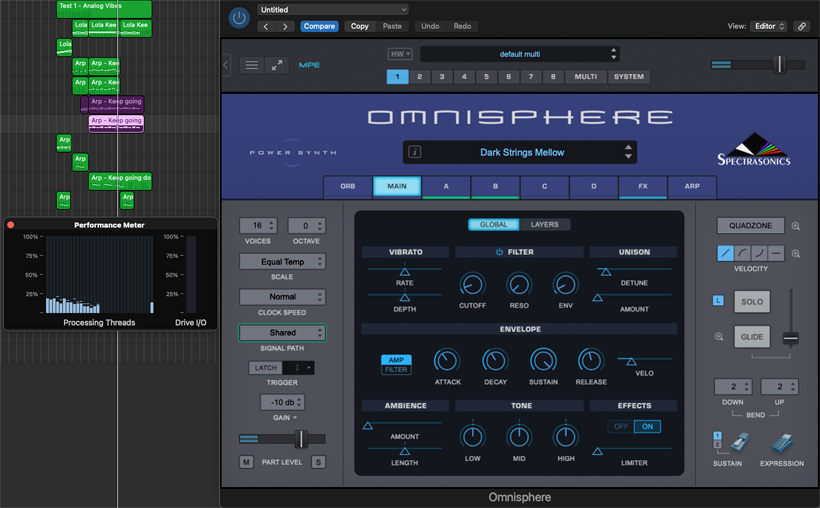
I wrote a couple of sketches using only O3 patches and there were no CPU spikes or memory issues. On my Intel MacPro it seems it would be difficult to max out CPU with Omnisphere 3. Twelve instances of complex sounds barely registered on Logic’s CPU meter.
The Omnisphere’s browser can be set up to play a short sound sample of a patch automatically when you click through the sounds. This can help to get through a lot of sounds quickly or to explore sounds without access to a keyboard / MIDI file. Omnisphere 3 supports MPE. MPE is easy to activate and I had no issue using my Expressive E Osmose with Omnisphere 3. In my first sketch I limited myself to the Analog Vibes presets and tried to see how well they respond to a MPE controller. Everything sounded great and responded well.
In the tests, old Omnisphere instances were recalled and played correctly. For legacy sounds Omnisphere 3 will default to new slightly updated versions of the patches, but there is also an option to use the legacy version as it appeared in version 2. In my sessions the updated versions as expected and I saw no reason to use the legacy version
A welcome addition are the “New Adaptive Global Controls”. As Omnisphere often generates its sounds with layers, it could be tricky in the past to adjust both layers separately to achieve the desired combined sound. Omnisphere 3 offers overall controls to adjust filter, envelope, tone and others for the entire preset. This is a time saver.
“Quadzone Modulation” is another useful update. It offers control over four layers of sound to create complex custom modulations with an elegant and simple user interface. 36 new filter types, circuit modeled saturation, new wavetables and a polyphonic dual frequency shifter are a couple of new features that expand the sonic palette and control of Omnisphere 3. Spectrasonics added lots of controllers and keyboards that you can select via the hardware integration menu. This means that for over 300 hardware devices hands-on control, including over synthesis, is only one drop down menu away.
Considering the size and complexity, both installation and workflow are clear and elegant. There are synths or eco systems that rely on you buying additional patches or the user installing individual sounds sets. There is no gradual furnishing of patches necessary with Omnisphere 3. It comes ready to go. Omnisphere 3 has 5,590 Soundsources as basis for patches. It is hard to find a synth that comes with 5,590 patches, let alone that many Soundsources.
Under The Hood
I asked Spectrasonics to explain the complexity and sound generation of Omnisphere 3 using a specific patch with all its elements and processing. Here is their response ...
"The Oscillator is at the core of Omnisphere’s sound engine. It has a “split-personality”, since it can play multisamples (called Soundsources) or DSP-generated wavetables. With FM, Ring Modulation, Dual Frequency Shifting, Waveshaping, Unison, Harmonia, and Granular, it offers deep sound design flexibility. The Oscillator is part of a Layer, which also includes envelopes, filters, and effects. A Patch can stack up to four Layers, providing almost limitless possibilities.
For example, the pulsing Patch “Rupturing the Strong Room” is built from two layers, both starting from DSP wavetables using sine waves. Layer A is transposed down two octaves, while Layer B plays an octave plus a perfect fifth above the keyboard input. Layer B’s sine wave is processed with the oscillator's Waveshaper to add harmonics, and each layer runs through its own effect rack, including the new Pulsar Split, which adds a distinct pulse to each layer.
Quadzone, new in version 3, crossfades between the layers with a tempo-synced LFO, producing a pulse that moves between low and high frequencies. Both layers then pass through the Common Rack, which applies multiple distortion stages, a multiband compressor, and a tube compressor modeled on the Fairchild 670. The signal is finally routed through a ducked reverb, slowed by the Halfspeeder effect unit, and given additional rhythmic movement via another instance of Pulsar Split. The Mod Wheel adds another harmonic and increases the wobble rate. All of this is achieved starting from simple sine waves, demonstrating how processing and modulation can transform the purest sound into a pulsing, evolving patch.”
In Practice
Just like in previous versions of Omnisphere, there are sounds that are very produced and feel mastered to volume. The big upside of this is that the patches are detailed, expressive and often impressive. They are also very consistent in volume, which is great when you sample a lot of patches. The downside is that they are often produced to fill “the screen”.
Any professional composer or engineer will notice that some patches do take up a lot of sonic real estate. In every day use I would sometimes roll back some of the processing or use the more attention grabbing sounds sparingly or in arrangements that leave them enough room. Luckily Omnisphere offers you all the controls you need and also options to search and select less complex sounds to start with.
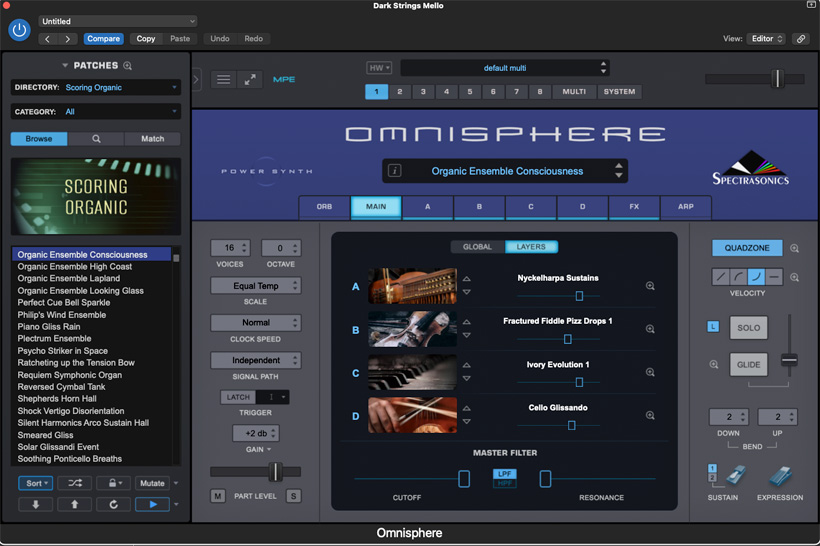
Omnisphere 3 deserves separate articles for its capabilities as a sound design tool and about creating patches from scratch. There is no covering all the options in one article. I would like to touch on one more feature that sets it apart from many synths. Playing through the Scoring Organic patches it feels the word “organic” is really earned here. The Adagio Stringy Symphony patch is combined from four Soundsources that are actual string recordings. From ocarinas, to harps, to drums, to voices to experimental sounds, the organic often gently developing nature of the source elements are naturalistic, warm and detailed. Often on par with classical sample banks.
Omnisphere 3 patches often combine four natural sound sources and plus individual or overall fx routing. The Organic Ensemble Consciousness patch is a good example for that. It is made up of Nyckelharpa, Fractured Fiddle, Pizz Drops, Ivory (Piano) Evolution and Cello Glissando Soundsources. Together they create a sound where you can hear and feel the wood of the instruments, the gentle drift to the final pitch and a little variation and development in the sustain. These sounds are great for texture and they do play well with traditional instruments or to add a little live to a song or score.
Conclusion
The addition of MPE alone would have made Omnisphere 3 an update to consider. The impressive number of new sounds and other innovations make the decision even easier. If you are new to Omnisphere, you will be impressed by the scope and quality. From 35 great sounding FX units to the amount of patches, you could write entire scores and produce entire albums just using Omnisphere 3. You can also spend a year in a cabin in the woods just sampling sounds, not to mention designing your own with the depth of customization possible. The depth and flexibility means that it not a genre or project specific synth. I could see producers that are focussed on a specific genre or emulation of a hardware unit seeing Omnisphere 3 as overkill, but for most producers and composers you will find the sounds you need here straightaway.
Omnisphere 3 is available from Spectrasonics or Ilio for $499 or €399.