 How to resolve AdBlock issue?
 Steinberg Cubase 15 Pro
AI introduction, Workflow Improvements, Groove Agent 6LE, and More
Author: Heiner Kruse
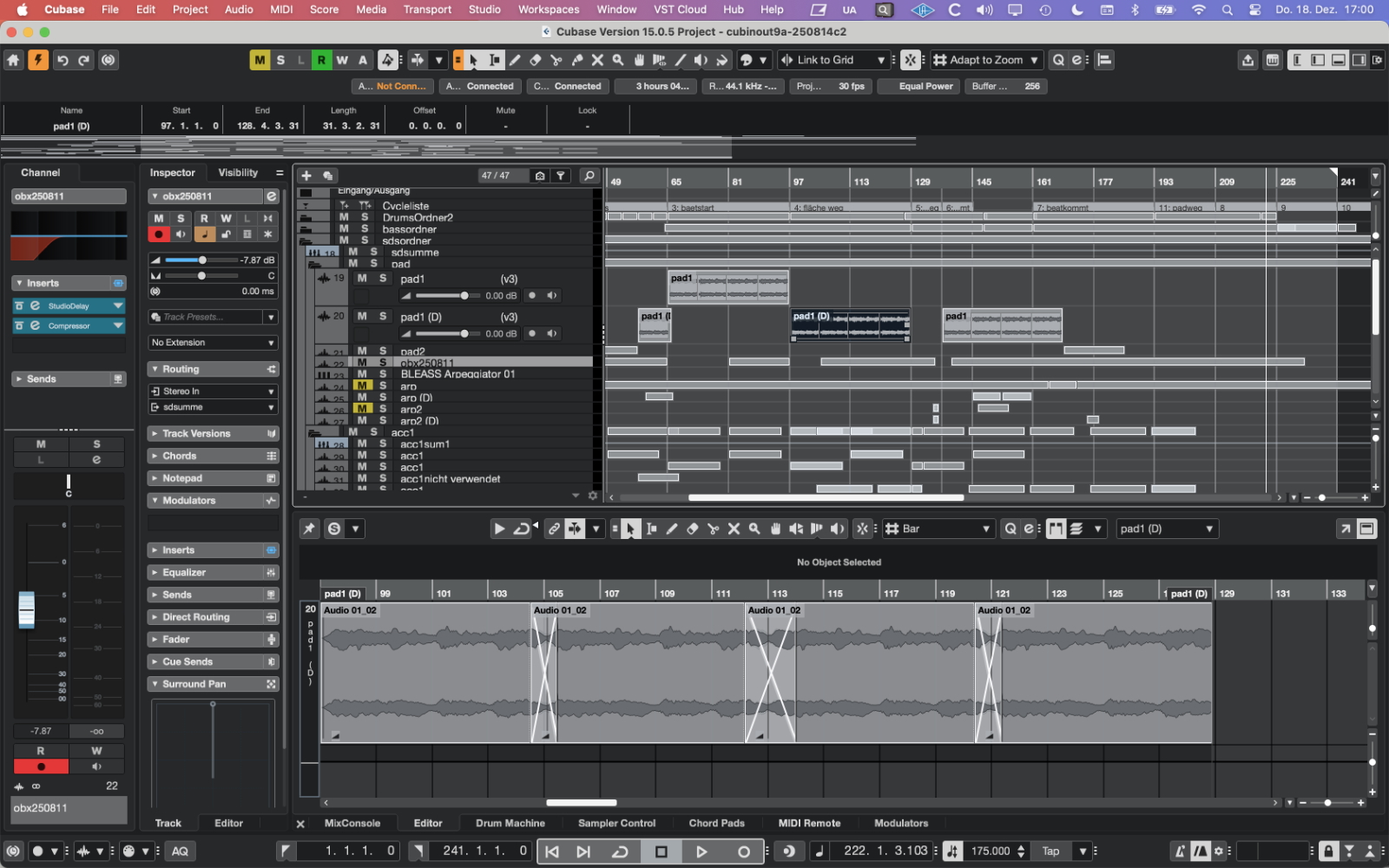
New Cubase updates are typically released on an annual basis, and this time is no exception: Steinberg Cubase Pro 15, the professional DAW for music production, was released in November 2025. A few months later, the update to the Nuendo version, which is larger and more focused on multimedia and audio engineering, is expected to be released. Our previous review of Cubase 14 included an introduction to Cubase, as well as differences between Nuendo and the various versions of Cubase. We have also tested Nuendo several times. This review focuses on new features in Cubase 15.
Installation and Setup
Cubase 15 has grown in size from 1.97 GB to 2.89 GB compared to the previous version. Spectralayers 11 requires approx. 2 GB, Spectralayers 12 approximately 5 GB of storage space. MacOS 26 Tahoe is now also supported on Mac. The minimum requirements are Windows 10 (64-bit, version 22H2) or macOS 14 (Sonoma), a multi-core processor (e.g., Intel i5 or AMD Ryzen or Apple Silicon), at least 8 GB of RAM and 85 GB of free storage, with a 64-bit environment for plugins, a stable internet connection for activation, and a screen resolution of at least 1440x900. Installation is possible on up to three computers.
The welcome screen offers help with setting up the audio device, a process that was previously less accessible. This setup can now be done at the top of the Cubase Pro Hub dialog box, which opens when the program is launched. By clicking on a waveform icon, a voice sample can be immediately output as audio for testing purposes.
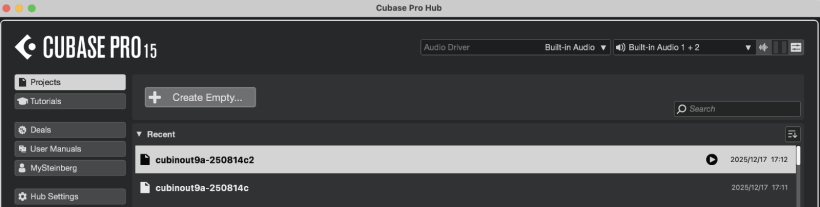
In the Hub, you can now also preview projects without opening them. However, this only works if a preview file has been generated in the project menu of the respective project. A small play button will then appear next to the project entry.
AI and Stem Separation, Spectralayers Go 12
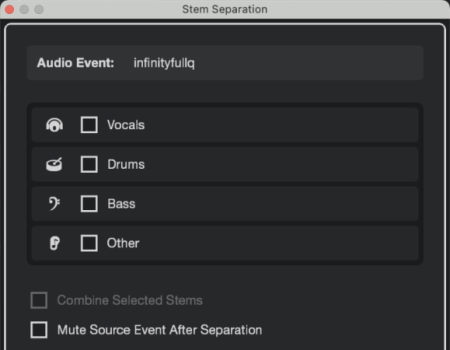
Cubase 15 now introduces AI-supported stem separation. In the Audio menu, we find the entry “Separate Stems...” to separate four stems (vocals, drums, bass, other) from an audio file. The quality is “okay” and sufficient for simple adjustments to the mix balance, but I've heard better results elsewhere and I miss an option for different quality levels. The main purpose here is to be able to separate parts quickly and easily. Conveniently, they end up directly in the arrangement area and are calculated faster than, for example, via Spectralayers Go, which is the alternative and is also available in Cubase via the ARA or Extension area in the editor.
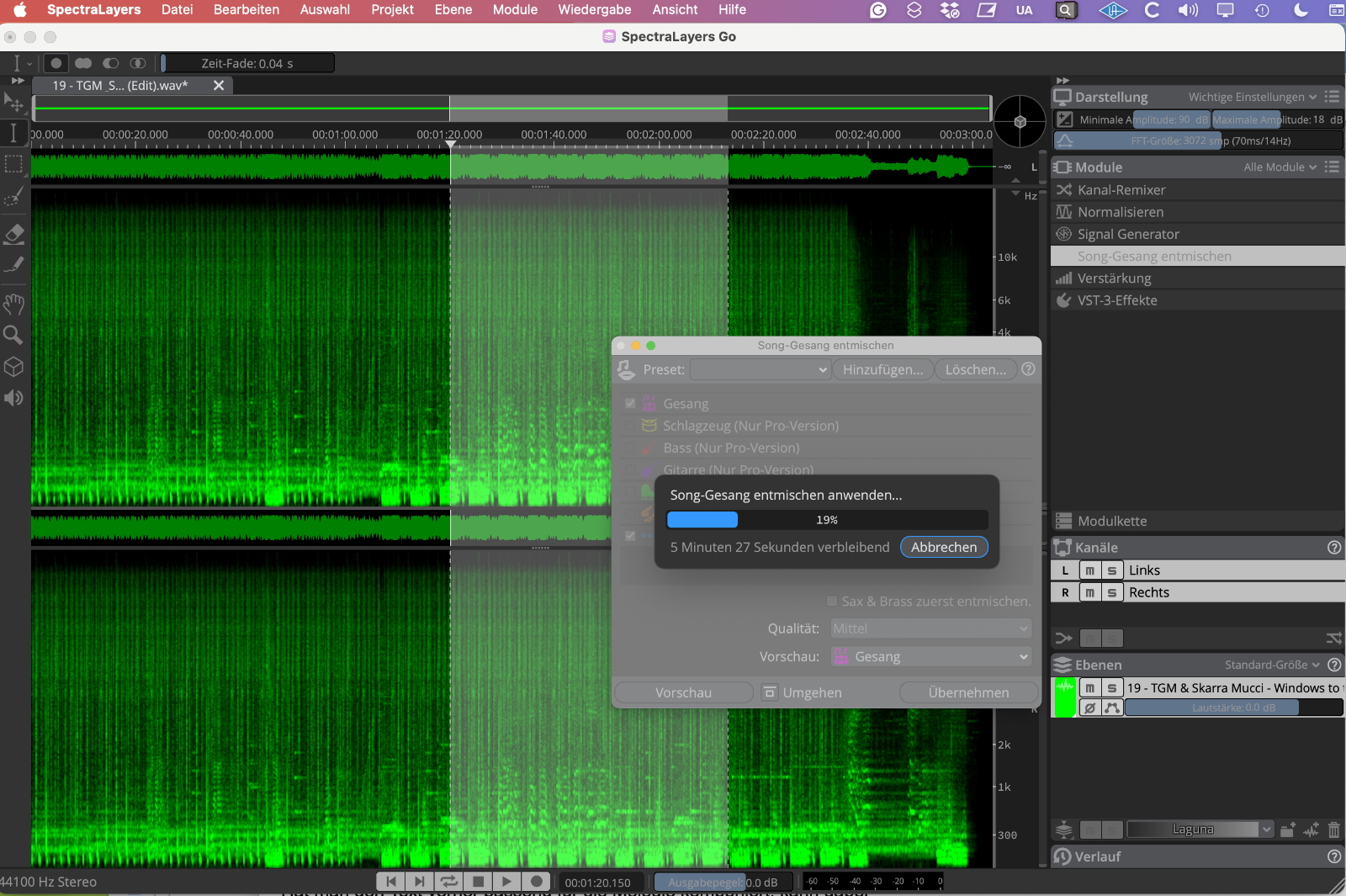
The process using Spectralayers Go takes more time, but it offers more options and better quality. The new Spectralayers Go 12 version included with the software can also be used as a standalone version and can handle vocal unmixing at various quality levels, all of which already sound better than the separation in Cubase. However, to get the full range of “song unmixing” features in Spectralayers, you need to upgrade to the Pro version. Basically, Spectralayers 12 offers improved algorithms for spectral analysis-based editing, improved selection tools, and optimized performance compared to version 11. I found it somewhat confusing that before installing version 12, the highest vocal unmixing quality in version Go 11 was called “Extreme,” but in version 12 it was called “High,” like the medium quality setting in version 11, with version 12 temporarily using over 8 GB of RAM, but at least showing the remaining time.
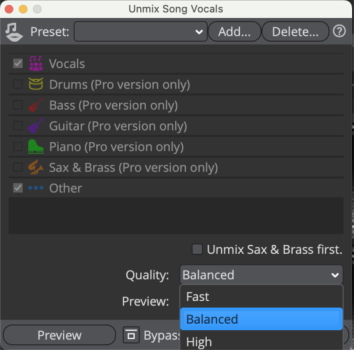
AI and Omnivocal Beta AI from Yamaha
The Omnivocal Beta software instrument from Yamaha can generate a female and a male voice. You can drag a melody track onto the instrument track, and the instrument will simply sing with “ah”-syllables.
In the editor area at the top right, you can insert a longer vocal text phrase by making the text field at the top right visible, which is then automatically distributed across the notes. If you have composed the text to fit the melody beforehand, the assignment will be correct; otherwise, manual edits are possible. Entered text is converted into IPA (International Phonetic Alphabet) notation. If individual syllables need to be lengthened, this can be achieved by simply extending the MIDI note.
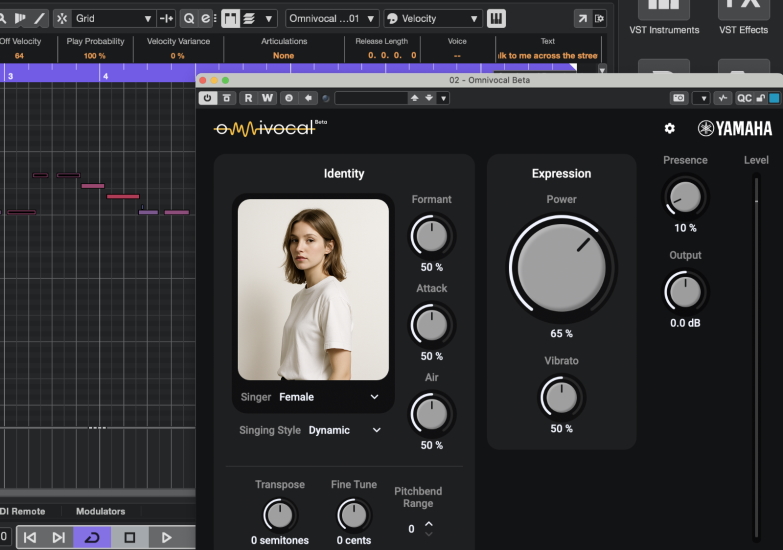
Expression significantly changes the character of the voice; other setting options include Formant, Attack, and Air. The female voice sounded a little more convincing in our test, but the notes for the male voice need to be transposed downward to sound more authentic. We are still dealing with a beta version here, and further improvements are therefore to be expected. However, Omnivocal Beta can already be used for background vocals.
Pattern Editor
As a reminder, Cubase 14 introduced drum tracks and the Pattern Editor, which has been improved in many ways in Cubase 15. The Pattern Editor could already be used to play melodic instruments. However, there was no option to save patterns independently of the project.
Cubase 15 features new sounds for the drum machine, and the Pattern Editor has undergone a number of changes. There is now a dedicated Melodic Pattern Sequencer option, as well as a choice between monophonic and polyphonic modes. Here, you can adjust scales, random variations, and the density of the “note population” or drag chords from the chord track. For example, you are also asked about repetitions, leaps, and ties to quickly create realistic melodies or voice leading in the style of well-known hits.
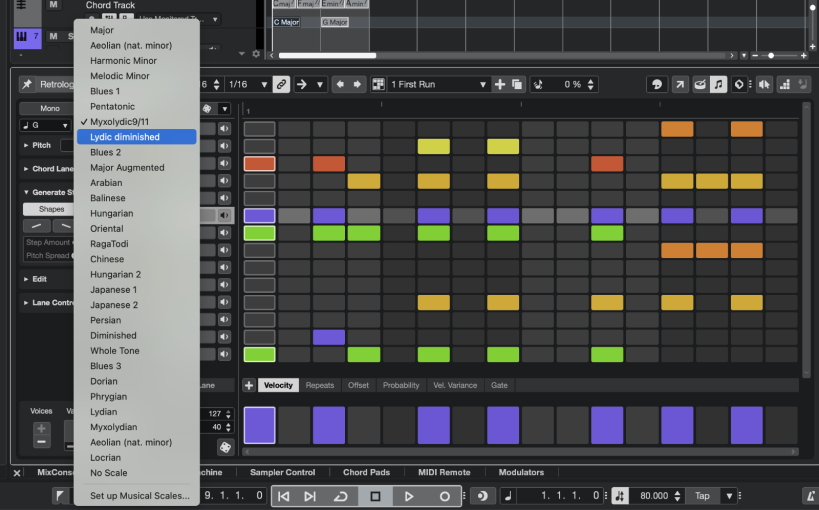
In addition, patterns (including melodic patterns), can now be saved and managed as presets. More specifically, when working with so-called pattern banks, an entire set of patterns (e.g., with intro, fill, break, etc.) can be loaded and saved.
You can now also display a reduced view of only those tracks that actually contain content. Another new feature is step input, which allows you to enter beats step by step or switch between steps using the arrow keys. Incidentally, settings for drum kits, such as the contents of the sampler track, are categorized as track presets rather than instrument presets, which does not always seem to make sense.
Groove Agent SE 6 and Writing Room Synths
Groove Agent SE 6 is a new version of Steinberg's well-known drum sound generator, which now features a pattern player similar to the pattern editor introduced in Cubase 14 for programming beats. You can also play with randomize options or, as in the pattern editor, change the playback direction of patterns.
Basically, you switch between a kit and a player area. In the latter, you can still work with MIDI files and styles, which can also be triggered directly with played notes and can now also be converted into a pattern. A “style” plays in the style of an intelligent drummer, similar to Logic, and can in turn be converted into a MIDI file if required. Player content can also be transferred to the DAW as MIDI data via drag & drop. There are additional conveniences, such as the optional detachment of a player window and the options undo/redo. The interface can also be scaled. In the kit view, I missed a global pitch knob for the entire kit, but I was able to achieve my goal by selecting several pads at the same time.
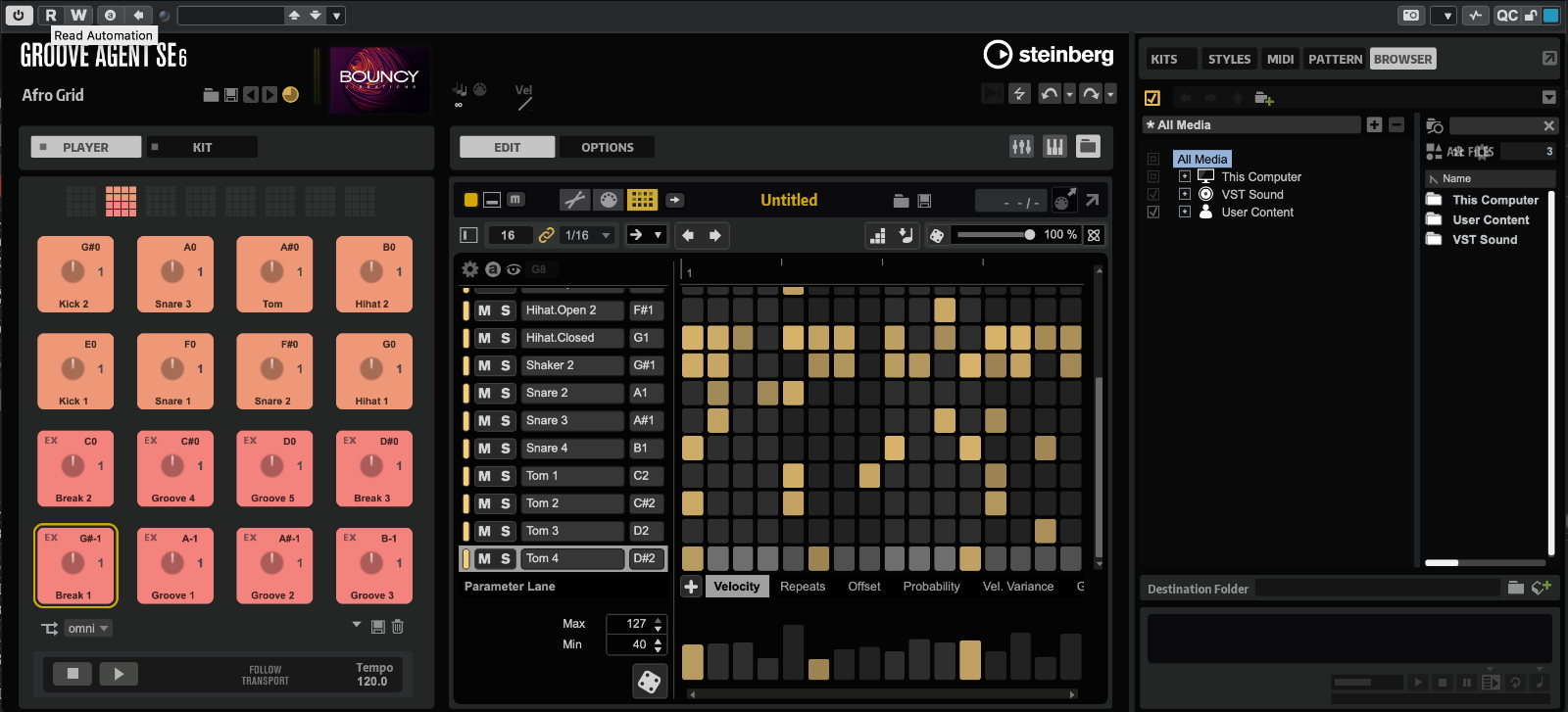
The browser now offers detailed options for loading different file types. Kits can be previewed before loading. Samples can also be loaded separately - and styles, MIDI files, and patterns can be managed separately and previewed with the currently selected kits. Various packs offer plenty of choice, but pattern presets are not yet included.
Groove Agent SE, like the Retrologue, Halion Sonic, and Padshop software instruments, is also available outside of Cubase as a plugin, for example, as an Audio Unit. A mixer section can now also be displayed at the bottom, so that Reverence, for example, is also available internally (and outside of Cubase) as a reverb - but unfortunately not the new Ultrashaper (see below), which is very well suited for drums. When used in Cubase, Groove Agent mixer tracks can also be exported to the Cubase mixer.
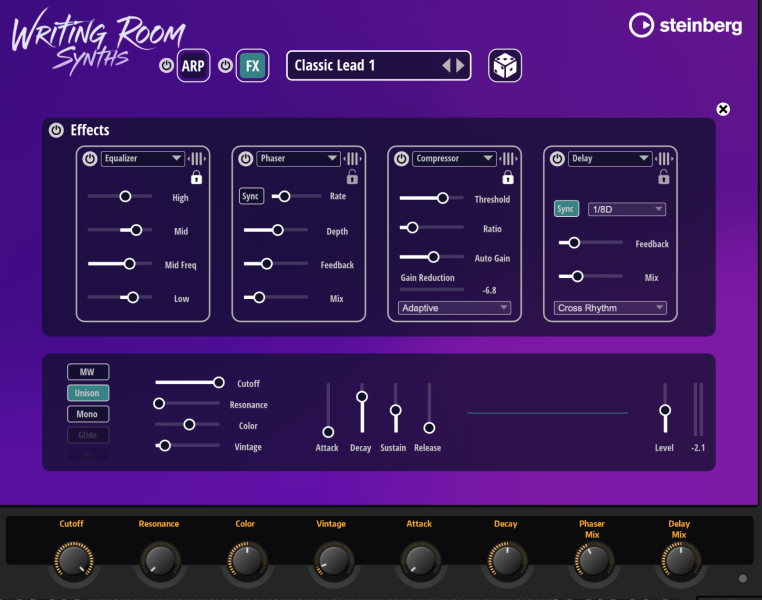
Writing Room Synths is a new Halion Sonic sound bank that acts like a separate software instrument and is equipped with an arpeggiator and effects. Here, you can quickly find all kinds of suitable sounds for musical brainstorming, which can be easily edited. A dice can also be used to randomly adjust some parameters. Together with sound banks such as Iconica Sketch for orchestration or the Verve Piano, the Writing Room Synths can also be used via Halion Sonic to round off the sound palette here.
Modulators
The modulators introduced in Cubase 14 make it possible to bring movement into sounds in a way that was previously known mainly from Ableton Live and Bitwig. Cubase 15 adds six new modulators (Random, Attack/Decay, Morph LFO, Wavefold, Crosfader, Sample & Hold) to the setup, allowing you to achieve lively results even faster and with greater differentiation. One focus of the new modulators is on creating complex, varied modulation sources. Targets can be selected as desired.
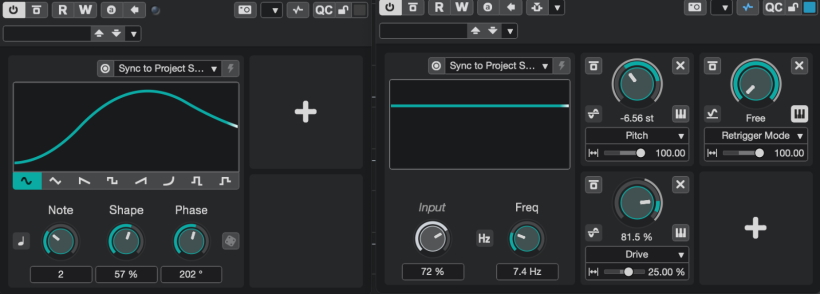
However, Bitwig still goes one step further and also allows global, cross-track modulations, which are still not possible in Cubase, even in version 15.
Expression Maps/Articulations
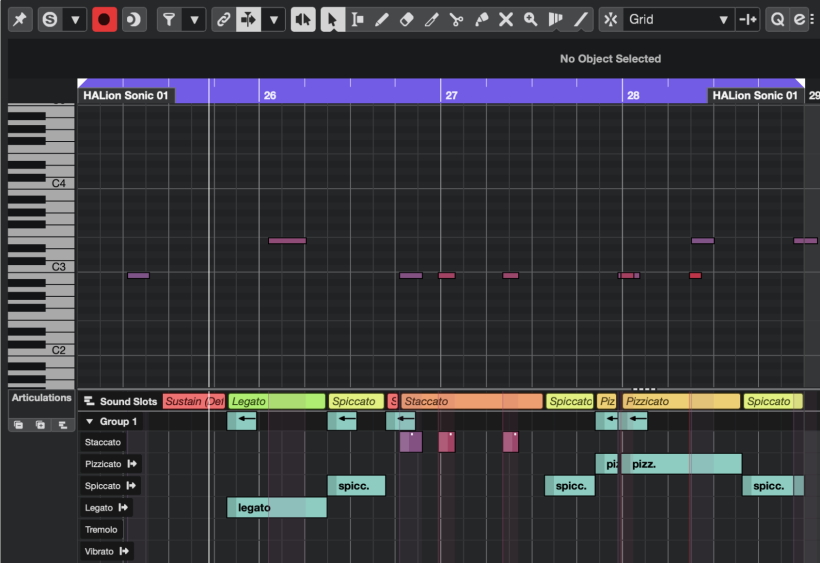
Articulations are possible via expression maps and can now be edited and accessed more easily, allowing for better playing different articulations of a software instrument. For example, when creating an expression map, keyswitches from the Iconic Sketch Instrument were automatically imported. To do this, you first have to display the corresponding expression map section in the Inspector, which can be done by right-clicking in an empty area of the Inspector and selecting “Setup Section” (but you have to figure that out first; access and labeling could be improved here).
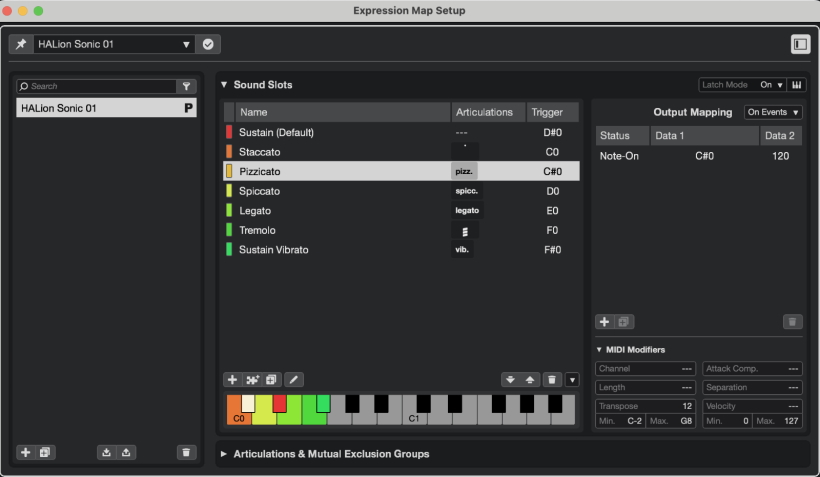
In the editor, articulations can be grouped, and sound slots and groups can be displayed. Each defined articulation can have its own MIDI modifier settings. This includes, for example, an optional time offset if the strings played are slightly behind the timing. This can now be easily corrected here. Attack compensation can be set separately for each articulation. It is also possible to set a transposition (e.g., by one octave) for each articulation.
Ultrashaper, Pitch Shifter, and New Content
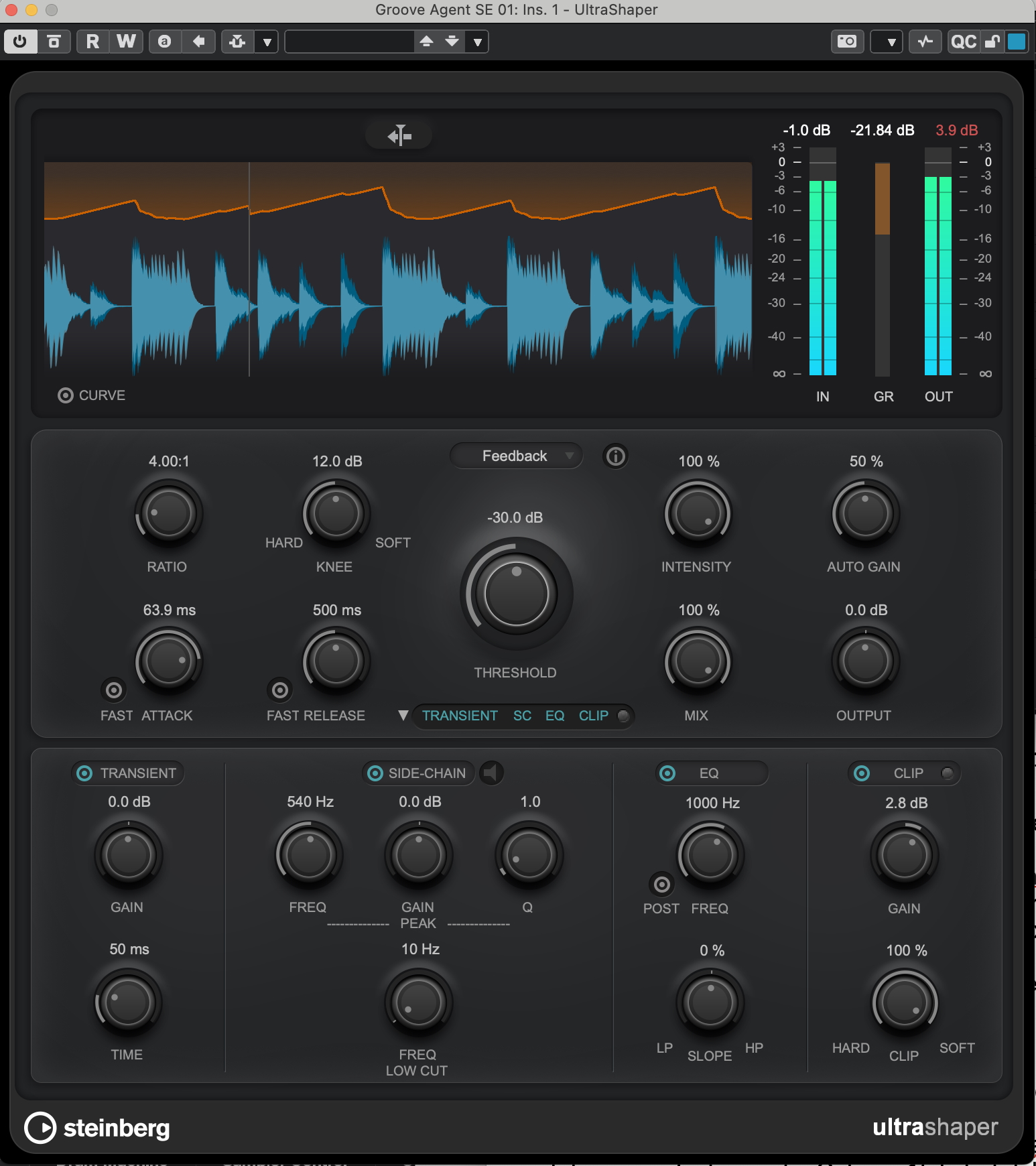
Ultrashaper is a new compressor that offers detailed sound shaping options.
Here, you can switch between “Feedforward” and “Feedback” modes. In a fold-out section, we also find a Transient Designer, a sidechain section, a pre/post switchable slope EQ, and a clip section. Ultrashaper also features a mix function, percentage-based autogain control, and crossfadeable hard/soft knee characteristics.
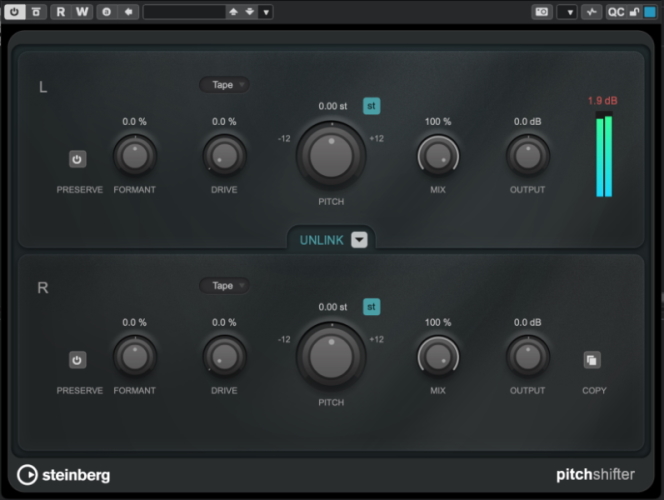
The new pitch shifter can also be subtly mixed in using a mix knob, if required, and offers detailed adjustment options. It also features formant editing and percentage-adjustable band saturation with various modes (Tape, Tube). With the help of the Unlink function, different settings can be made for both stereo channels, which can result in interesting stereo effects, for example, for drums.
Cubase 15 also features five new sound libraries with audio loops, including Grid & Grime, Laidback House, Mainstream Melodic House, Future Trap, and Cinematic Odyssey Library. Thirty new presets have been added to the chord track.
Further Workflow Improvements
A new feature has been introduced for quick exporting, eliminating the need to set locator points. The Quick Audio Export button is easily accessible at the top right of the project window, and I used it several times during testing and found it very useful. After exporting, the new file is also quickly displayed in the file system, allowing for quick reuse.
In the newly designed track headers of the arrangement area, you can now easily change the volume using a horizontal slider without having to select the track.

All plug-ins - and even the entire app - can be enlarged and reduced using keyboard commands. There are improved options for coloring individual tracks.
There is a hot swap function in the sampler track. When activated, a sample can be previewed - with manual adjustment of the start point if necessary. After deactivating the hot swap function, the sampler returns to its original setting with the previously loaded sample.
There are also improvements in the automation area: when you click on a parameter, it immediately appears at the top of the automation area as the top “lane” in many demo videos. This was not the case for me at first during testing. I first had to change a corresponding setting in the “Automation Panel” area - and then it worked.
The Dorico 6 engine has been integrated into the notation area. This allows you to fade notes in and out to create lead sheets more quickly, and it's easier to separate voices for choirs.
Conclusion
Cubase 15 brings many improvements that focus on intuitive music-making and are particularly helpful when capturing ideas and/or when you don't want to spend too much time on it. This applies to the uncomplicated stem separation via AI, the Pattern Editor, and the new instruments. Cubase 15 not only delivers internal innovations but also first-class material for use outside of Cubase, with the very well-equipped Groove Agent SE6 and the Writing Room Synths. Perhaps it is the vicinity to Yamaha that contributes to the outstanding quality of the sounds here. While I criticized Cubase 14 for the gap between the old and new worlds of beat programming, the overall package in Cubase 15 is much more coherent and homogeneous, thanks to the Pattern Editor in Groove Agent and new patterns for the Pattern Editor in Cubase, for example.
Cubase 15 also expands the range of compositional possibilities with the Omnivocal Beta vocal synthesizer, which now allows you to create and capture ideas for vocal tracks. In addition, there are many small workflow improvements. Professionals have also been considered with improved options for expression maps.
The full version of Cubase 15 costs less than $600, and the update from Cubase 14 Pro to Cubase 15 Pro costs app. $100. A Cubase Artist version with reduced functionality is available for approximately $330, and the Elements version is even cheaper at around $100. Education versions are available at reduced prices. A list of feature comparisons can be found on the manufacturer's website.