 How to resolve AdBlock issue?
 Steinberg SpectraLayers 13
The Spectral Editor enters the Next Phase
Author: Peter Kaminski
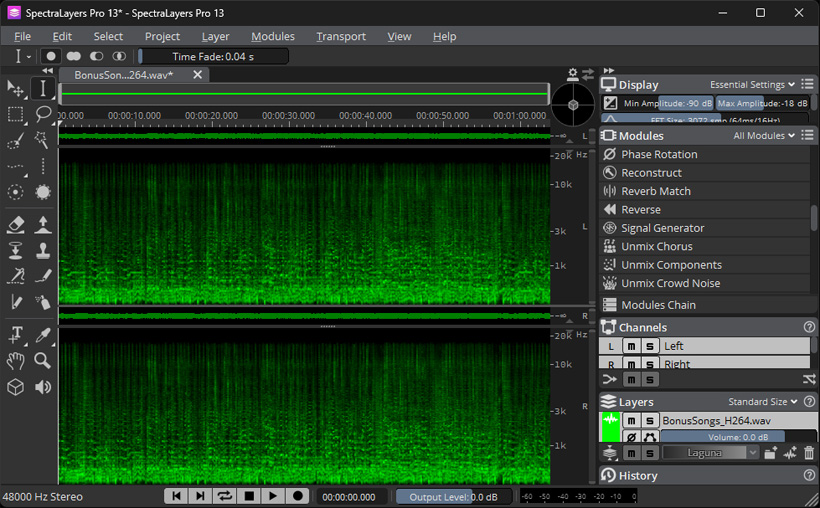
On July 1, 2026, Steinberg announced version 13 of SpectraLayers. We’ve already tested many previous versions of this spectral editor, such as SpectraLayers Pro 11 and SpectraLayers Pro 12. Therefore we’d like to take a detailed look at this major annual update too.
System Requirements and Installation
Installation is possible on both operation systems Windows 10 and Windows 11, as well as macOS version 15, with a screen resolution of at least 720 x 1280 pixels and 8 GB of RAM, though 16 GB is recommended.
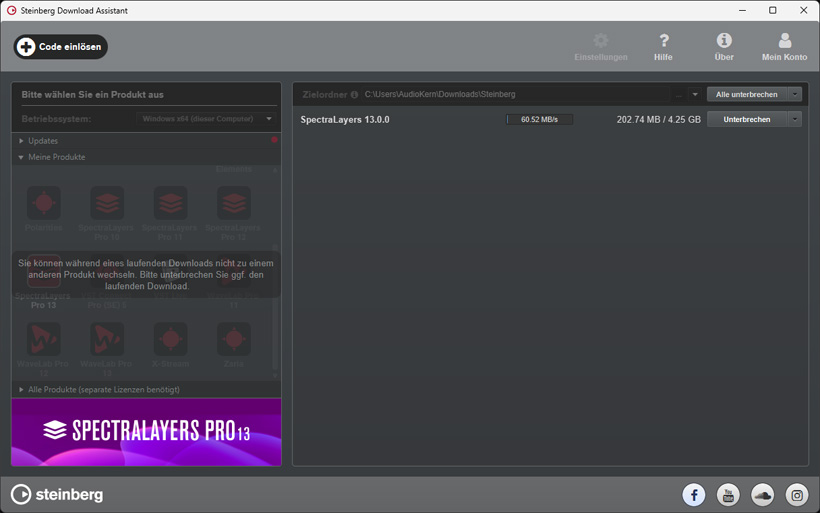
Installation is handled via the Steinberg Download Manager (see image above), and a Steinberg user account is required. A single license allows for three installations.
Modules
In SpectraLayers, the individual editing functions are available via so-called modules. Let’s take a first look at these. The “DeNoise” module now offers more settings and improved editing quality. The quality of the “Unmix Components” module has also been further improved. In addition, a whole host of brand-new modules have been added.
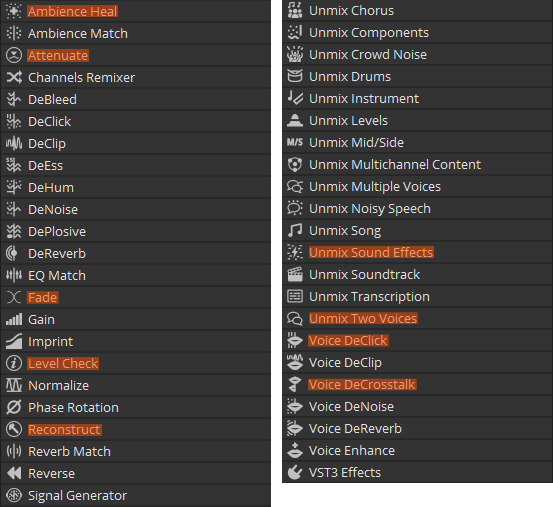
Here is a list of the modules available in the Pro version, on which we’ll focus here. The new modules are highlighted in color in the list.
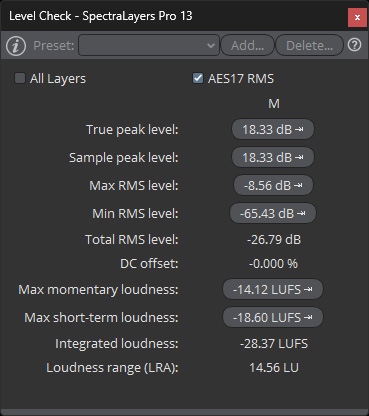
The “Level Check” module now allows you to quickly view level and loudness values, as well as the DC offset.
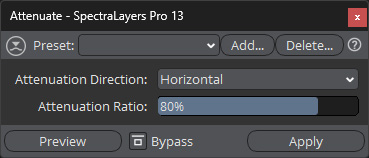
Another new feature is the “Attenuate” module. This module allows you to adjust the level of the selected spectral range to match the level of the surrounding area. You can choose which areas to use as reference - horizontal, vertical, both, or balanced - and specify the level ratio of the selected range to the surrounding area as a percentage. A tool that allows for very precise adjustments.
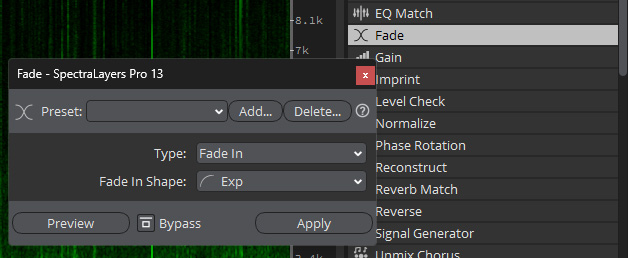
Furthermore, the “Fade” module now offers the ability to create fade-ins, fade-outs, and crossfades between two layers using various selectable transition profiles. This allows for smooth transitions - even with rapid spectral changes.
The “Ambient Heal” module allows you to fill or reconstruct spectral gaps using the existing surrounding material. This works very well and is particularly useful for restoring old material, where such spectral gaps often occur, or for eliminating artifacts in unmixing operations.
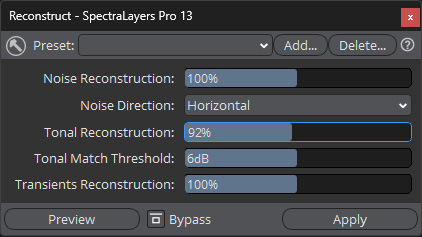
The new “Reconstruct” module allows you to restore selected areas - not only the acoustic background but also tonal components and transients based on the frequency components.
The result depends on the material. This worked very well in the realm of post-production. With music, we sometimes encountered unwanted components in the tonal range - such as those caused by filter resonance - in certain source material. The module is therefore geared more toward post-production.
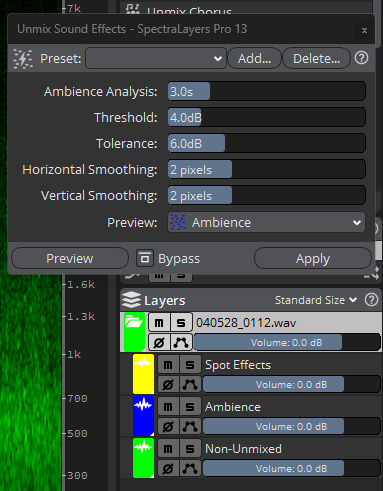
An interesting tool for post-production is the new “Unmix Sound Effects” module. This allows you to split an effects track into effects and background sounds. Components that cannot be assigned are placed in a “Non-Unmixed” layer. How well the processing works here naturally depends heavily on the effect and the background. But the results are truly amazing.
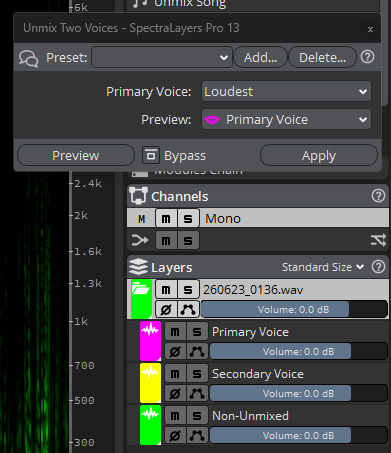
If you have a recording track with two voices or narrators, you may want to edit these voices independently. With “Unmix Two Voice,” you can split voice tracks into two layers and then edit them separately. You can determine which is the main voice and which is the secondary voice based on order, duration, and level - without having to create a profile for the voices. The voices can even overlap. We also conducted tests with two male voices, one of which was extremely quiet. Despite the extreme level difference, the main voice was very effectively removed from the track containing the secondary voice, and only very slight artifacts at a very low level were noticeable. This allowed the secondary voice to be edited separately, which gave excellent results.
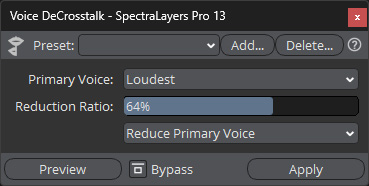
The “Voice De-Crosstalk” module can be used to suppress crossfeed from a second voice. Here, too, you can define which voice is the main one based on order, duration, and level.
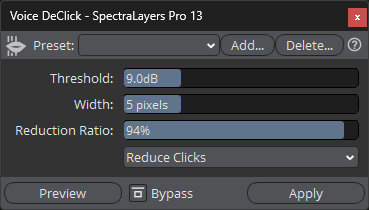
Another new feature is the “Voice DeClick” module, which suppresses annoying pulsating noises caused by lips sticking together. While this can sometimes be achieved with a standard declicker, the specialized algorithm does a significantly better job here.
Handling
In addition to the new and improved editing features, the new update also includes many improvements related to general handling. For example, in addition to the new “Paste Selection” for pasting from the clipboard and “Paste Insert” with time offset, you can now modify selected areas with the mouse by positioning the cursor at the corners and then resizing the area. Events can now be excluded from logging in the history window so they aren’t overwritten during an Undo or Redo. Furthermore, the keyboard shortcuts have been expanded so that they can be assigned to over 100 functions. SpectraLayers can now also work with audio interfaces with more than 128 channels and assign these channels. You can now also save and restore the user interface layout, which can also be done via shortcuts.
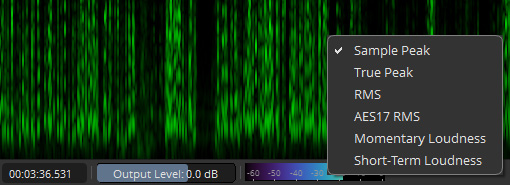
The level meter at the bottom of the program window can now be switched between operating modes.
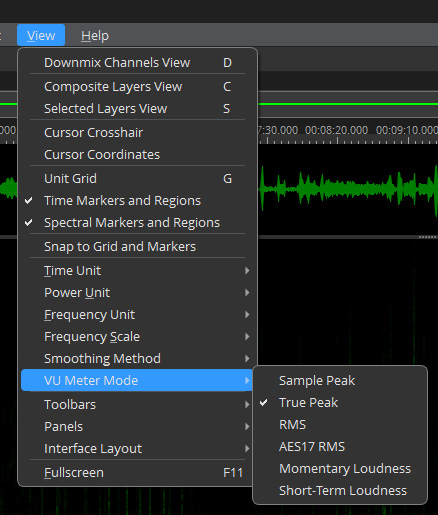
This can be done directly by right-clicking on the meter or via the menu under the “VU Meter Mode” entry (see figure above).
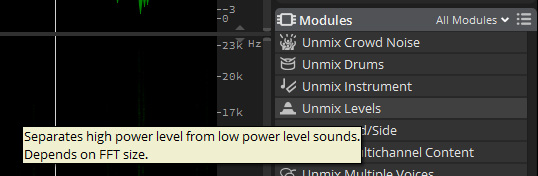
When tooltips are enabled, a brief explanation of the module’s function is displayed when you hover the mouse over the modules. You can also search for modules by name or by function. While this may all sound like unnecessary features, the number of modules has grown so large that users may not always be familiar with every feature right away - and these small assistive features help users, especially newcomers. This saves users from having to refer to the manual, which is now 120 pages long.
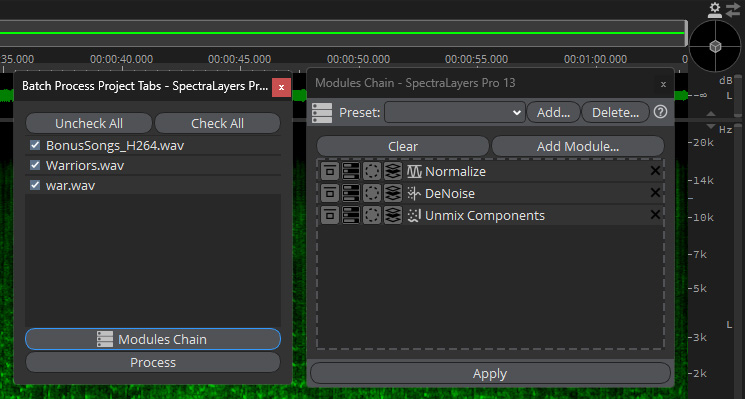
Using batch processing, a module chain can now be applied simultaneously to multiple open projects (see figure above). Furthermore, the new Pro Tools AudioSuite Bridge plug-in offers greater support for multichannel formats, including Dolby Atmos up to 9.1.6 and Ambisonics.
Conclusion
SpectraLayers Pro 13 is available for approximately 360 euros. An education license is also available for about 200 euros, as well as a stripped-down Elements version for 90 euros. Given this price and the significantly more extensive feature set, most users will likely opt for the Pro version right away.
The Pro version is very feature-rich, which makes it extremely versatile, ranging from music production to audio restoration and post-production editing. Several highly specialized modules have also been added, for which there are few or no alternatives. SpectraLayers 13 is actually an indispensable tool, especially in post-production. Even though video editing software like Blackmagic DaVinci Resolve already offers impressive AI features for audio, there are still many cases where you can only get the job done - or achieve a higher-quality result - with SpectraLayers Pro 13. All existing users will certainly upgrade to the new version because, in addition to the new features, it also offers important improvements in the workflow that make using SpectraLayers more convenient.