 How to resolve AdBlock issue?
 GForce Sequential Prophet-5
A Virtualization of a Classic - and much More...
Author: Peter Kaminski
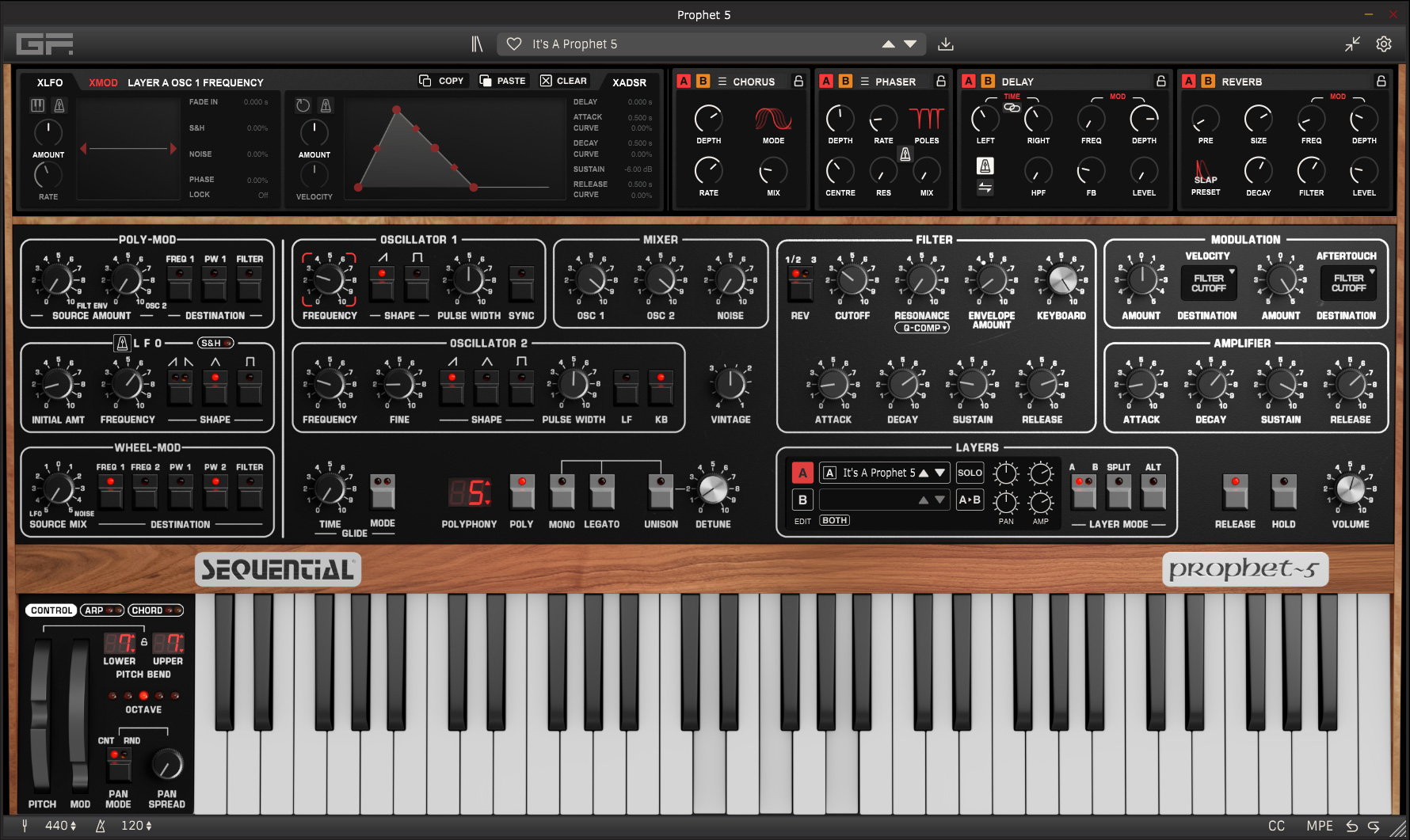
In June 2026, GForce Software unveiled a virtualization of the Sequential Prophet-5. GForce is, after all, a specialist in modeling vintage synthesizers. This isn’t the only Prophet-5 emulation out there, so we’ll see in this review how GForce Software stacks up.
The Original Prophet-5
First, let’s take a look at the original, which was introduced in 1978 by Sequential Circuits and its founder and developer, Dave Smith. The Prophet-5 was the first polyphonic synthesizer that allowed users to save presets across multiple banks, each containing eight presets. It offered five voices, each with two oscillators, downstream low-pass filters with 24 dB/octave, and ADSR envelope generators for the filter and VCA, as well as an LFO for modulation. Over time, there were also various development stages and variants.
Generation 1, with approximately 180 units, and Generation 2, with approximately 1,000 units, were based entirely on integrated circuits from SSM; the SSM2030 was used for the oscillators and the SSM2050 for the filters. For Generation 3, of which approximately 6,000 units were sold, the manufacturer switched to a chipset from Curtis, using the CEM3340 for the oscillators and the CEM3320 for the filters, which were considered more reliable. There is definitely an audible difference in sound between the versions, especially in the filters. The SSM filter chip sounds slightly warmer, while the Curtis chip sounds somewhat harsher and more aggressive.
In the 1980s, Sequential Circuits went bankrupt and disappeared from the market. Yamaha acquired the trademark rights to Sequential Circuits. When Dave Smith regained his trademark rights, he renamed his company from Dave Smith Instruments back to Sequential Circuits - and in 2020, the Prophet-5 was released in a modern fourth iteration featuring CEM oscillator chips, a new keyboard with keyboard velocity and aftertouch, switchable filters (SSM/CEM), and MIDI. Even for Version 3, there was only a MIDI retrofit kit, despite the fact that Dave Smith played a key role in MIDI standardization. In subsequent developments, a desktop version of the Prophet-5 without a keyboard was introduced, as well as the Prophet-10, a version that doubled the number of voices.
The Prophet-5 became a sonic icon for an entire generation of musicians and was used by so many well-known artists that it makes no sense at all to list just a few of them, as we usually do.
Der Prophet-5 wurde zu einer klanglichen Icone einer ganzen Musikgeneration und wurde von so vielen bekannten Künstlern eingesetzt, dass es überhaupt keinen Sinn macht, einige auszugsweise zu nennen, was wir sonst eigentlich immer machen.
Installation and Licensing
The GForce Sequential Prophet-5 is available as standalone software and as a plug-in in the VST2, VST3, AAX, and AudioUnit (macOS) formats. It runs on Windows 7 or later with an Intel i5 or Ryzen 5 processor as the minimum requirement, and on macOS 10.15 or later with Intel or Apple Silicon processors. Another requirement is at least 8GB of RAM.
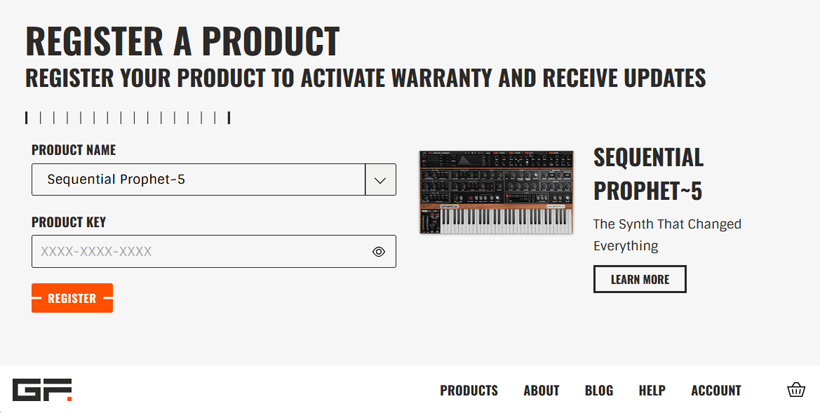
A GForce user account is required for installation. Depending on the type of purchase, the license is either available directly in the user account or must be added there using a product key (see figure above).
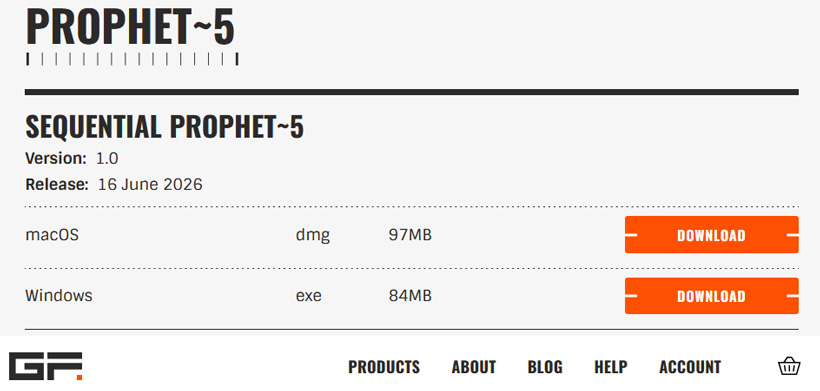
After you've done that, you can download the installation software and copy the license code to the clipboard.
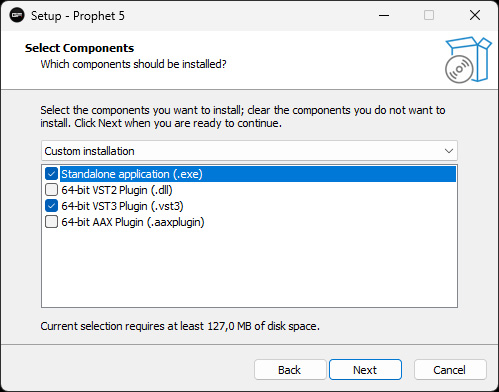
The individual components can be installed separately using the installer (see figure above).
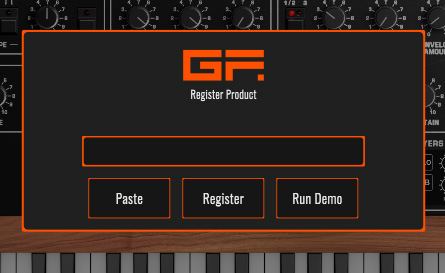
When launching the software or the plug-in for the first time, you’ll be prompted for the license code. You can now paste it from the clipboard, confirm it, and that’s it. By the way, you can also test the software in demo mode for one week.
User Interface
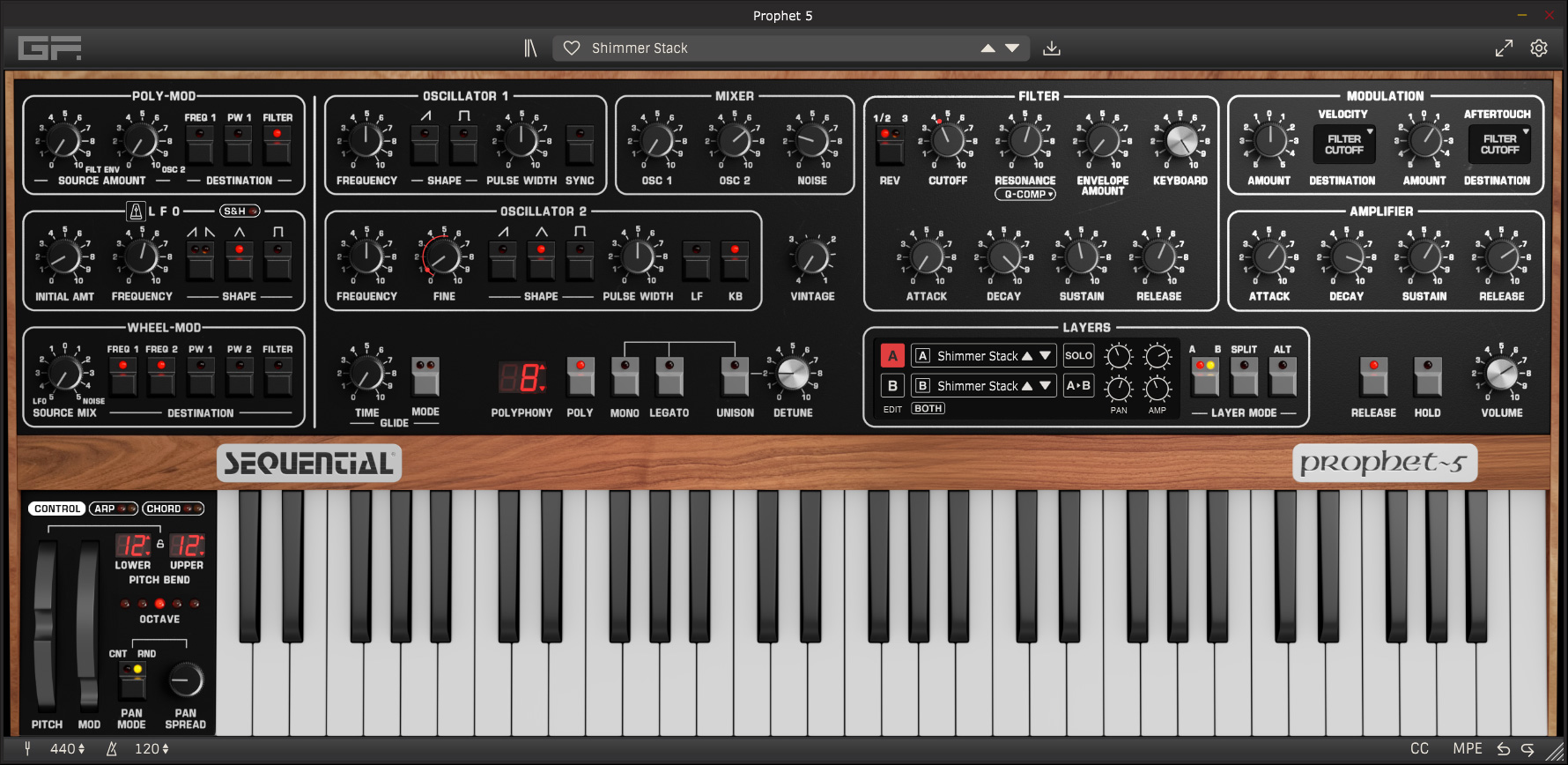
The standalone software and plug-ins look nearly identical - except for the header. An icon in this header lets you switch between the expanded view (opening screen) and the view without the extensions (see image above). All of the synthesizer’s controls are directly accessible on the interface.
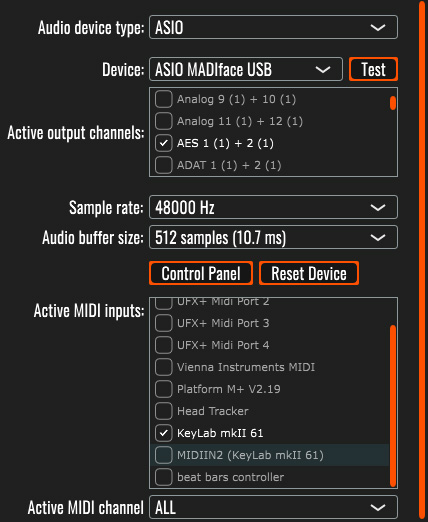
Clicking the gear icon opens the dialog with the basic settings (see image above, standalone software). In the plug-in, there are naturally far fewer settings to adjust, such as the font size in the Patch Browser.
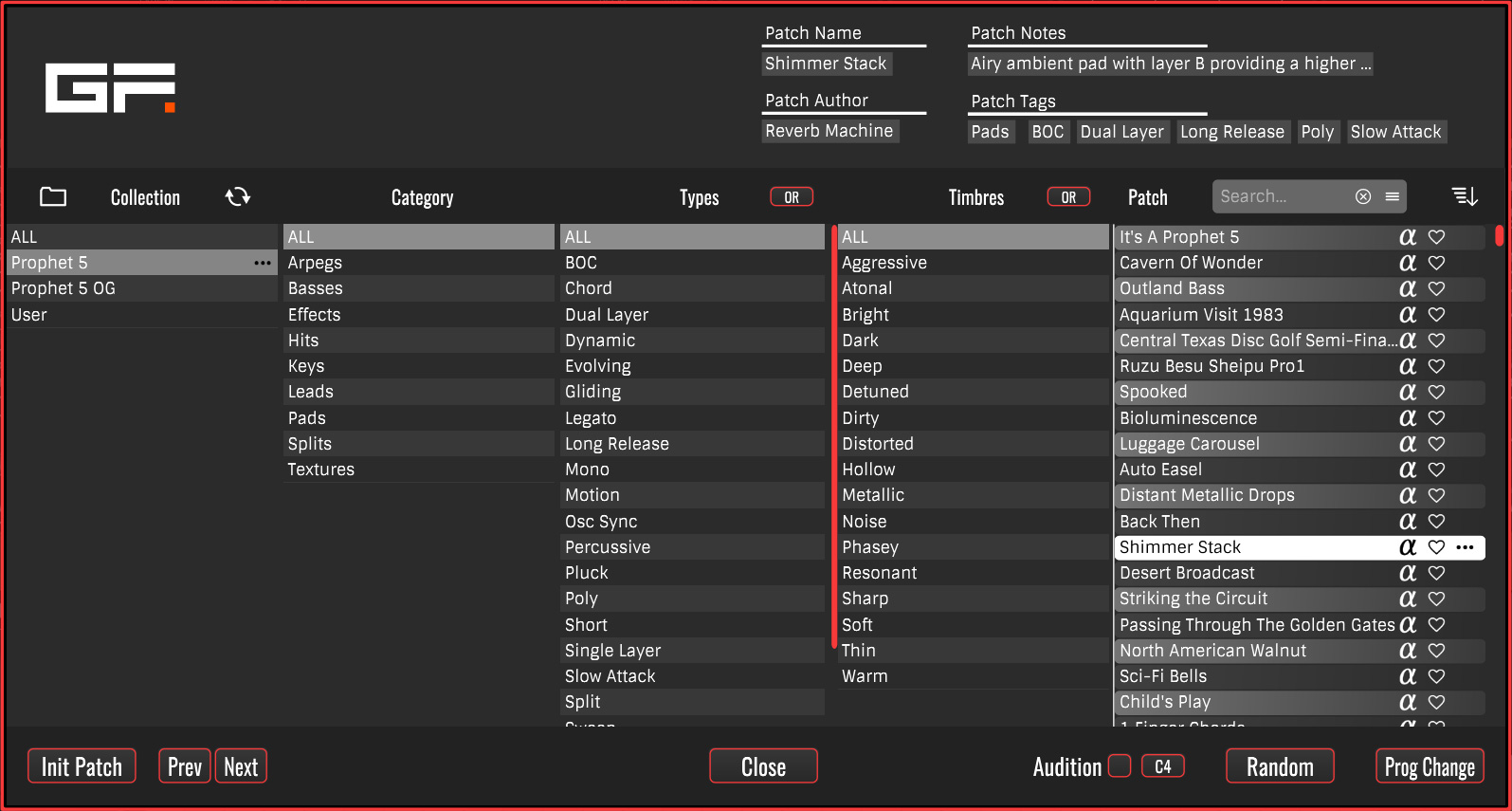
Preset management is handled via the Patch Browser, and as with all GForce instruments, it is very well organized; users can search for presets based on many criteria, and there are also markers for favorites. When “Audition” is enabled, selecting a preset in the management interface or on the GUI plays a short preview of the sound.
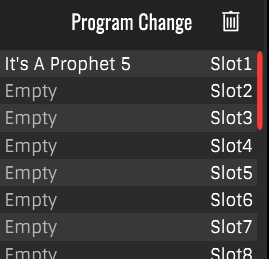
By clicking “Prog Change,” you can then assign corresponding presets to the 128 MIDI Program Change slots in a list (see figure above).
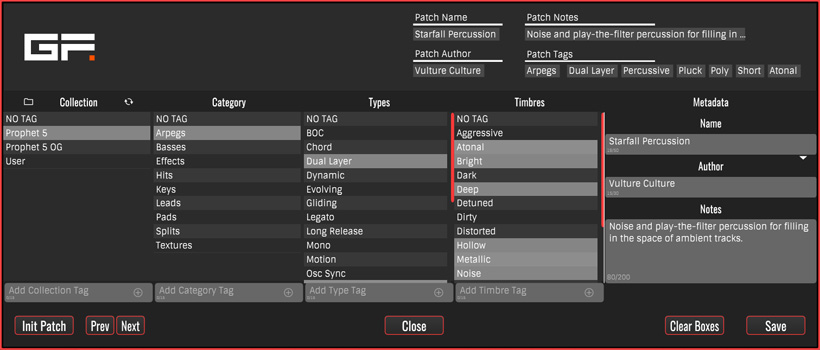
Selecting the Save icon opens a save dialog where you can set a wide variety of parameters and categories (see figure above).
Detailed Operation
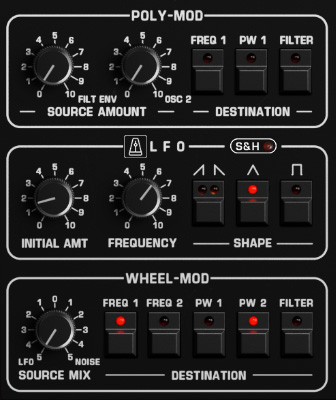
On the far left are three sections for modulation functions. At the top, you can set targets and the modulation index; below that is an LFO section where you can also select various waveforms; and at the bottom, the user can select and adjust the targets for the modulation wheel and the modulation index.
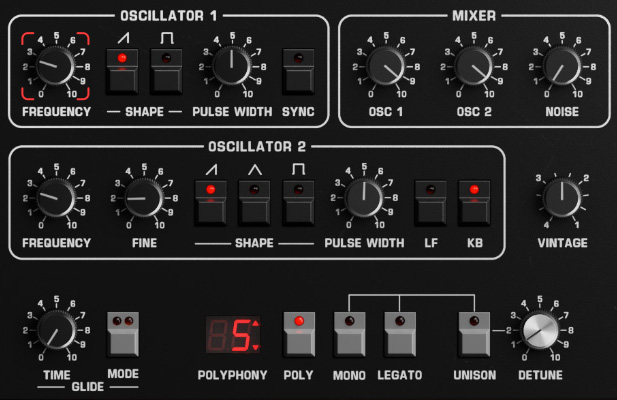
The section next to it is the oscillator section. Oscillator 1 offers sawtooth and square waveforms with pulse width control and synchronization with Oscillator 2, which also offers a triangle waveform. A mixer allows you to adjust the level balance, and you can also mix in noise. The VINTAGE knob also lets you adjust the degree of pitch detuning, as was common in instruments of that era. Below that, various voice modes can be selected, and voices can also be played in unison with an adjustable detune value. You can also activate a glide function between played notes and set the duration for it.
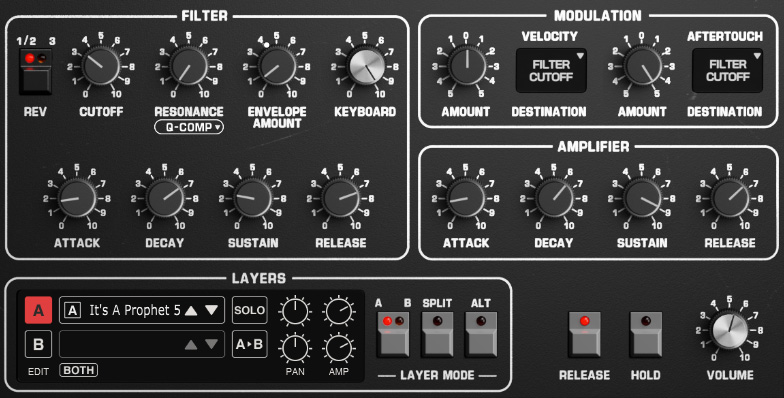
In the next section, you can adjust the filter parameters. Here, the REV switch lets you toggle between SSM (1/2) and CEM filter characteristics (3), just like on the fourth-generation Prophet-5. The VCA is also adjustable. Both the filter and the VCA have their own ADSR envelope generators. A second, downstream VCA allows for modulation of selected target parameters via velocity and aftertouch. At the bottom, you can also select presets for two layers, each offering up to 10 voices. So, in essence, the GForce Prophet-5 is a Prophet-10.
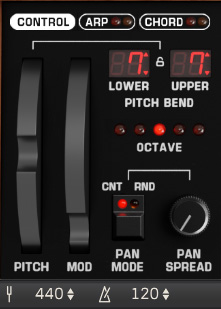
In addition to the keyboard, there are also two virtual wheels, as well as options to set the keyboard’s octave range and select a stereo panorama mode. Even the fourth-generation Prophet-5 hardware is monophonic and lacks a stereo output.
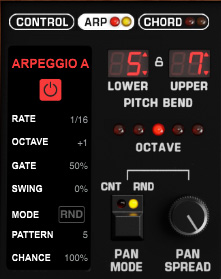
An arpeggiator and a chord-playing function are also available (see figure above).
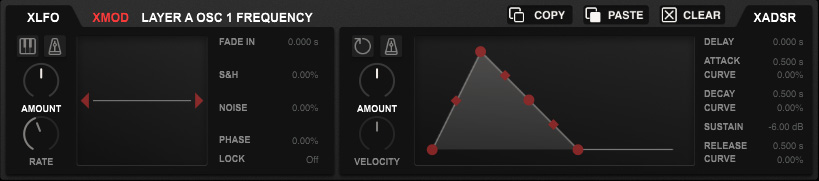
Let’s now turn to the advanced features. Even on the standard interface without the advanced features, there are several functions not offered by the original hardware. As for the advanced features that can be displayed at the top, none of the functions offered there are available in the original hardware - such as an additional LFO with Sample & Hold, Fade-In, and Phase-Lock functions, as well as an additional multi-stage envelope generator that can affect the Prophet-5’s parameters.
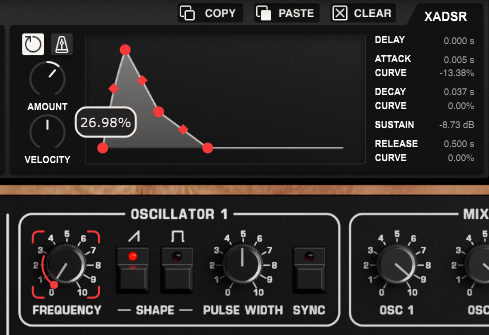
To use this, select a parameter, which is then highlighted in red at the corners (see fig. above), and then set the corresponding modulation via the XLFO and XADSR.
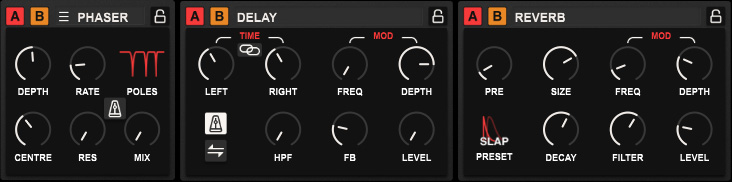
Even in version 4, the original hardware synthesizer does not offer any internal effects. However, the GForce software solution does include them (see figure above). It provides four effect slots that can be enabled for both Layer A and Layer B.
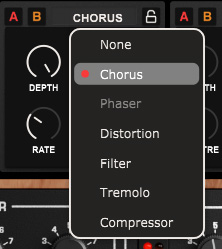
The effects available for each slot include chorus, phaser, distortion, filter, tremolo, and a compressor.
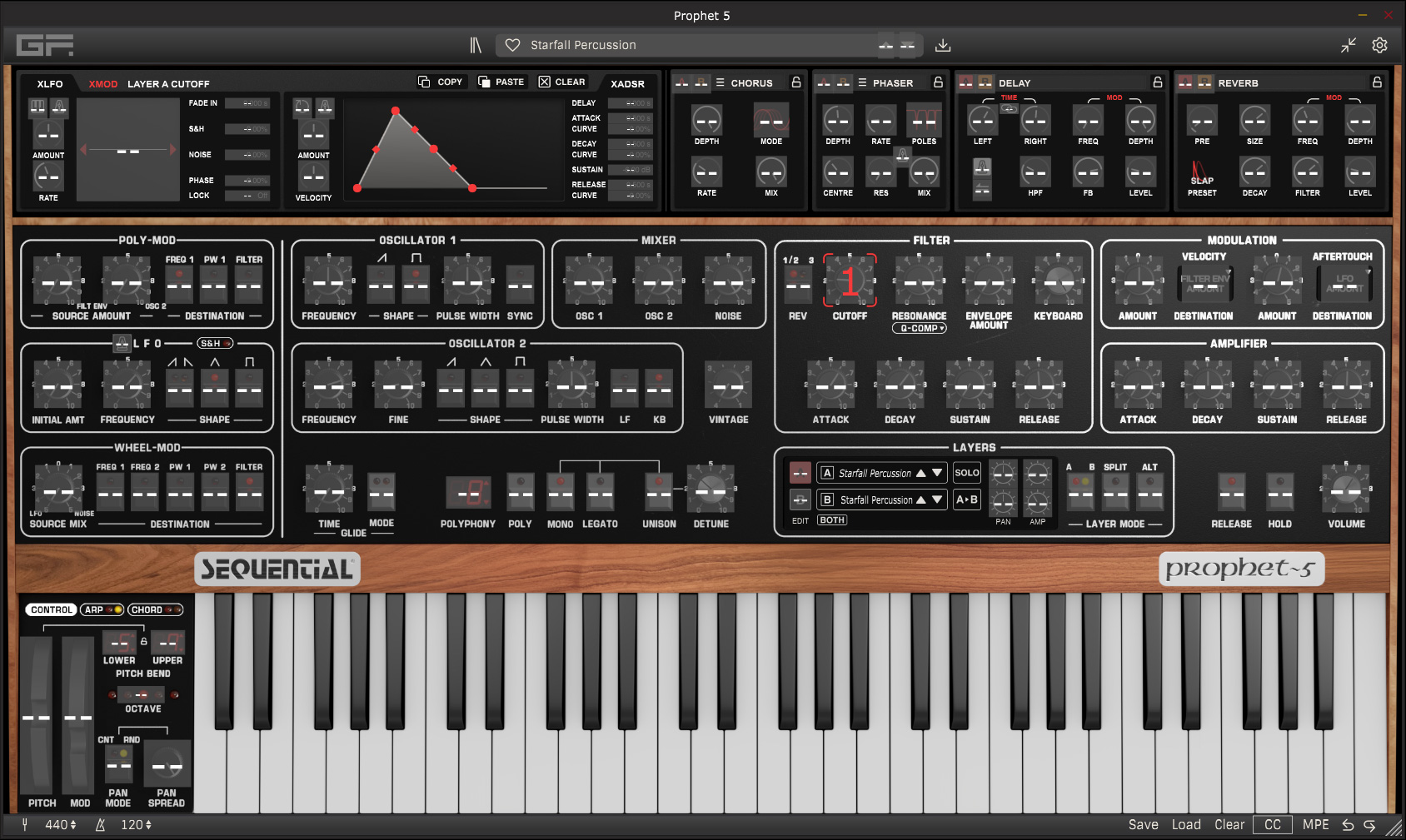
It’s also possible to control all parameters via MIDI Control Change parameters (see figure above). To do this, simply select the CC function at the bottom of the bar, then choose a target parameter, and activate the corresponding MIDI controller by adjusting it - as shown in our example in the image above, the modulation wheel of a connected MIDI keyboard. It’s also worth noting that the GForce Prophet-5 supports MPE.
In Practice
I find it particularly positive that GForce also offers standalone software, allowing you to play the instrument without host software - for example, during live performances. The standalone version running on Windows 11 on an AudioKern B14 workstation from Digital Audio Service required a maximum of 1.2% CPU resources. That’s very little. In Nuendo 15 as a VST3 plug-in, however, depending on playing style and the number of voices or layers, the CPU usage peaked at between 30 and 45% in the performance meter - which is certainly a noteworthy figure.
The controls for the classic Prophet-5 parameters and the additional functionality are either well integrated or accessible separately in the extension dialog at the top. Everything is very well thought out. The control concept is similar across all GForce instruments, and if you’ve ever used a GForce instrument before, it’s very easy to find your way around. But even users trying a GForce product for the first time will likely rarely need to refer to the user manual.
The GForce Prophet-5 software strikes an excellent balance between staying as true to the original as possible while also offering useful new features, such as the two layers, stereo output, additional modulation and MIDI control options, and effects. There are, of course, other Prophet-5 software packages and plug-ins from other manufacturers, but in terms of features, the GForce software still offers the most. In addition to all 38 original presets from the 1978 Prophet-5, the GForce Prophet-5 offers well over 400 additional presets - and not just demo presets, but presets that are also very practical for everyday use.
I’m not usually in for comparisons, but I have to make an exception this time. As mentioned earlier, there are also virtual Prophet-5 instruments from other manufacturers. In comparison, the REPRO-1 from u-he sounds a bit thinner to me and not as powerful as the original. Arturia’s Prophet-5 V sounds significantly closer to the original, but the Sequential Prophet-5 from GForce comes the closest. GForce describes its Prophet-5 instrument as “Officially Endorsed by Sequential Circuits.” While GForce handled the development, the fine-tuning was done in close collaboration with Sequential. That’s simply not the case with other virtualizations, and you can really hear the difference.
Conclusion
The regular price of the GForce Sequential Prophet-5 is just under 120 euros. Given its range of features and sound quality, that’s practically a bargain. I can recommend the GForce Sequential Prophet-5 to anyone looking for a Prophet-5 emulation.