 How to resolve AdBlock issue?
 IK Multimedia Sunset Sound Studio Reverb II
Impulse Response-based Reverb Plug-in
Author: Peter Kaminski
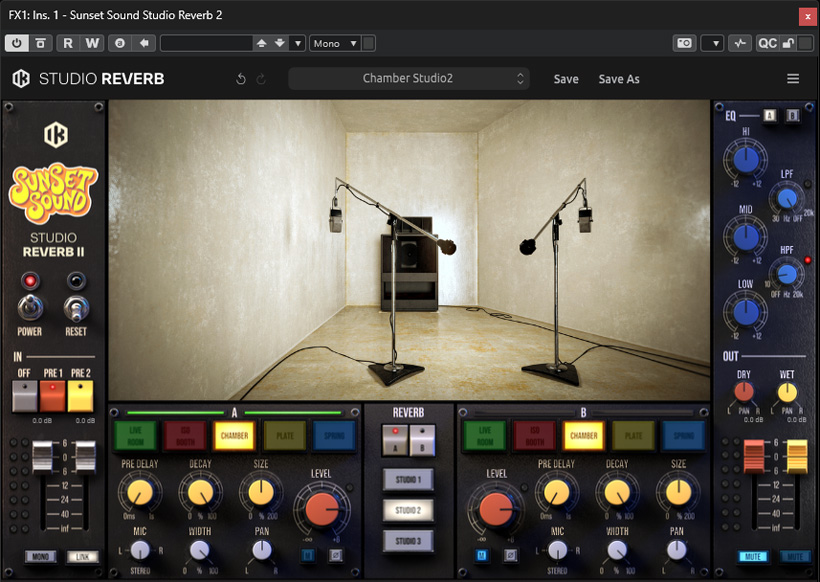
The Sunset Sound Studio Reverb II is a new standalone reverb plug-in that simulates the Sunset Sound Studio in Hollywood using 336 stereo impulse responses. It is not part of the T-RackS plug-in bundle.
Requirements, Installation, Licensing
Installation is performed using the IK Multimedia Product Manager. This requires a user account with IK Multimedia.
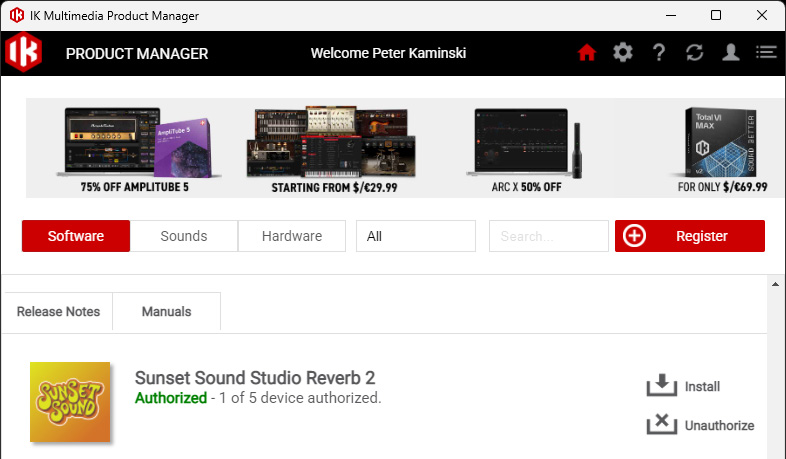
The plug-in will be ready for installation after you enter the license code in the Product Manager. The plug-in runs on Windows 10 and macOS 10.15 or higher. A minimum of an Intel Core i5 or, alternatively on macOS, an M1 processor is required. An OpenGL 2-compatible graphics card is also a requirement.
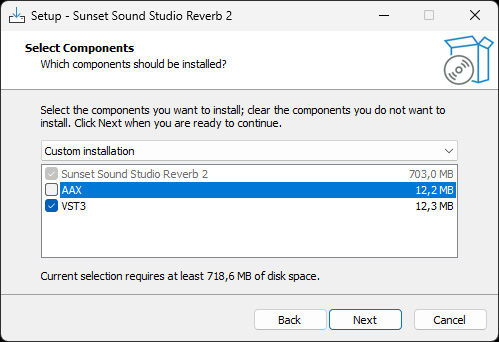
The plug-in is available as a 64-bit VST3 and AAX plug-in, and on macOS also as an AudioUnit plug-in. Using the installer software launched during the installation process, you can select the plug-in formats to be installed (see image above). The plug-in can be installed on up to five computers with a single license.
Concept
Sunset Sound Studio in Hollywood was founded in 1962 and has been the site of legendary recordings by artists including the Beach Boys, the Doors, Janis Joplin, Led Zeppelin, the Rolling Stones, Van Halen, and Prince, as well as contemporary artists such as the Dixie Chicks, Ryan Adams, Morrissey, Maroon 5, and the Smashing Pumpkins, to name just a few. Three studios of varying sizes and geometries, as well as three reverb chambers, exist.
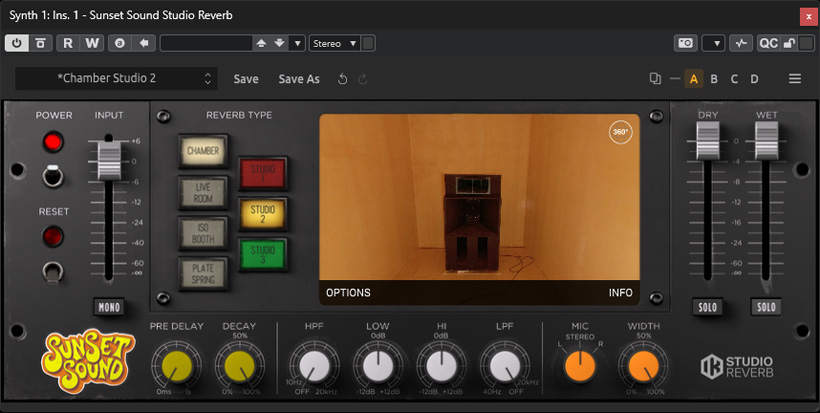
IK Multimedia already offered a reverb plug-in based on the studio’s impulse responses in the T-Racks plug-in bundle (see image above). Now, the functionality has been expanded to include switchable preamps, two parallel reverb engines with equalizers, switchable wall absorption, and more. This new plug-in does not replace the Sunset Sound Studio Reverb included with the T-Racks bundle. Sample rates up to 96kHz are supprted by the plug-in.
Operation
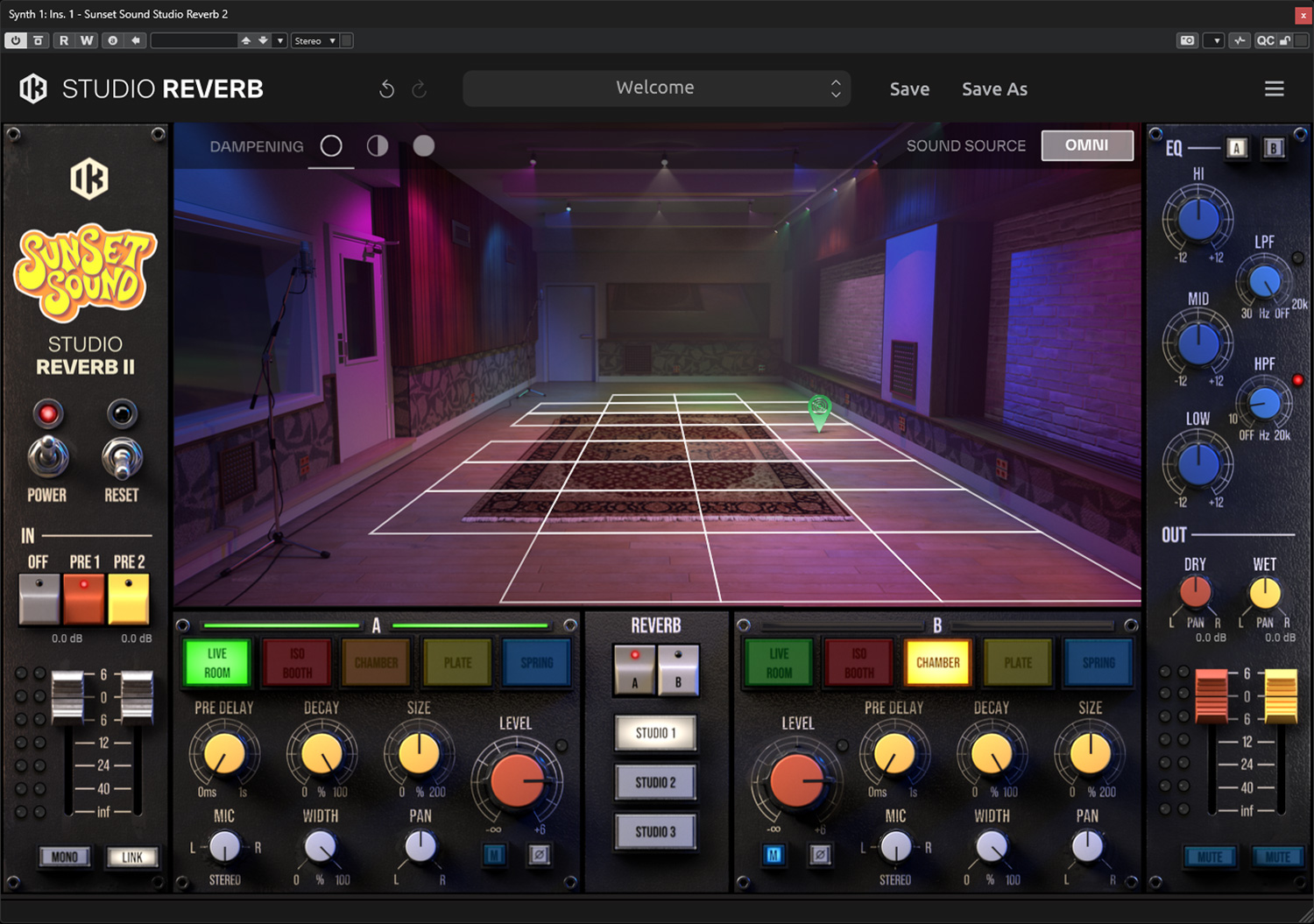
Once you look at the plug-in, the significantly expanded feature set is immediately clear (see image above).
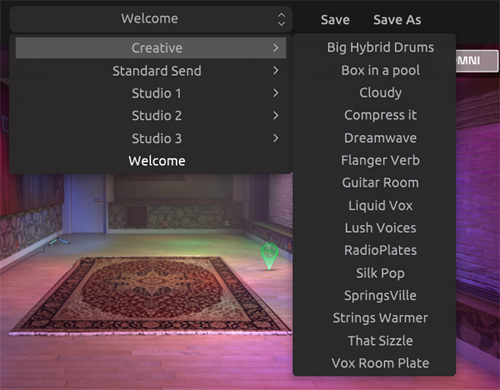
There are also a large number of pre-made presets, grouped into Creative Presets, Standard Sends (Chamber, Live Rooms, Plate Reverb, and Spring Reverb), and the three Studios (presets for Bass, Drums, Guitar, and Keys), which can be selected from a menu at the top of the plug-in.
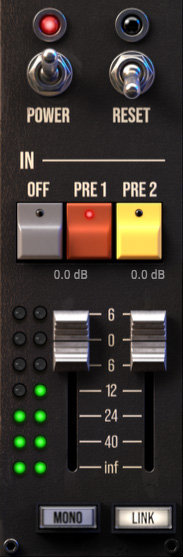
On the left is the input section with bypass and reset switches (restores default settings). You can also engage either of the two preamps: PRE1 (API console with output transformer) or PRE2 (NEVE 1073 in mic mode). The input level can be adjusted using the two faders.
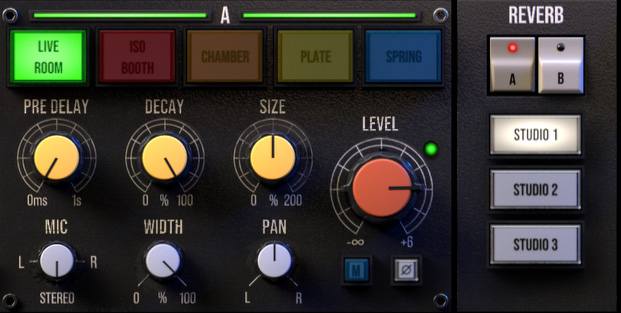
Centrally located in the middle are the two reverb engines and the switch (A/B engine) for selecting the active reverb engine. Engines A and B are identical in terms of functionality and operation. The following simulations can be selected: Live Room, Isolated Booth, and Chamber (three different ones from Studios 1, 2, and 3). Additionally, there are two plate reverbs (EMT 140 and Echoplate) as well as a spring reverb (AKG BX-20E). Seven parameters can be adjusted using virtual controls: Pre-Delay, Decay Time, Size (length of the impulse response up to 200%), Mic Mode (Stereo or Mono L or Mono R), Stereo Image Width, Stereo Panorama, and the reverb output level via the large control.
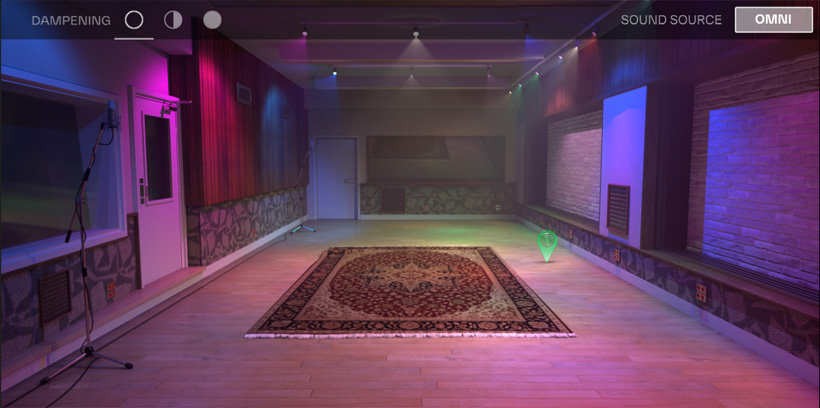
The position of the sound source can also be defined in the graphical visualization of the room. To do this, a grid is displayed when the mouse is positioned within the graphical representation of the room. The position within the room is also highlighted. At the top, you have the option to select two operating modes: OMNI on or off. With OMNI off (default setting), the directional radiation of the sound source is taken into account, while with OMNI on, the sound is assumed to propagate evenly in all directions. This results in a more enveloping reverb. In the top-left corner, you can use the “Damping” option in the Studios to adjust the wall characteristics via three different absorption panels. This is also visualized in the large graphic display.
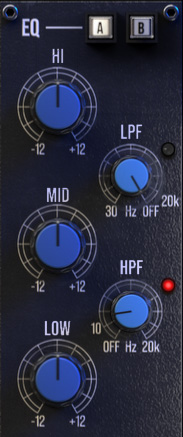
On the right side are the previously mentioned five-band equalizers. The “A” and “B” switches do not access preset slots, but rather display the equalizers for the two reverb engines, A and B, and allow you to adjust them after selection. The following filters are available: second-order low-pass and high-pass filters, as well as three peak filters with +/- 12 dB gain. The high-pass and low-pass filters can also be completely disabled.
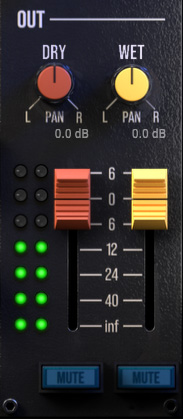
In the output section, the level of the DRY path (after the preamp) and the WET path (after the equalizer) can be adjusted in terms of level and panning. The A and B reverb engines are summed at the end of the signal chain and output as a stereo signal. For monitoring and better adjustment, the original and effect paths can also be individually muted.
In Practice
We tested the VST3 plug-in in Nuendo 15 on an AudioKern B14 DAW from Digital Audio Service running Windows 11. What is truly surprising is the very low processor load required. In Nuendo’s performance monitor, you can barely notice an increase in processor usage after activating the plug-in. Therefore, the plug-in runs smoothly even on less powerful computers. We did not experience any crashes during the testing period.
Of course, it’s difficult for us to judge how well the Sunset Sound Studio simulation has been implemented in the plug-in. What we can say, however, is that the recording rooms, reverb chambers, and reverb effects offered truly sound excellent. I’m a big fan of the EMT 140 and AKG BX-20E, and they sound very good in Sunset Sound Studio Reverb II. The recording rooms also allow you to position the virtual sound source (27 distinct locations). You can play around with this to find the best sounding position. The recording rooms sound very natural. The option to switch between the two preamps is also worth mentioning as a positive feature. I actually have one of the two preamps activated almost all the time. You should start by working with one reverb engine and muting the second one, then mixing in the parallel engine if necessary. One of the developers also told me that they had originally planned a serial connection as well, but this didn’t produce the expected results, so they decided to connect the two engines virtually in parallel.
Conclusion
The price for the Sunset Sound Studio Reverb II plug-in is approximately 150 euros. Its performance potential is significantly higher than that of the Sunset Sound Studio Reverb in the T-RackS bundle and is definitely worth the investment if you’re involved in music production. The reverbs sound fantastic and are definitely worth the 150 euros.