 How to resolve AdBlock issue?
 PSPaudioware PSP Metra and PSP TripleMeter
Author: Peter Kaminski
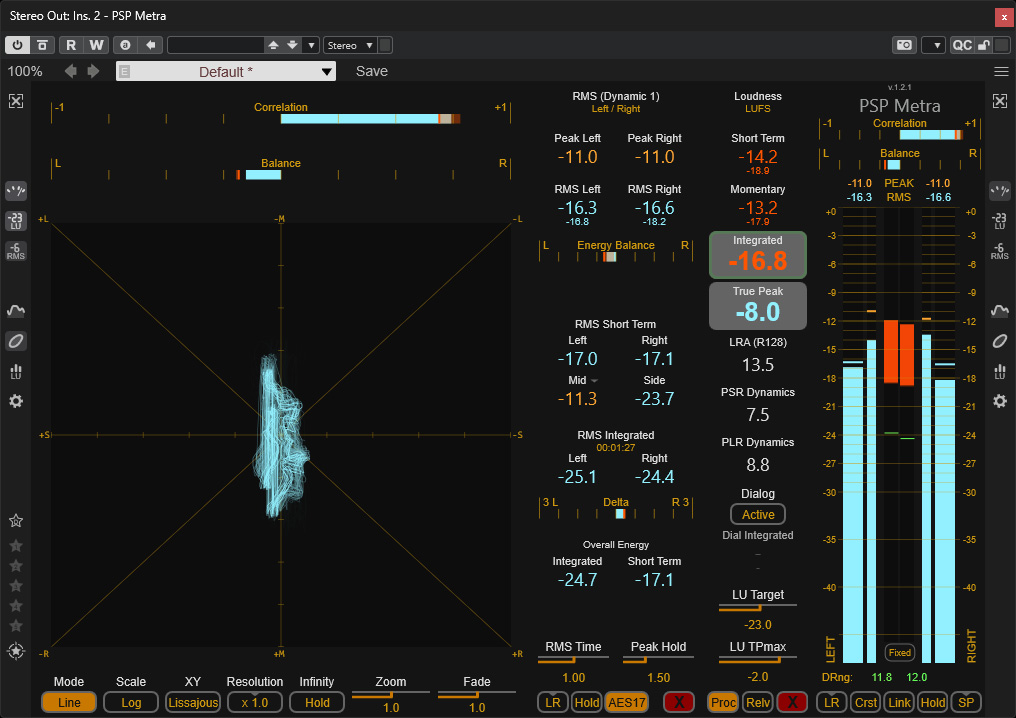
In this review, we’ll focus primarily on the “PSP Metra” plug-in, which was introduced in early March 2026, and also briefly discuss the “TripleMeter” plug-in. PSPaudioware is not an unknown company. For example, I myself came across this Polish plug-in provider through several tools for immersive audio production.
System Requirements and Installation
The two PSP plug-ins presented here can be installed on Windows 7 or macOS 10.15 and later, in the VST, VST3, AAX, and AudioUnit (macOS) formats.Unit (macOS).
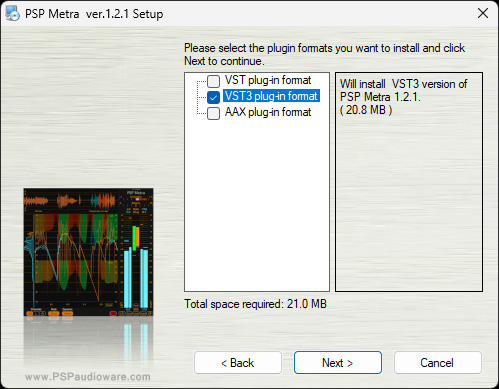
Installation is performed using an installer software, where the plug-in formats can be selected individually. iLok is used for software copy protection, though setup is also possible directly on the computer without an iLok dongle.
PSP Metra
The Metra plug-in provides level, loudness, and correlation displays all in a single plug-in, available both as classic displays and as time-based graphs. The plug-in can be configured so that you always have the right display tools at your fingertips for your application.
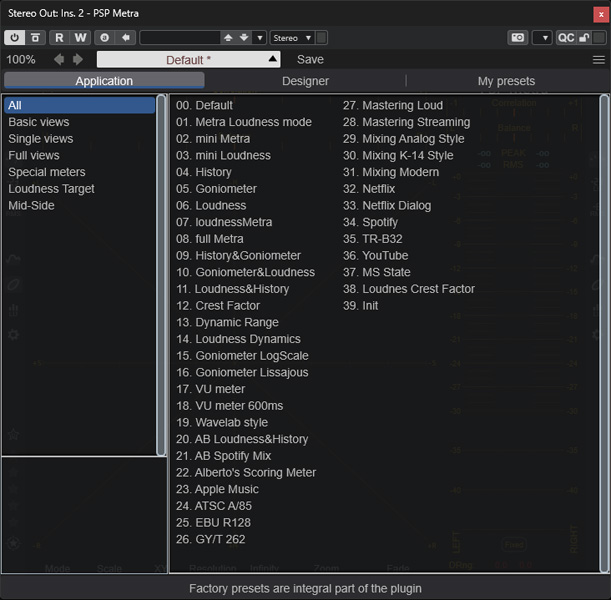
There are already 40 factory presets available for this purpose, and you can, of course, save and load your own configurations.
Please note the following regarding the plug-in screenshots below: If you see a magnifying glass icon in the bottom right corner of a screenshot in this article, it indicates a preview image. To view the image in full resolution, simply click on it. Clicking the cross icon closes the view again. This applies to all our articles, by the way.
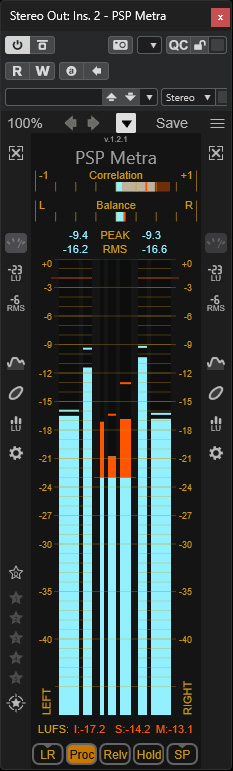
Above is the basic or main view showing only the bar graphs (see figure above), with the loudness meter enabled (Integrated, Short-Term, and Long-Term according to ITU-R BS.1770 and EBU R128, respectively) and correlation indicators at the top. At the bottom, you can change the display mode - for example, from LR stereo to MS (also with 3dB or 6dB attenuation of the M signal) - switch between loudness display and level range, and select the peak value display mode (Sample Peak, True Peak, PPM BBC, PPM EBU). The Hold button allows you to toggle the bar graphs’ auto-reset mode on and off.
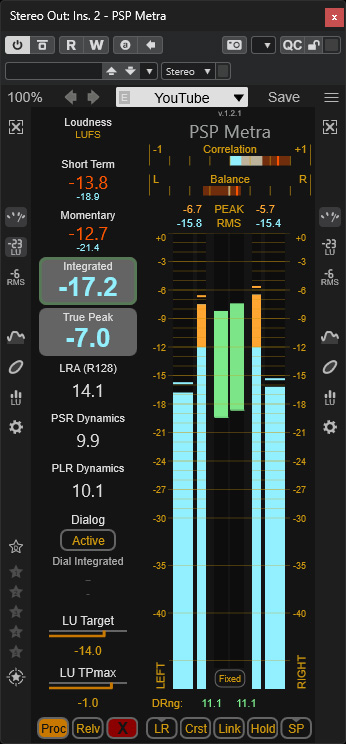
On the left and right are icons for accessing additional views, such as loudness values, RMS values, the time history of level and loudness, and a correlation graph (see figure at the beginning of the article). Depending on whether you activate the options on the left or right side, they will appear on the right or left.
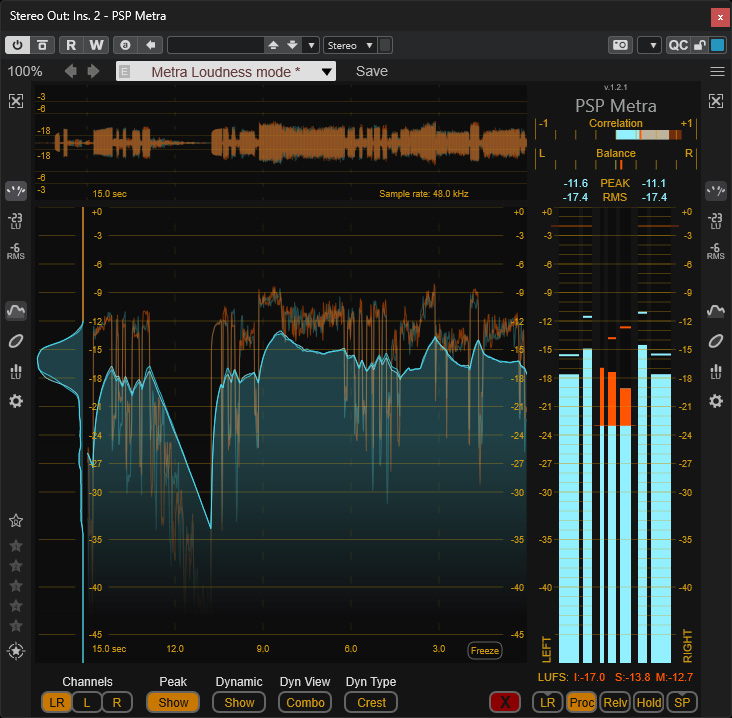
Here is a view with the level graph enabled on the left (see figure above).
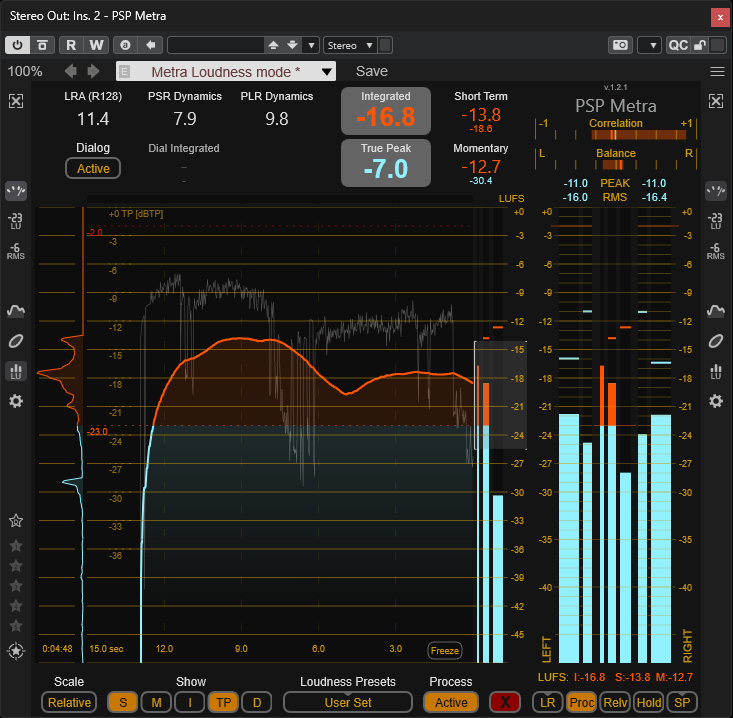
And here with a loudness graph (see figure above).
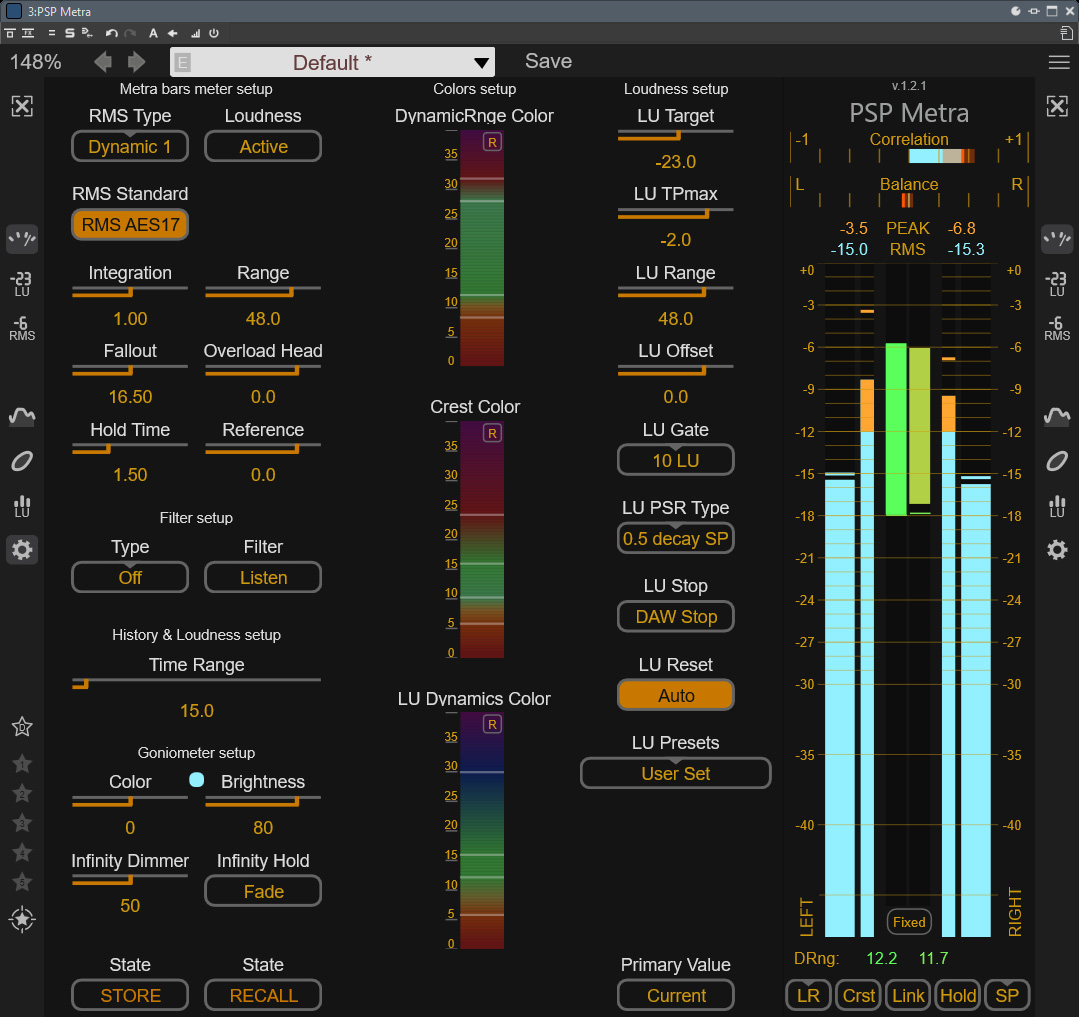
Clicking the gear icon opens a settings dialog where you can make extensive adjustments (see figure above).
PSP TripleMeter
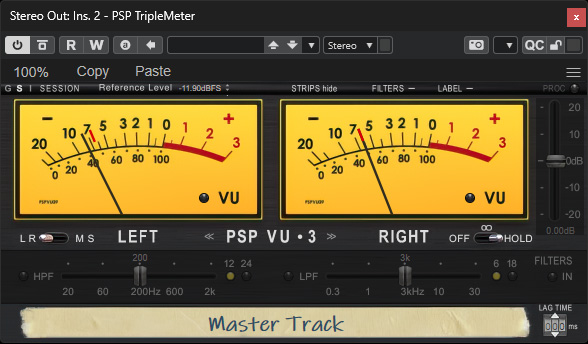
The TripleMeter is a very simple solution in terms of its display and offers only three analog meters with different scaling and response characteristics: a VU meter, an RMS meter, and a PPM meter. You can switch between the virtual instruments in the center of the plug-in. Both LR and MS modes are available, as well as three different display hold modes (off, infinite, and hold). The fader on the right side can be used to adjust the audio level when this function is activated via the PROC icon. When PROC is active, the high-pass and low-pass filters are also active. When PROC is deactivated, no changes are made to the audio signal, and the plug-in operates in display-only mode.
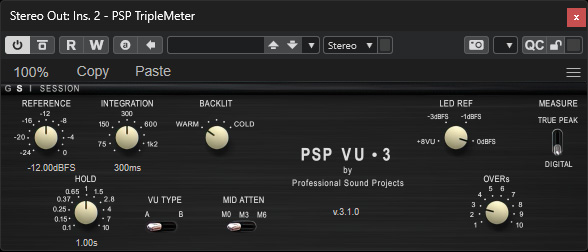
The menu icon allows you to set additional parameters for the selected meter type (see figure above). To do this, click on the meter type label in the center. For example, you can adjust the reference level and the integration time here.
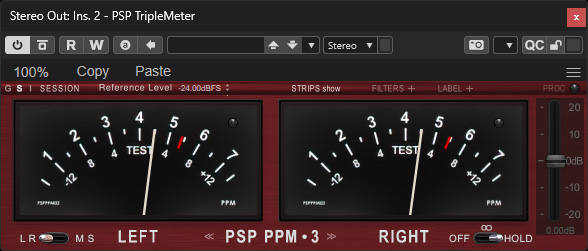
The strip below the meters can be expanded or collapsed to display individual filter settings and channel names. Here is a view of the PPM meter with the strip collapsed.
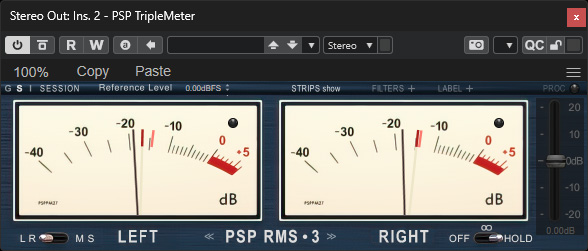
The meters differ significantly in their color schemes, so you always know which meter type is currently selected - as shown above with the RMS meter in a dark blue design.
In Practice
We tested both plug-ins on an AudioKern B14 DAW from Digital Audio Service running Windows 11 with various host applications and encountered no issues. There isn’t much to say about PSP TripleMeter: it’s a simple solution for users who prefer classic analog meters.
PSP Metra is very complex, but it combines many different display and measurement methods into a single plug-in. The interface is very practical. Many DAWs already have built-in, complex, and customizable meters, such as those in WaveLab or Nuendo. However, PSP Metra presents the most important information at a glance - something that’s difficult to achieve with other solutions. It therefore offers advantages here as well, especially during mixing and mastering. But there are other areas of application, such as in broadcasting and, above all, post-production. Take Blackmagic’s DaVinci Resolve video editing software, for example. The level meters there are quite limited in their display capabilities, and PSP Metra can be a very useful tool for level and loudness control. It’s also worth mentioning that integrated loudness for dialogue - based on the Dolby Dialog Intelligence algorithm - is possible
Conclusion
The price for the PSP Metra plug-in is 99 euros, and for the PSP TripleMeter, it is 49 euros. So there’s really no need to discuss the price any further.
PSP Metra really won me over. It really offers everything you need for mastering and mixing in a very compact and, above all, easy-to-control format. The factory presets take you a long way - except in special cases - and anyone who wants to customize the displays more individually and in greater detail can do so via the settings. Therefore, PSP Metra is a plug-in for a very broad range of users. PSP TripleMeter is more for design enthusiasts. Personally, I prefer the bar graph displays, but that’s just a matter of taste.