 How to resolve AdBlock issue?
 Sonible pure:level
AI-based Leveler
Author: Peter Kaminski
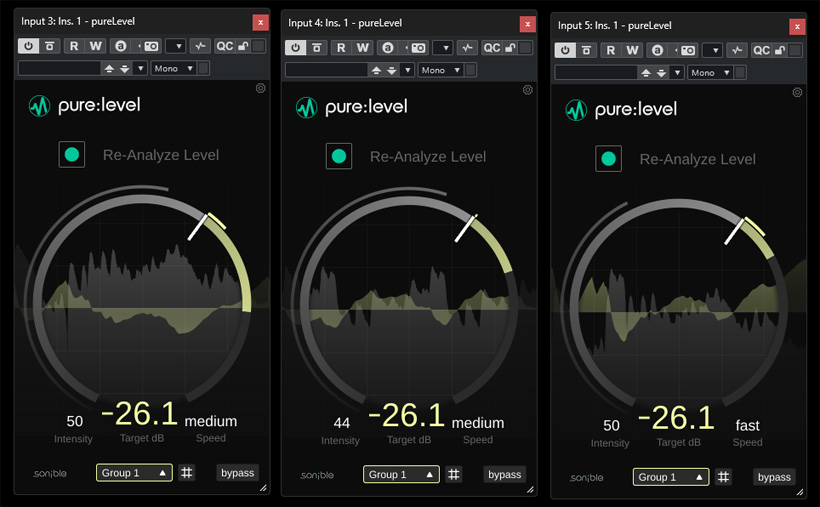
With its “pure” series, Sonible offers AI-based plug-ins that are characterized by their exceptionally simple handling and numerous automated features. In March 2026, the pure:level plug-in was added to the lineup, which we would like to introduce here.
Requirements, Installation, and Licensing
The plug-in can be used on Windows 10 or later, as well as macOS 10.14 or later for Intel Core i5 or higher, or Apple Silicon M1. It is available in the VST2, VST3, and AAX plug-in formats, as well as an Audio Unit on macOS.
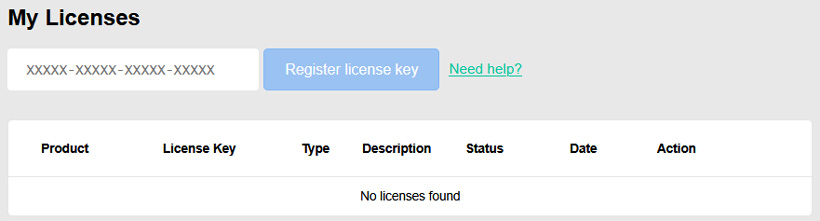
Licensing is handled through a Sonible user account. Licenses are available for activation on up to two computers. A trial version is also offered, allowing you to use pure:level for a few days without restrictions.
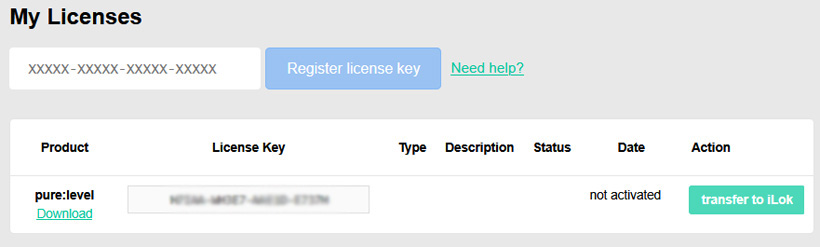
After redeeming the license code, the license can also be transferred to an iLok - which is what we did in this review.
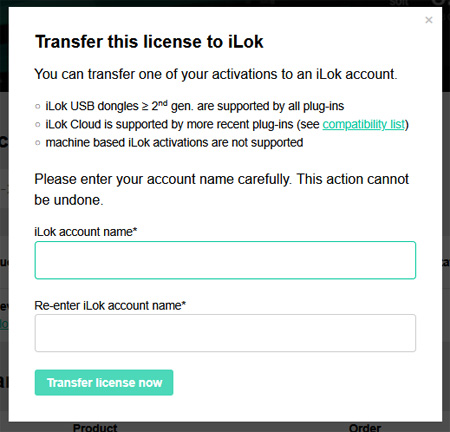
This is done in the settings for the Sonible user account by entering the iLok account name.
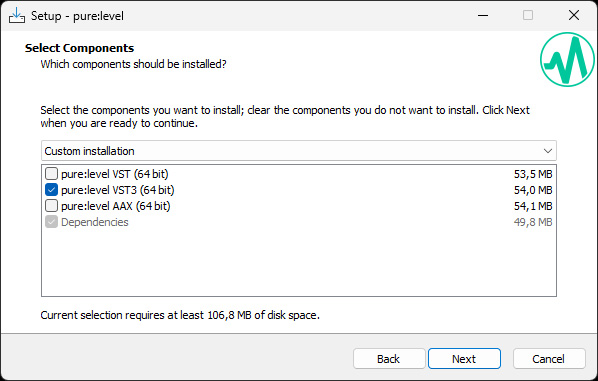
Installation is performed using an installer that allows you to select the various plug-in formats.
Concept
pure:level is a tool for smoothing out level fluctuations. Therefore, it is not a loudness optimization processor; rather, it regulates the level so that it remains stable even when changes occur. Unlike a compressor, it does not affect a signal’s dynamic range. It works by performing two independent processes: first, smoothing out short-term level fluctuations, and second, regulating the level to a desired target value. To provide pure:level with the correct information about the level, there is an analysis function that takes a sort of fingerprint of the desired level. This should be performed at a representative point. A very important feature is that you can use the plug-in across multiple tracks by creating groups within the plug-in. The plug-in supports all common samplerate between 44.1 and 192 kHz.
Handling
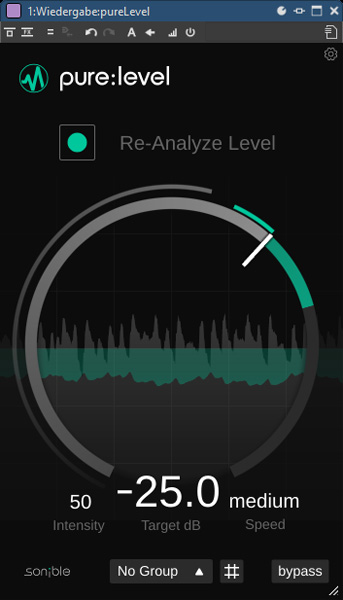
The plug-in offers only a few controls. At the top left is the virtual button to start the audio level analysis. The ring in the center of the plug-in displays the ongoing analysis process. After the analysis, you can change the desired target level value with the mouse or move the white pointer within the ring. The level is also displayed on the ring and symbolized as a waveform in the center of the ring.
You can disable processing and bypass the plug-in using the “Bypass” button. There are two additional parameters that affect processing: "Intensity" controls the strength of the level correction, and "Speed" controls the time constant for the change. And that’s all there is for the settings of the processing a channel.
It’s also important to note that, if needed, you can select one of four possible groups at the bottom to affect track groups collectively and in relation to one another. In this case, the target level is controlled collectively, while all other parameters remain individual. When assigning a track’s plug-in to a group, the color within the plug-in changes, as do the level and waveform displays. Each group is assigned a default color.
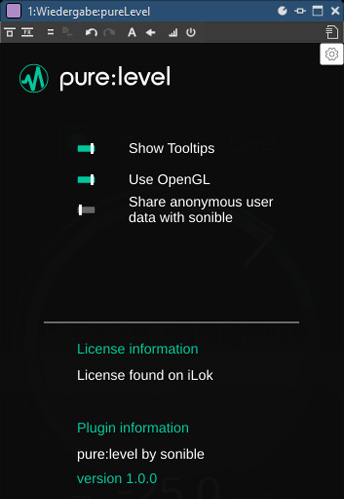
The gear icon opens a settings dialog where you can configure global settings (see image above). Here, you can display help information (Show Tooltips), enable OpenGL graphics support, and decide whether you are willing to share data anonymously with Sonible, which is presumably intended to help optimize the plug-in.
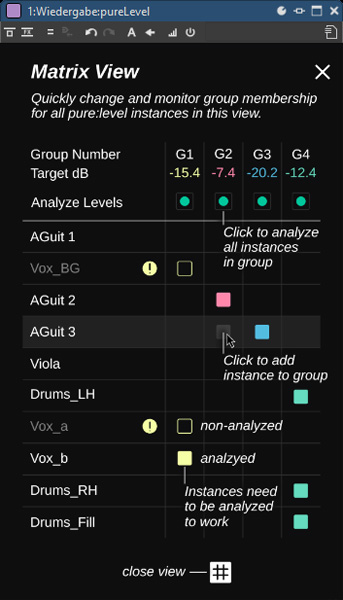
The Matrix View provides an overview of the groups and the assigned tracks. Iit also shows whether a track analysis is available and what the set target level is for each group.
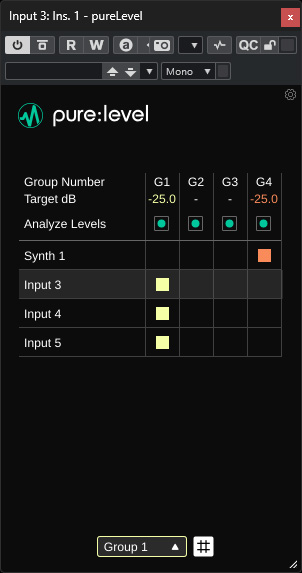
In the Matrix View, you can also actively change the assignment using the mouse or start a track analysis.
In Practice
We performed our test on a B14 AudioKern DAW from Digital Audio Service running Windows 11. We installed the plug-ins on the host software WaveLab 13 and Nuendo 15 from Steinberg. There were no issues during installation or operation, and not a single crash occurred. The CPU load on our workstation was so low, even when running on multiple tracks, that it was barely measurable. Therefore, no problems should arise even on low-performance computers.
Now to the practical application. We tested the plug-in both in mastering for Dolby Atmos and when mixing a stereo production. Despite the limited number of settings - which is, of course, the concept behind the pure plug-in series - the results were very impressive, whether on a single track, within a group, or in relation to other groups. We were able to quickly create a rough mix without needing to adjust levels using the DAW’s automation. The group remained very level-stable both internally and relative to the other tracks or configured groups. It’s amazing what modern tools can do. The operation is as easy as child’s play. This is also underscored by the 10-page manual in English, which covers all aspects of the plug-in and explains them well. When using the group function, the matrix and the different group color schemes ensure that you always have a clear overview.
Conclusion
The pure:level plug-in from Sonible is available for just under 40 euros. It is also part of the pure:bundle, which includes all pure plug-ins and is offered at a regular price of under 160 euros. There are many potential applications for pure:level, and the price is very reasonable from a professional user’s perspective.
I think that pure:level is, of course, primarily aimed at users who want to achieve a consistent level and consistent level relationships within groups as easily as possible without much effort. However, I can also imagine that there are use cases for advanced users as well, especially when there are many level changes on a track - for example, due to consecutive takes recorded with different settings or similar situations - or when working with Dolby Atmos multichannel productions, such as using automation to bring beds into a desired target level range.