 How to resolve AdBlock issue?
 Dawesome Kontrast
Wavetable Synthesis 2.0
Author: Peter Kaminski
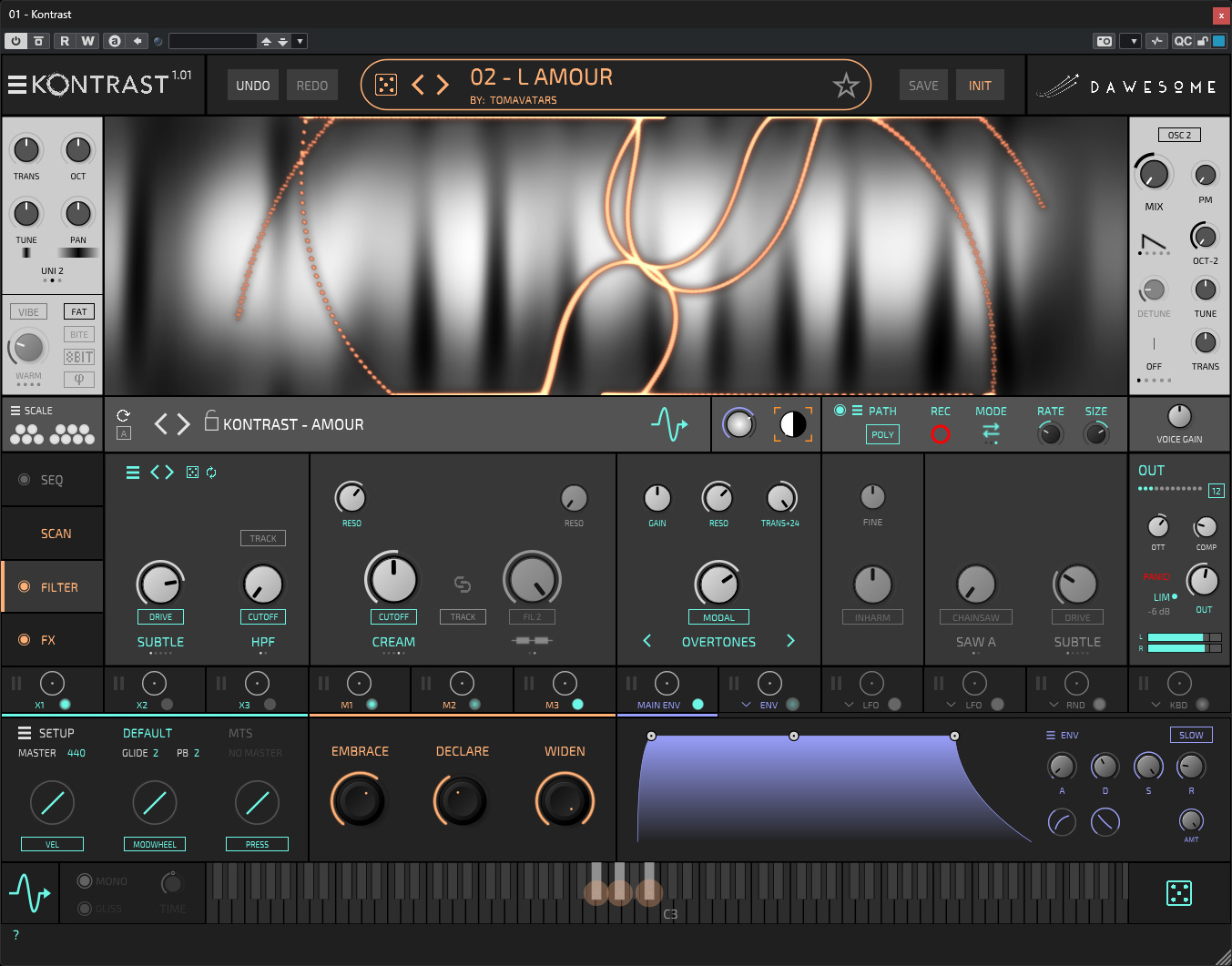
Peter Vorländer from Hamburg is the man behind Dawesome. His developments include the virtual synthesizer MYTH, which uses special algorithms for unusual sounds. In October 2025, he introduced Kontrast, a new synthesizer based on wavetable synthesis, but he interprets and implements them a completely different way than other wavetable synthesizers, such as the classic Walldorf Music Wave 3.V, which we also tested recently.
Installation and Authorization
Dawesome Kontrast is available as a VST 3 plug-in for Windows 10 or 11 and macOS-based computers (Intel/Apple Silicon) from 10.13 onwards, as well as an AudioUnit plug-in for macOS.
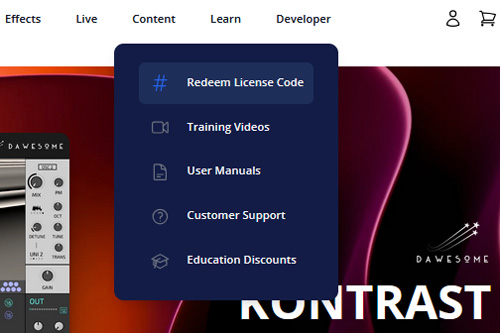
Usually, you will receive a "Redeem Code" after purchase, which you then have to redeem via the Tracktion website. I searched for the procedure for this on the website. The corresponding menu item can be found in the “Learn” menu (see image above).
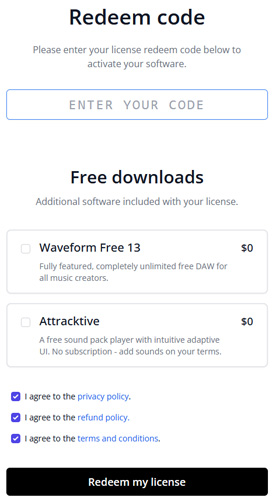
Enter the corresponding code here.
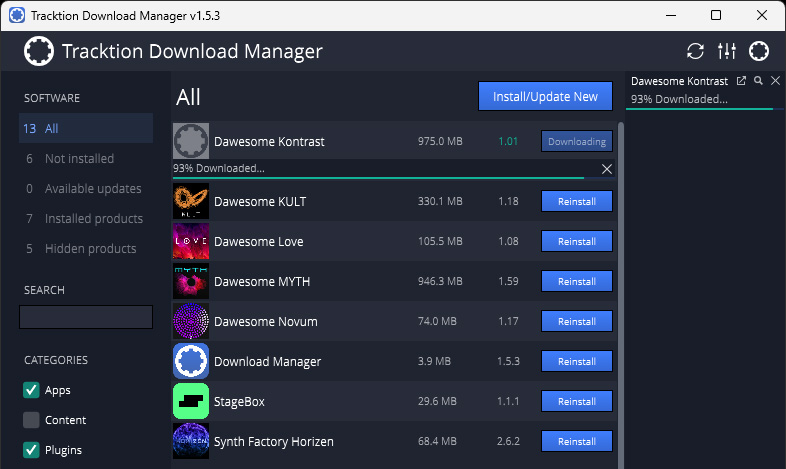
The installation is done using the Tracktion Download Manager (see image above).
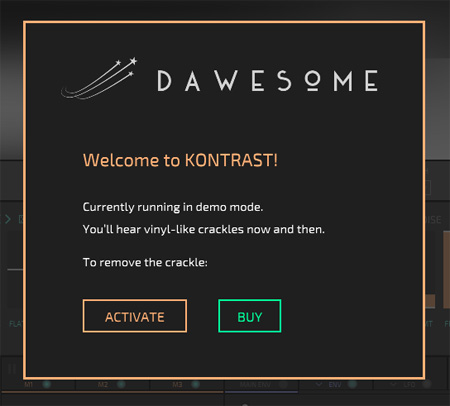
After starting the plug-in for the first time, you can authorize the plug-in for use on your computer.
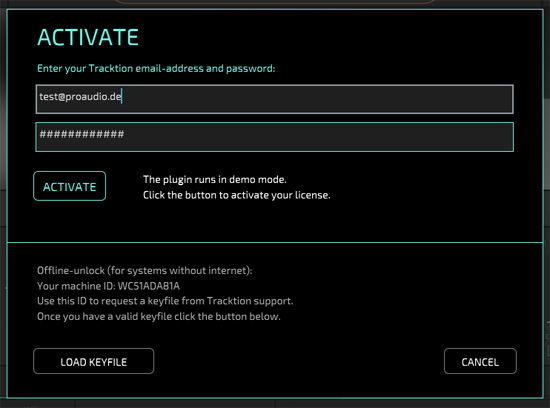
To do this, you must enter your Tracktion user account login details and then activate them or load a so-called "Keyfile" if your computer does not have Internet access.
Concept
The most important thing with Kontrast is to understand the concept of wavetable representation and use, as there are significant differences from how it has been handled in the past.
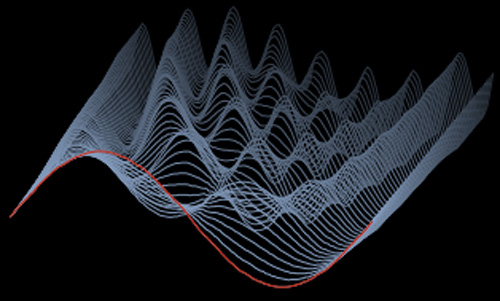
Graphically, wavetables are traditionally represented as typical 3D mountain/valley graphics (see figure above, example from the Waldorf Music Microwave 1), with the individual waves arranged one behind the other and the viewing angle more or less offset. In the example above, the first wave (marked in red) is a sine waveform.
Kontrast has chosen a different representation, namely a two-dimensional geometric one. The individual samples are represented by lines from left to right. The brightness gradient of the lines represents the third dimension and corresponds to the amplitude: black for a valley (i.e., full negative amplitude) and white for a peak (i.e., maximum positive amplitude).

Let's take a look at Kontrast's init wavetable as an example. The yellow mark is essentially the play cursor. In this example, there is a sine tone at the beginning of the wavetable.

This then slowly transitions to a triangle waveform (see fig. above).

As it continues, the waveform transitions to a sawtooth waveform (see fig. above).

And finally, at the end of the wavetable, the waveform transitions to a square wave, where only the maximum positive or maximum negative amplitude is present, and you only see black or white on the corresponding line, with no intermediate tones.
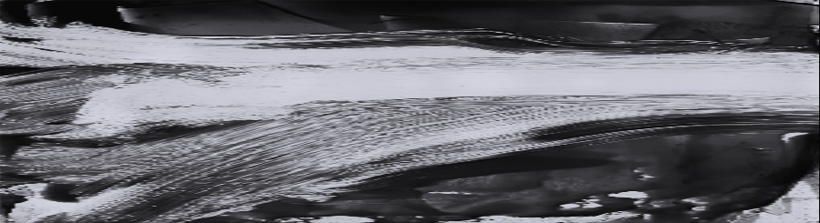
There are several advantages to this form of representation. First, wavetables with very strong changes over time can also be represented (see figure above), and secondly, you have a kind of image that symbolizes the wavetable through its brightness gradient.
This results in the advantage that not only can a sequence of samples be used as the basis for a wavetable, but also pictures (see figure above). The conversion to an achromatic image (i.e., only with grayscale without colors) occurs automatically when importing contrast. To ensure an optimal resolution for the wavetable, the format should be 2048 pixels in height and at least 1024 pixels in width. Visually, the image is then reproduced in a distorted form. If you do not want this, you must import an image with an aspect ratio of 11:3.
Normally, a wavetable is reproduced on a classic wavetable synthesizer in a way that the play cursor is always a line (slice) and thus always reproduces a complete waveform from the wavetable's waveform set. With Kontrast, however, this is different because the play cursor can take on virtually any shape and then plays the sample value at the current position at a specific point in time. This progression is generated using an internal, editable tool. In addition, the movements of the generated dynamic geometric shape can also be changed and recorded.
The result is sounds that are significantly more complex than those familiar from traditional wavetable playback systems, where an envelope generator usually determines the position of the virtual play cursor.
Operation
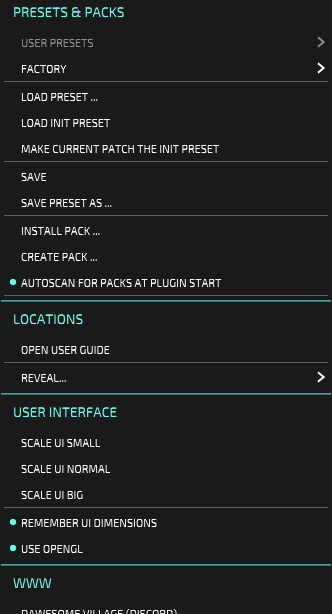
Now let's move on to how you operate Kontrast. The icon next to the product name KONTRAST takes you to the main menu. Here, you can load and save presets and sound packs, make global settings, and access various links to web pages and the manual. The size of the user interface can be changed manually in any step or selected from three preset sizes via the main menu.
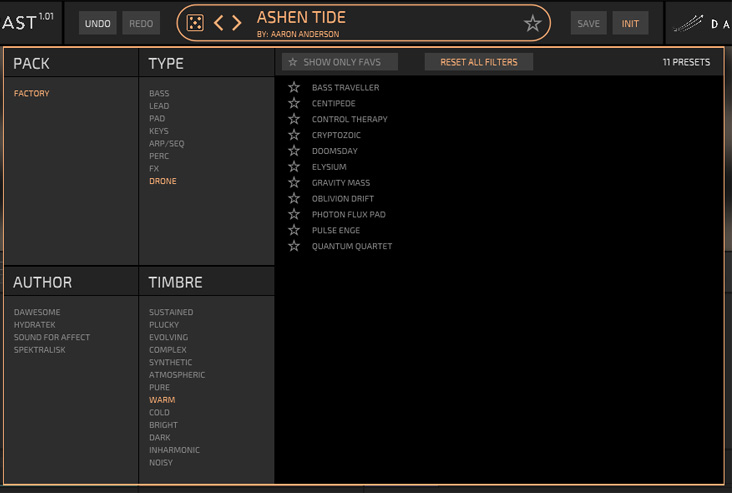
Clicking on the preset name opens the preset browser (see fig. above). Here, the user can search for presets using a variety of criteria, such as packs, sound type, author, or timbre, and also mark favorites.
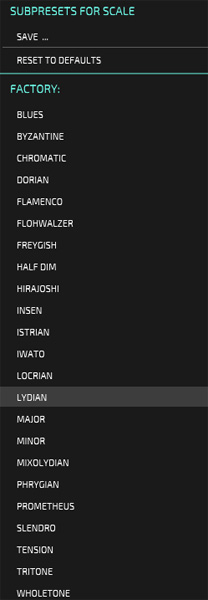
The Scale icon can also be used to select a tone scale. This is particularly relevant for the sequencer.
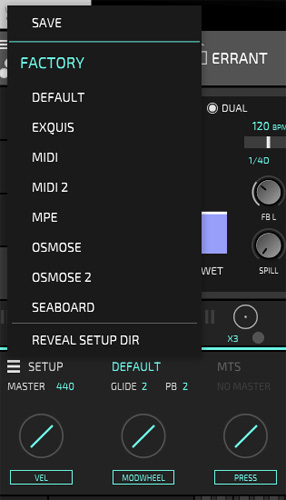
You can also select different controllers, as you would expect from other Dawesome instruments. Kontrast is MPE-capable, and there are also selectable configurations for Seaboard and Osmose controllers. MIDI 2.0 is also supported.
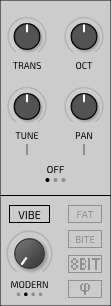
The section for the main oscillator is located on the left side next to the wavetable display. Vibe can also be used to change the sound of the sound engine. Additional sound effects are possible with FAT, BITE, and 8BIT. The lower icon can be used to force the individual notes to always start with the same phase.
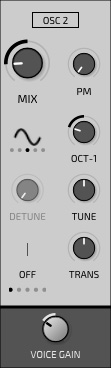
There is also a sub-oscillator with fixed waveforms or square waveforms with pulse width modulation. The mix ratio of the two oscillators and the overall volume can also be changed here.
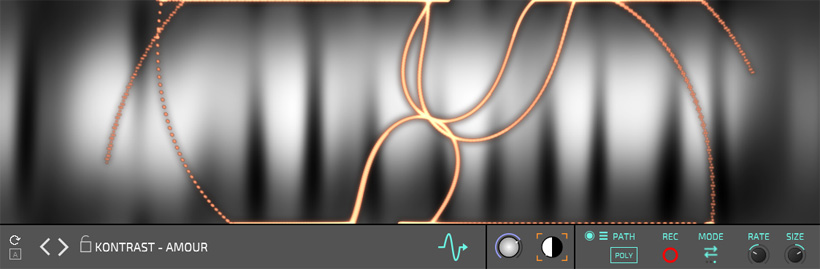
Directly below the waveform display, there are parameters for changing the progression. This allows you to change the speed and size of the progression, and you can also record and play back changes. Various playback modes are also available (one-shot, loop, ping pong), and the contrast can also be adjusted.
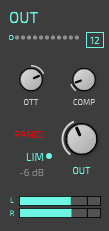
Below this is an area that provides access to four functions: a sequencer, the sampling curve, filters, and effects (see figure below). The master out section is always visible on the far right (see figure above), which also offers a compressor and limiter.
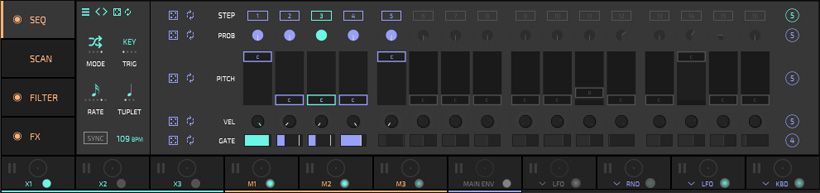
The step sequencer, with its operating modes Forward, Backward, Ping Pong, and Random, offers step-by-step adjustment of probability, pitch, velocity, and gate length. Each step can be activated or deactivated individually, and the loop length can be changed individually for each parameter.

The SCAN section determines the generated scanning curve of the wavetable, called “Scanline.” Here, geometric shapes can be set and modulated. These generated shapes can become very complex and dynamic patterns.
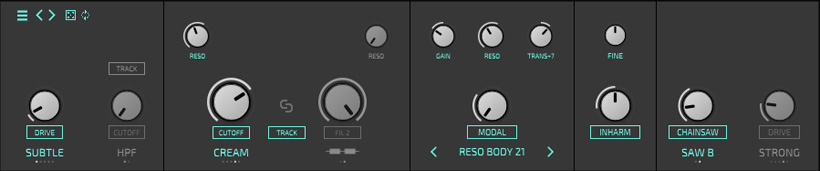
The third section provides access to the downstream filters, a high-pass/notch filter, and two low-pass filters that can be connected in parallel or in series.
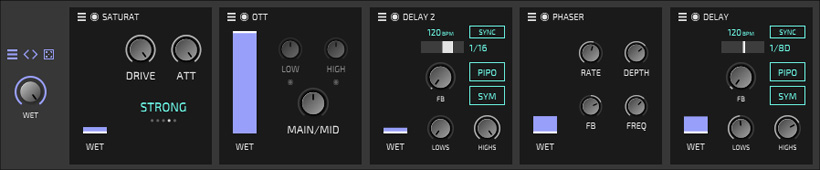
Of course, an effects section is also included. Up to five effects can be looped in here.
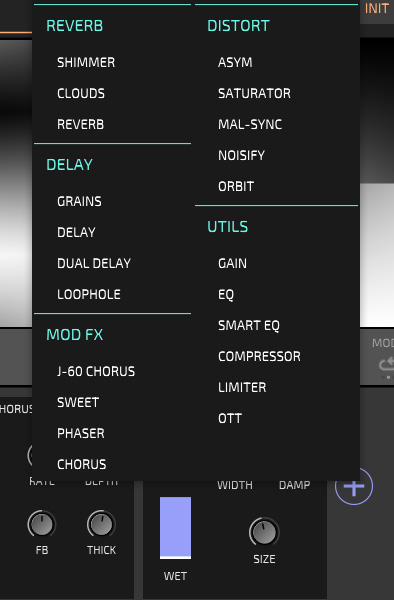
Various reverb algorithms, delays, modulation effects, and distortions are available, as well as equalizers and dynamic processors (see fig. above).

Various parameters can also be modulated.
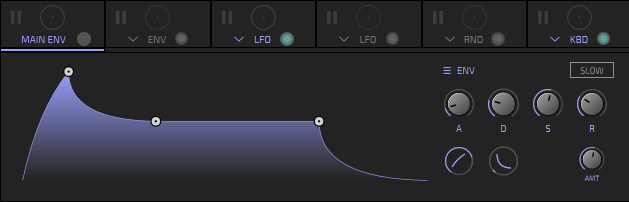
Two envelope generators, two LFOs, a random generator, and the keyboard are also available as modulators.

Below is a virtual keyboard where you can also change the keyboard mode and activate a glissando effect.
In Practice
We tested Kontrast as a VST3 instrument with Nuendo 14 as host software on Windows 11 on an AudioKern B14 workstation from Digital Audio Service. Despite the very powerful DAW, the performance indicator in Nuendo peaked at around 40% for most plug-ins at a sampling rate of 48 kHz and a buffer size of 512 samples. However, there were also presets that required significantly more resources, which shows that Kontrast is very CPU-intensive - but this is not surprising, as Kontrast pushes the limits of what is possible. Perhaps one idea would be to offer different performance modes.
I'm a big fan of wavetable synthesis. However, there has been no real evolution in wavetable synthesis to date. The principle seemed to be fixed for eternity. But now, Kontrast is a synthesizer that takes wavetable synthesis to the next level. The sound quality offered by Kontrast is impressive. Even random photos used as input material for the wavetable result in amazing sounds. Incidentally, in Nuendo on Windows, you can only import photos via drag and drop if the window in which the plug-in is displayed is not in full-screen mode. To import, you need to briefly change the window of the host software to a custom size.
The entire operation also invites you to experiment and create your own presets. The handling looks more complicated than it actually is. Everything can be operated very intuitively - despite the very complex things that can be set. The 369 factory presets included cover a wide range of sounds, from ambient to very fat, even percussive sounds, and effects are also included. There is actually no specific musical focus. Incidentally, scales with microtones are also possible. Various workflows are supported here, such as MTS-ESP and MPE Pitch Bend, and any tone intervals are possible with the help of Entonal Studio or Ableton's Microtuner. Kontrast is so rich in functionality that this article can only give you a first impression.
Conclusion
The regular price is 149 US$ / 149 Euro. As with all Dawesome instruments, you can use Kontrast in demo mode for three months without any functional restrictions. Kontrast is available directly from the Dawesome or Tracktion websites. I am convinced that no one will need three months to make a purchase decision. Kontrast breaks new ground in the field of wavetable synthesis and is sure to find many enthusiastic users.