 How to resolve AdBlock issue?
 Heavyocity Vocalise 3
Cinematic Vocal Plug-In
Author: Peter Kaminski
In 2003, Dave Fraser and Neil Goldberg, who had known each other since their me at Berklee College of Music, founded the studio “Heavy Melody Music” in New York City, bringing in composer and sound designer Ari Winters. In 2006, dissatisfied with what was available on the market, they came up with the idea of developing modern virtual instruments and founded Heavyocity Media. Their first instrument was EVOLVE, a multi-instrument for film music. It was very successful - and their journey in developing more innovative virtual instruments began. At the time of testing, there are now 76 different virtual instruments specifically designed for film music composers and sound designers, ranging from drums and percussion to keyboards, guitars, orchestral sounds, and vocals.
We would like to take a look at one of the virtual instruments for virtual vocals: Heavyocity offers six vocal plug-ins: the free plug-in Emotive Choir, Mosaic Voices, Sonara, Vocalise, Vocalise 2, and Vocalise 3, which we would like to present here. The three Vocalise instruments are based on different samples, so Vocalise 3 is not an update but a standalone instrument.
Installation
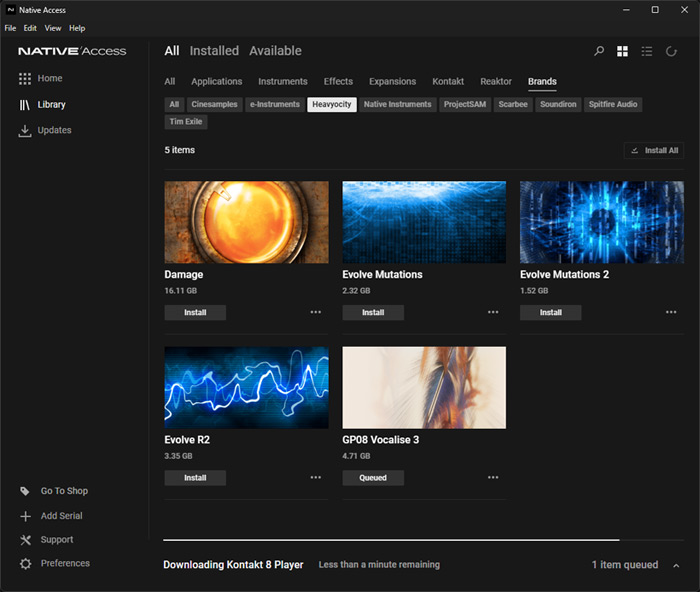
The free version of Kontakt Player (at least version 6.7.1) is required to use all virtual Vocalise instruments. Available plug-in formats are stand-alone, VST, VST3, AU, and AAX. Windows 10 or higher and an i5 CPU are required for Windows, while macOS 10.14 or higher and Apple Silicon Macs are also supported.
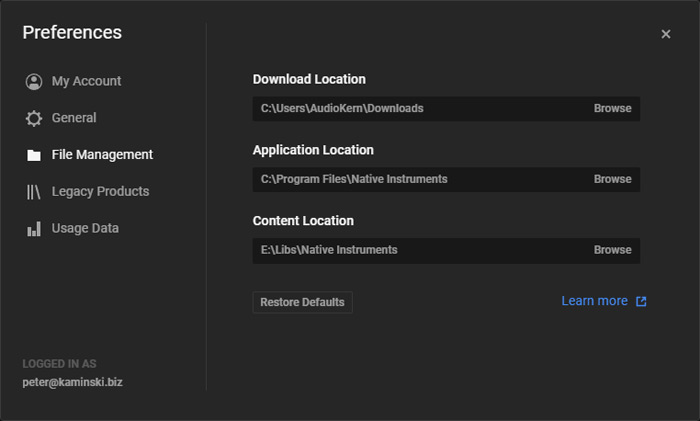
We carried out the installation directly via Kontakt Player. Enter the activation code directly here in the player and then carry out the installation. You can specify an extra folder for the approx. 7 GB sample library (see image above).
Operation

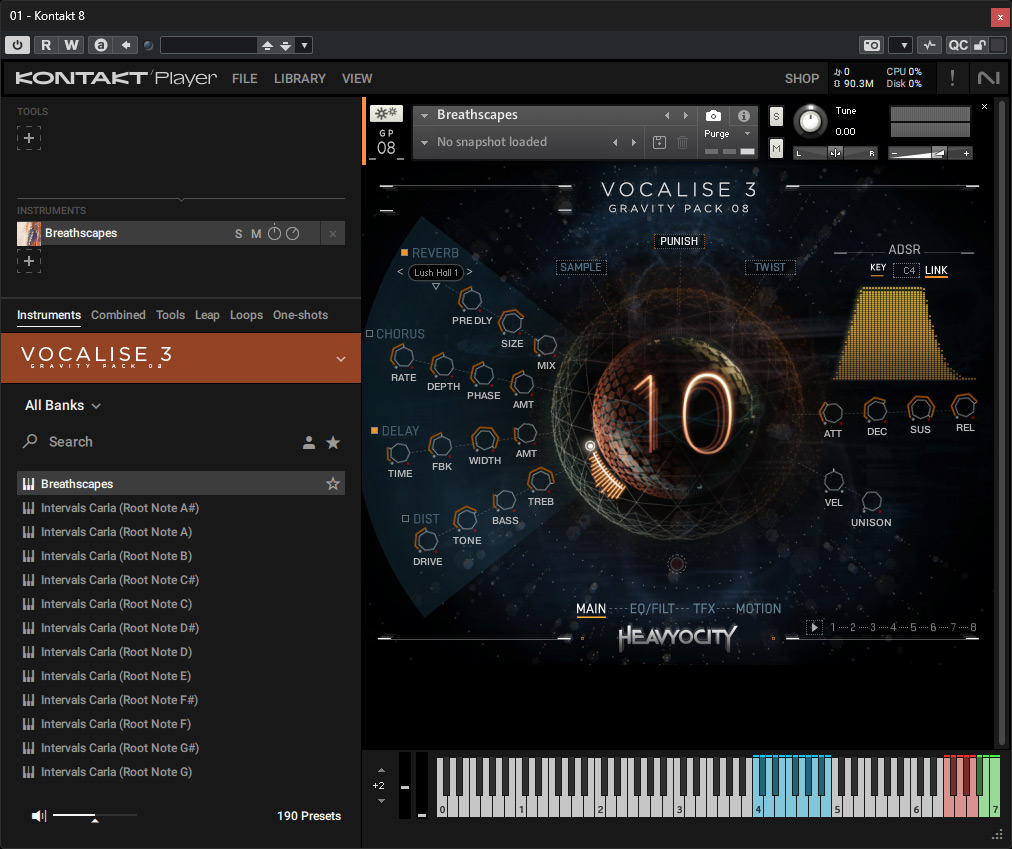
At the top of the Kontakt Player, you can adjust settings such as tuning and the output level.

The pop-up keyboard provides an overview of the different keyboard areas - which are color-coded. For example, blue is the playable area for triggering a sample, and magenta is for transposition. Red indicates trigger effects, and green areas are for motion play triggers - more about that later. There are different types of presets: some have three simultaneous, overlapping sounds with different samples or articulations per key but the same root note, for example, while others have a single sound that can be played normally on the keyboard.
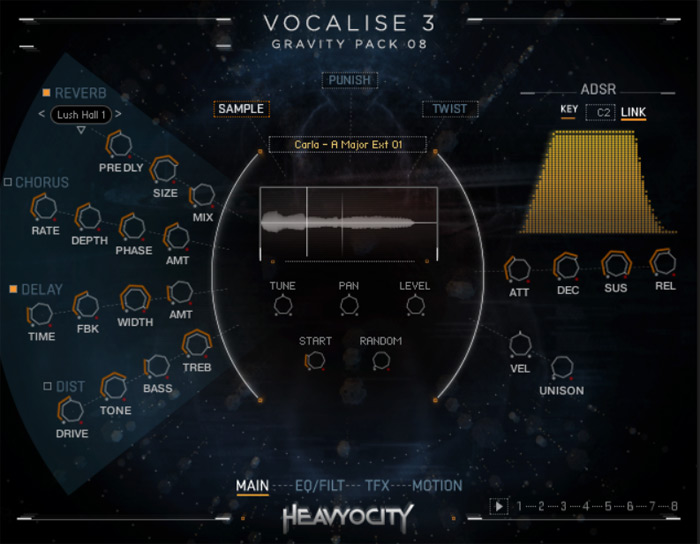
The main page offers selectable effects (reverb, chorus, delay, distortion) and their parameters on the left. On the right, you can adjust the envelope curve. Below that are up to three performance controls for velocity, glide, and unison. With unison, notes are played in parallel with different tunings. The UNISON knob adjusts the degree of detuning. In the middle of the main page, you can choose between three settings: SAMPLE, PUNISH, and TWIST.
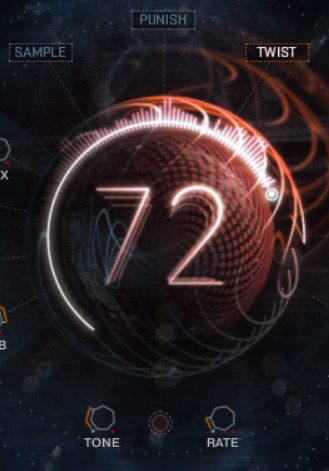
SAMPLE allows you to change the parameters for playback. Here you can, for example, move the start point, influence the stereo panorama, and activate a random start point. PUNISH is a compression effect that can be adjusted up to a saturation. TWIST allows you to modulate the tone.
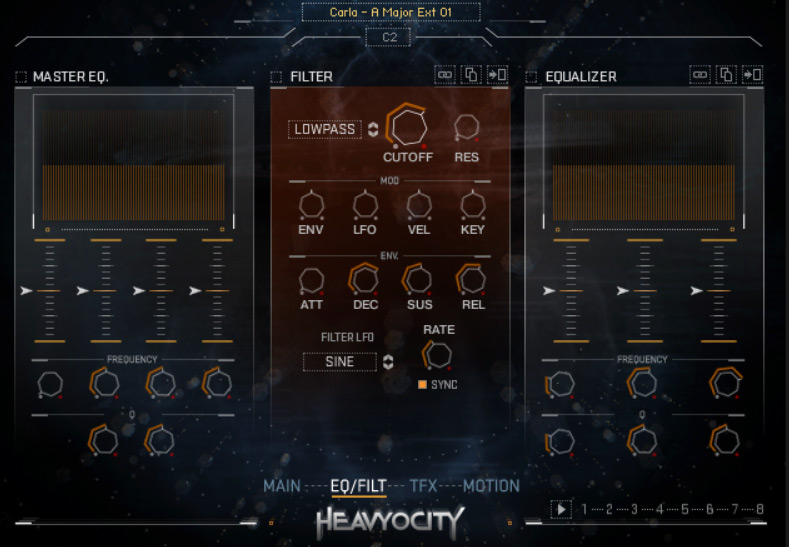
In addition to the main page we have presented so far, there are three other control pages that can be selected at the bottom of the plug-in. One page provides an equalizer, a master EQ, and a dynamic filter with modulation via an LFO and ADSR envelope generator for the filter frequency.
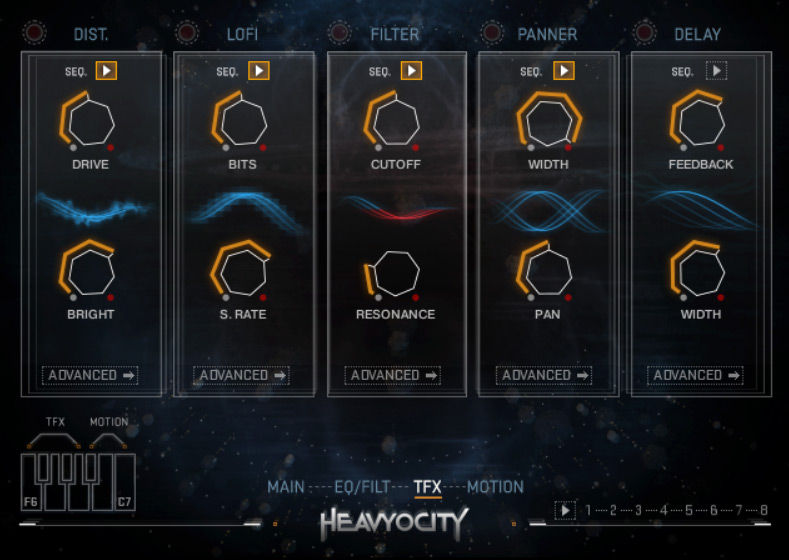
The TFX page, which stands for trigger effect, offers five switchable effects that can be activated via the keyboard: a distortion, a lo-fi effect, a filter, a panner, and a delay (see figure above).
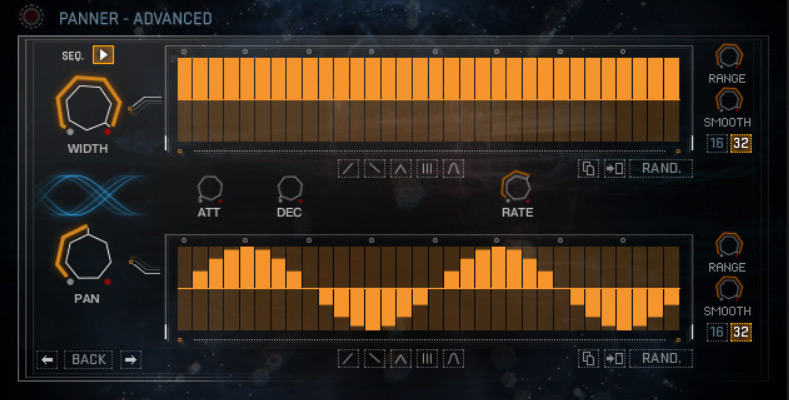
The ADVANCED button can be used to call up a sequencer for the five effect types (see figure above with the sequencer for the stereo panorama).
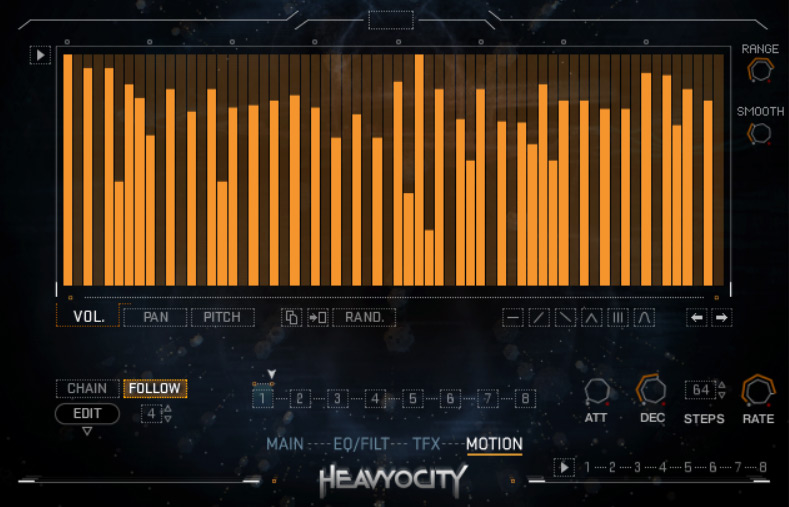
On the MOTION page, you can also set up various modulations using a sequencer (see image above). These modulations are also activated via the keyboard, but of course using different assigned keys (A#6 to C7). In theory, it is also possible to activate them through the GUI.
In Practice
We tested Vocalise 3 with Kontakt Player 8 on an AudioKern B14 DAW from Digital Audio Service with Windows 11 and Nuendo 14 from Steinberg as the host software. The processor load of the instrument in Kontakt Player is extremely low, even with the effects applied. Operation is relatively quick and intuitive, as the structure of the plug-in is clear. Whether and how you use the many modulation options will certainly vary greatly from person to person. I myself have made little use of them, as many effects can quickly become tiresome. It is therefore advisable not to overuse the modulations or, if necessary, to use different modulation effects.
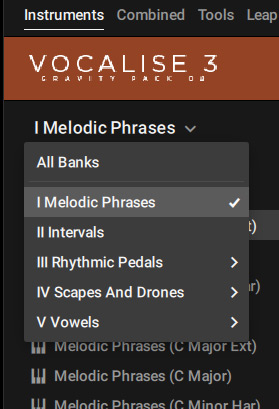
The various presets are divided into five banks, with sub-banks in addition to the “Intervals” bank. In bank 2, called “Intervals,” there is a preset for each root note over two octaves in semitone intervals with various intervals. You can call up the different phrases via the keyboard - and if you want to transpose, you have to do this using the transpose function on the corresponding keyboard section or program it accordingly in the host software. This is very easy to play and handle.
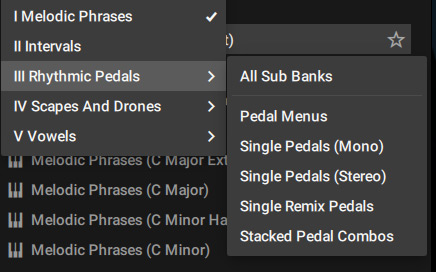
Bank 1, named “Melodic Phrases,” contains melodic phrases for four A, C, D#, and F# in four scales (major, major ext, minor, minor har). Bank 3 offers rhythmic phrases in mono and stereo, and - among other things - also from two different singers (different preset sub-banks). Bank 4 is divided into the sub-banks “Drones and Scapes”. The drones are based on voices, but they sound deliberately synthetic and can be played at any pitch on the keyboard. The “Scapes” presets are again grouped by scale (A, C, D#, F#, as before). Bank 5 offers various presets with vocals (Aahs, Oohs, etc.) as loops and single shots.
The samples are very diverse and extensive. With a little practice, even longer melodic phrases can be created relatively easily. It's clear that this plug-in is not a replacement for vocals in pop music, but it can be used for film music or ambient sound compositions. The focus here is on individual singer samples rather than choir samples. However, there are also stacked presets with multiple simultaneous voices. With playing chords, even smaller choirs can be created. Of course, it cannot replace large orchestral choirs - but there are other plug-ins that focus on that.
We were very satisfied with the set of samples and found nothing lacking. Nevertheless, I can imagine that the other two versions of Vocalise would expand the sound spectrum even further. However, we have not tested the other versions and therefore cannot comment further.
Conclusion
Vocalise 3 costs 119 euro. Vocalise and Vocalise 2 cost 99 euro. The price is absolutely justified, given the wide variety and the very natural-sounding material. Definitely recommended for compositions in the field of film music and electronic music, such as ambient and similar genres. Especially with instruments that have voices, it is always advisable to have several instruments at your disposal to be flexible - and sometimes different voice plug-ins can also be combined well with each other.