 How to resolve AdBlock issue?
 Soma Flux Breakout Box
CV/MIDI Controller Extension
Author and photos: Peter Kaminski
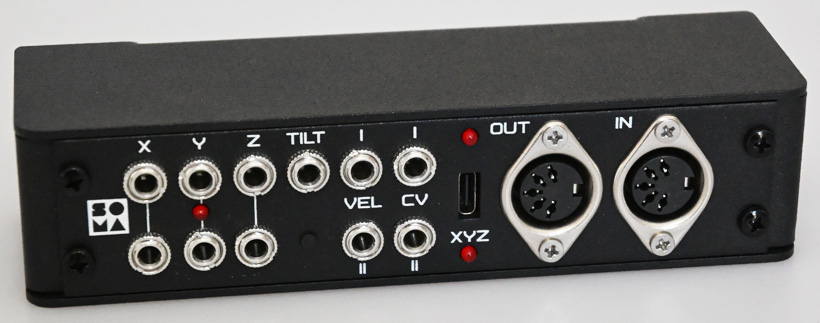
With its touchless playing style and interesting sounds, the Soma Flux is certainly one of the most interesting innovations in the field of electronic musical instruments in recent times. We have already presented the Flux extensively in our test. However, what the Flux does not yet offer is the control of other instruments via MIDI or control voltages - and the Breakout Box now offers exactly these features.
Concept
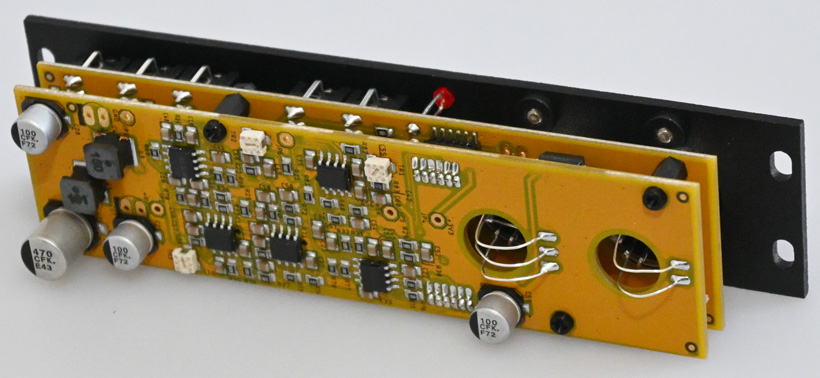
The Flux Breakout Box is a Eurorack module with a width of 6U, which is supplied in a mini metal case. It is connected directly to the Flux via a USB cable and is also supplied with voltage for Operation from there. When installed in a Eurorack, it does therefore not need to be connected to the power supply there. The Flux firmware version 1.6 or higher is required for operation.
Connections
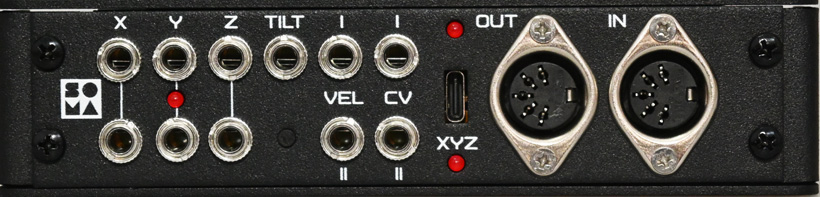
The connection between Flux and the breakout box is made using a USB-A/USB-C cable. The LED between the XYZ jacks indicates the power supply, and a status LED above the USB jack indicates a successful USB connection. In addition to the USB jack, there is a five-pin MIDI-In and a MIDI-Out jack.
Control voltages for the pitch and velocity of the two Flux voices are also available via 3.5mm jack sockets, as are the tilt and all parameters of the left modulation range, or the so-called timbral sensors of the Flux. Depending on the operating mode, the six left outputs either output the individual values of the six timbre sensors or XYZ values via three outputs. The operating mode can be switched using the XYZ button, and the activated XYZ mode is indicated by the XYZ status LED.
The control voltages range from -5 to +5 volts for XYZ and tilt, and from 0 to 8 volts for pitch and velocity. The resolution for the pitch output is 16 bits, and all others have a resolution of 11 bits.
Handling
The breakout box can be used in two applications: either to use Flux as a MIDI/CV controller or on a computer as a MIDI/CV converter. Let's start with the MIDI/CV controller. With the breakout box, MIDI is available as MPE. Here, the MIDI channels are fixed. Channel 1 is for CC, with CC numbers 20 to 22 assigned to the lower sensors, 23 to 25 to the upper sensors, and 26 to the tilt on the playing surface. The values 64 to 127 are the values when the magnet is in the normal position and 0 to 64 when the magnet is operated upside down. The two voices of the Flux are assigned to channel 2 and, in dual mode, to channel 3.
Certain controllers can also be taught manually. To do this, press and hold the XYZ button for at least five seconds. The XYZ LED will then flash. Place the magnet of the desired sensor on the surface. Repeat this in Lear mode for all sensors that are to be programed. Press the button to return to normal XYZ mode, and the XYZ LED will stop flashing.
Now for MIDI/CV converter operation. The breakout box is class-compliant and therefore does not require any driver installation. After connecting it, you will see two MIDI outputs and one MIDI input in your DAW. The first output is reserved for programing via SYSEX, which allows channels and CC numbers to be changed individually. The other two MIDI I/Os are routed to the MIDI jacks. Both standard and MPE modes are supported.
In Practice
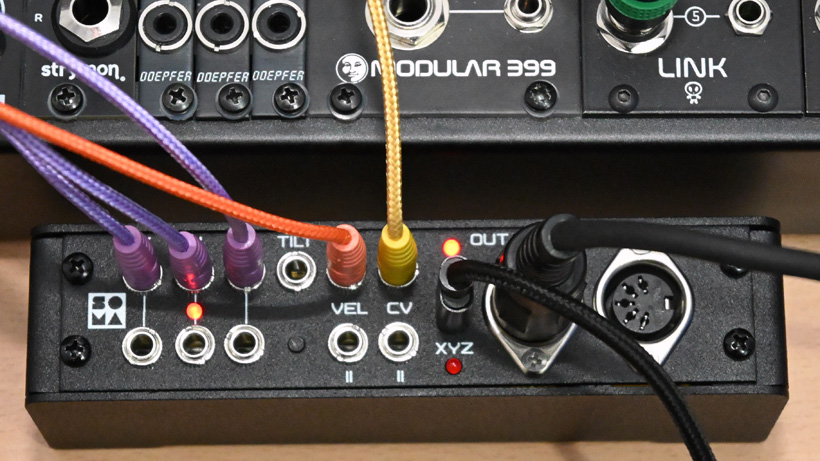
First of all, it's a good idea to offer the breakout box as a Eurorack module, to include a suitable case, and to design the whole module in a way that no extra power supply is required. We also tried the breakout box with longer USB cables - and everything worked perfectly. Operation on the Flux is completely problem-free: connect, turn on the Flux, and you're done. The latency of the interface is extremely low, giving you a very direct feel when playing. Thanks to the high resolution of 16 bits, you also get smooth pitch changes without any audible steps.
The fact that the MIDI channels are fixed is not a problem and makes sense for MPE usage. If necessary thre channels can be adjusted on the receiver side. In Duophonic Mode, a separate MIDI channel is used for each voice, so it makes sense to activate Omni Mode on the receiver.
Those who prefer a more typical theremin playing style will tend to use the analog CV outputs. It is noteworthy that a control voltage output is available for each of the sensors in the modulation range. Modulation control via the Flux is particularly enjoyable with wavetable-based oscillators or complex oscillators, such as the Xaoc Odessa or the Ensemble Oscillator from 4ms. Such dynamic modulations are difficult to achieve with other controllers. It is also very interesting to use the internal sound engine along with external instruments. It should be noted here that when using the sensors on the left side, the Flux's internal sound is also modified.
Personally, I would have liked to see a gate output signal for modular equipment. However, Soma follows the concept of theremin playing, where the volume is dynamically controlled via Velocity, and no envelope generator with a VCA is used. In principle, a gate is available internally because there is also a note on/off via MIDI. But of course, you can help yourself, if necessary, by generating a gate from the MIDI note on/off or by using an envelope follower with a gate function.
Using it as a stand-alone MIDI/CV interface in conjunction with a computer is another possible application, but I think that only a few people will use it, and adjusting the settings via MIDI SYSEX transmission is not for everyone.
Conclusion
The price is around 180 euros. This seems well worth it, as the breakout box significantly enhances the Flux and turns it into a MIDI/CV controller. In summary, the breakout box is a great piece that can be used for most purposes without any additional settings or adjustments. When using MIDI CC in conjunction with virtual instruments, for example, you will, of course, still need to make adjustments via the Lear mode. When used with Eurorack synthesizers, on the other hand, you can get started right away and implement many new creative ideas.