 How to resolve AdBlock issue?
 Waldorf Music PPG Wave 3.V 2.0
Iconic Wavetable as a Virtual Instrument
Author: Peter Kaminski

The PPG Wave 2 synthesizer made history. For many years, Waldorf has also offered the synthesizer as a virtual instrument with the “PPG Wave 3.V.” In September 2025, update 2.0 was released - and we would like to take this as an opportunity to present and test the entire instrument.
The Original
First, let's take a look at the original, or role model. In 1978, Wolfgang Palm introduced the first wavetable synthesizer, the Wavecomputer 360. This led to the Wave 2 in 1981, which had eight oscillators, one per voice. The concept behind all PPG Wave synthesizers was to have an analog filter and a VCA connected downstream of the digital oscillator. The Wave 2 used a CEM 3320 as its filter. In 1982, the PPG Wave 2.2 was released, which also used eight voices but two oscillators per voice, and now also has the SSM 2044 filter chip. The SSM 2044 is a low-pass filter, while the CEM 3320 contains several filter blocks. Each has its own character in terms of sound. In 1984, the PPG Wave 2.3 was introduced, offering multitimbral sounds and, in conjunction with the PPG Waveterm, 12-bit samples instead of the 8-bit word width. Incidentally, there was also an expander with the PPG EVU.
The sounds of the PPG Wave 2.x are legendary. Until then, oscillators were usually analog and, apart from pulse width modulation, static in terms of waveform. The wavetables, on the other hand, consisted of a set of 64 waveforms that could be controlled via an envelope generator and LFOs. The fact that the PPG Wave sounded the way it did is thanks to Wolfgang Palm, who created the individual wavetables in such a way that they also sounded homogeneous. Today's wavetables, especially in Eurorack modules, are relatively haphazardly assembled. Wolfgang Palm, however, also compiled the wavetables based on samples of instruments and human voices. Another interesting feature was the stereo effects, which distributed individual notes more or less evenly across the stereo channels.
Attempts were made to emulate the PPG Wave synthesizers - but in detail, they sounded different. The SSM filters used, the 8-bit D/A conversion, the compilation of the wavetables, and the aliasing artifacts all contributed to the specific sound character. When PPG ceased operations in 1987, Waldorf took up the topic of wavetable synthesizers and, in collaboration with Wolfgang Palm, created the MicroWave in 1989. Later, they introduced the MicroWave II and the Blofeld – all with the genes of the PPG Wave, but only related to and not copies of the original. Meanwhile, there is also a replica, the Behringer Wave, which comes closer to the original.
The Virtual Instrument
There were also a few attempts to replicate it as a virtual instrument. Waldorf also worked on this and, thanks to its connection to Wolfgang Palm, naturally had a lot of expertise in the field of wavetable synthesizers. Development of the virtual PPG Wave began in September 1999. The goal was to design a plug-in for the then-emerging VST 2.0 standard in close cooperation with Steinberg. To ensure the authenticity of the sound, the original EPROMs of the PPG Wave hardware were read out and their wavetables were directly integrated into the plug-in. The aim was to come as close as possible to the original wavetable synthesizer. The result was then released in May 2000. The first version was called PPG Wave 2.V. A revised version, PPG Wave 3.V, was then released in November 2010, followed 15 years later by version 2.0 of the PPG Wave 3.V plug-in. So it's already been a long journey.
Requirements, Installation, and Licensing
The PPG Wave 3.V 2.0 plug-in from Waldorf Music is available for Windows-based PCs running Windows 7 or higher and for macOS-based computers running version 10.13 or higher (Intel/M1-based Mac computers).
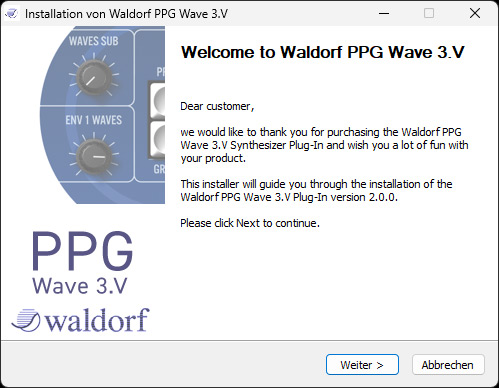
The plug-in formats available are VST2, VST3, AAX, and AU (for macOS).
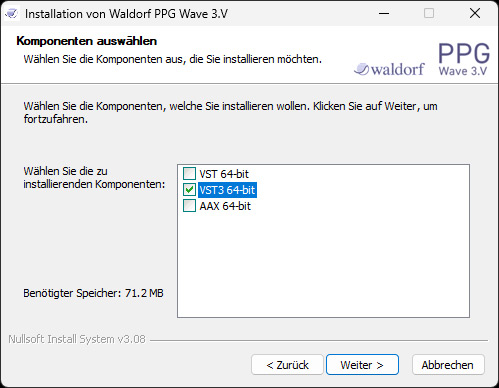
Installation is carried out using an installer program that allows the various formats to be installed individually.
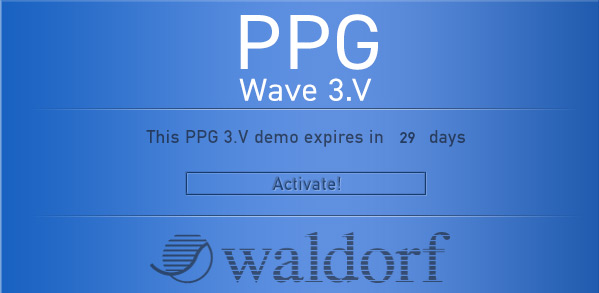
Activation requires a “My Waldorf” user account. The license keys for activation are stored there. After starting the plug-in, the demo version can be authorized as a full version.
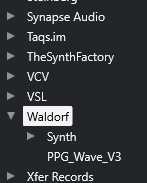
After installation, the plug-in (here as an example in Cubase/Nuendo) can be found under Waldorf in the instrument selection.
Operation
Since we have not yet introduced the PPG Wave 3.V plug-in, we will take a comprehensive look at the virtual instrument. The plug-in window is divided into four sections. At the top are buttons for switching between the edit display and the preset/bank browser (see figure below). There is also a file menu for loading and saving presets and programs, as well as an edit menu for managing programs, parts, and banks.
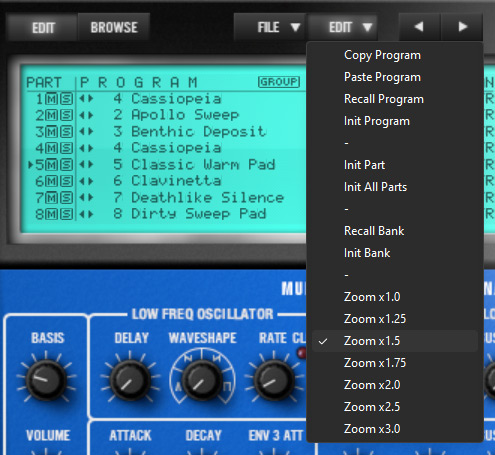
The menu also allows you to change the plug-in size in seven steps. There is no provision for continuous adjustment.
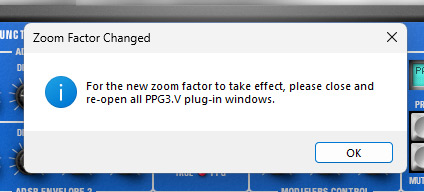
If you change the display size, you must reopen the plug-in. However, it does not need to be reloaded into the plug-in slot. In Nuendo or Cubase, for example, you can simply turn the plug-in display off and on again using the Edit icon.
Preset/Bank Browser
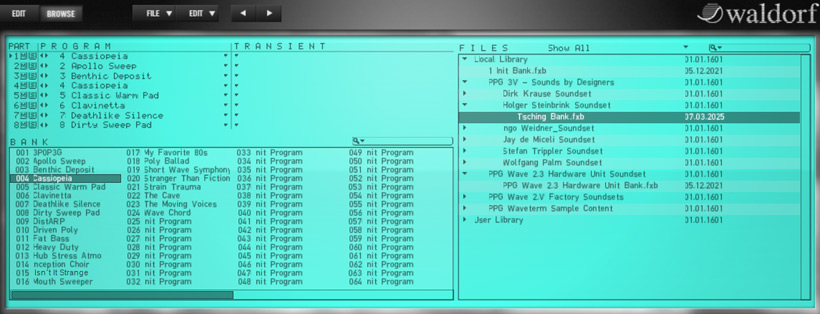
Let's take a look at the Preset/Bank Browser first. The display is designed to match the LC display of the Waves. The structure is such that there are banks with 64 presets each. A program consists of up to eight parts, i.e., layers in which one preset is loaded. On the right-hand side, you can access the available files. Another new feature in V 2.0 is the addition of new factory wavetables.
Control Panel
When you switch to the EDIT display, the third section appears in the form of a virtual control panel, just like on the hardware model. Below this is the fourth section, a virtual keyboard that is always visible.
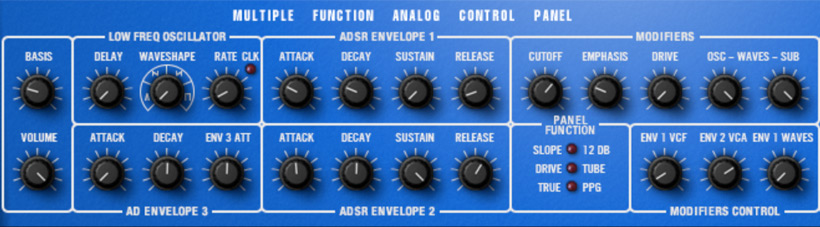
The section with the controls is identical to that of the hardware model, and the meaning is self-explanatory thanks to the labels. On the far left are the controls for volume and stereo effect, then three for the LFO control for the three envelope generators, on the far right three controls for the envelope modulation degree (MODOFIERS CONTROL), and above that controls for filter, drive effect, and oscillator level.
Keypad and Display
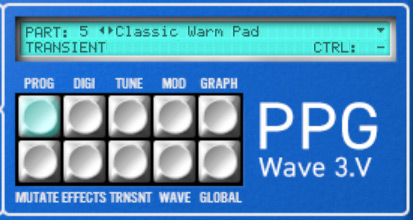
The layout of the keys is slightly different from the original, as the latter also has a numeric keypad, which makes little sense in a virtual instrument and has therefore been omitted. As with the original, the user can select a specific edit mode using ten keys. Depending on the selected edit page, the corresponding parameters are displayed above the panel. However, the buttons and panels are different in the plug-in. Many of the panels on the original make no sense in the plug-in, are set using other mechanisms, or are new functions that did not exist in the original.
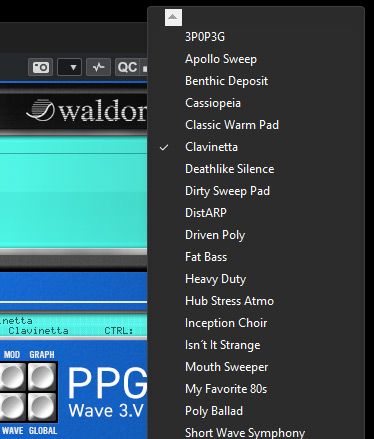
The small triangle icon opens a preset menu where you can select the presets for the current bank.
Editor Pages

Now let's move on to the ten selectable editor pages. On the left side of all pages, an overview of the eight parts of a program is displayed, allowing you to quickly switch to a specific part (see figure above). The first button, PROG, opens the PROGRAM panel, where you can set the MIDI channel, volume, audio output, stereo panorama, and keyboard range for each part, among other settings.

DIGI takes you to the panel for the wavetable parameters, i.e., which ones are loaded, the keyboard mode (MONO, DUAL, QUAD, POLY), and the wave simulation mode (2.2, 2.3, 2.V), as well as the arpeggiator parameters at the bottom.

The TUNING panel allows you to influence the tuning. The eight SEMITONE parameters can be used to assign the pitch of the individual voices, depending on the keyboard mode in the DIGITAL panel. This tuning system was also used in the original. Normally, all eight would be set to the same pitch or number. It gets interesting when you specify octave jumps or even other intervals for the voices, for example. This is something for those who like to experiment.

The MODULATION panel is again self-explanatory and shows the routing of modulation sources and the available targets, including the modulation level in percentage.

The GRAPH panel calls up a graphical editor to display and modify the LFO, envelopes, filter response, and a wave of the oscillators' wavetable. I would like to mention one more point here. The waves from 60 onward have a special function in the PPG, as wave #60 is always a triangle, #61 a pulse, #62 a square, and #63 a sawtooth. I always found this a bit strange with the original Wave, but for compatibility reasons, it was of course necessary to adopt this into the Waldorf Music PPG 3.V 2.0 plug-in as well.

The MUTATE panel can be used to add a random value to certain parameters. The random value on EVERYTHING should be used with caution.

The plug-in also offers effects such as EQ, overdrive, phaser (up to 12 stages), chorus (up to 6 stages), stereo delay, and reverb. These can be activated and adjusted via the EFFECTS panel.

The TRANSIENT panel can be used to load samples and set start and loop points as well as the base pitch. In conjunction with the PPG Waveterm or the Processor Keyboard, this was also possible with the original model, but not with Wave 2.2 or 2.3 alone. These samples were called transients - a somewhat misleading term in the original, in my opinion, but of course it has been retained in the plug-in.

The WAVE panel provides a wavetable editor. This is a feature for users who want to delve a little deeper.

The GLOBAL panel provides access to the plug-in's global parameters. It is interesting to note that some of the limitations that existed in the hardware are scaled differently in the plug-in. The plug-in offers up to 256 voices and eight usable stereo outputs – i.e. 16 output channels. The use and settings for the 16 channels naturally vary from host software to host software.
In Practice
We tested the PPG 3.V 2.0 under Windows 11 and Nuendo 14 on an AudioKern B14 workstation from Digital Audio Service. We did not encounter any problems during installation or operation. CPU resource consumption is extremely low on our DAW and barely noticeable.
The Waldorf Music PPG 3.V Version 2.0 doesn't offer much that is new in terms of sound compared to the previous version. In addition to the new wavetables, the random function, wavetable import, and wavetable editing are all new, along with the adjustment of the display size. It's nice that the panels are graphically implemented in the style of the PPG Wave's LC displays, but sometimes you might wish for a slightly more modern display and settings. This could, for example, further simplify or even expand the editing of the wavetables. But ultimately, that's a conceptual decision.
Thanks to the detailed simulation of the original, including various artifacts found in the PPG Wave 2.2 and Wave 2.3 models, the sound is very close to the original. You can simulate the original aliasing behavior of both models or switch to a technically modern one, change the playback word length from 8 bits of the originals to 12 or even 32 bits, and use the modulation behavior of the models.
Conclusion
The price for PPG Wave 3.V 2.0 is currently €149 at the time of this review, and an update from the previous version is €49. The virtual instrument is available from the Waldorf Music store or from specialist retailers.
There is no other way to get a simulation of the original PPG Wave 2.2 or 2.3 synthesizer as inexpensively as with the Waldorf Music plug-in Wave 3.V 2.0. Since the operation is also based on the originals, some of the user-friendliness is not as high as it could be with a modern interface, but that's something you can live with.