 How to resolve AdBlock issue?
IK Multimedia Sinphonica
Orchester Sound Library
Author: Peter Kaminski
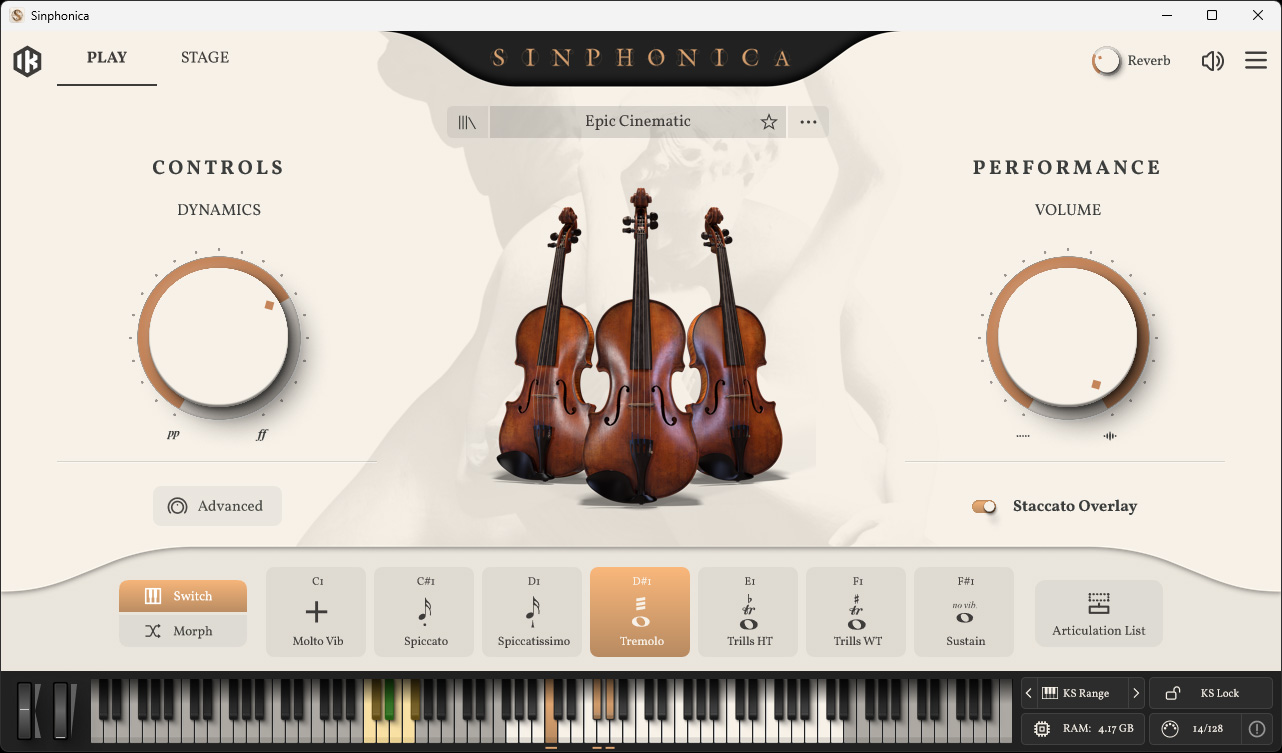
In October 2026, IK Multimedia released the new orchestral library “Sinphonica.” First up is “Maestosa Strings”, a complete orchestral string section recorded by a 60-piece orchestra. Other libraries will follow.
Installation and Licensing
Sinphonica is available for Windows operating systems version 10 and higher and for macOS version 10.15 and higher as a plug-in in the VST3 and AAX formats, as well as an AudioUnit.
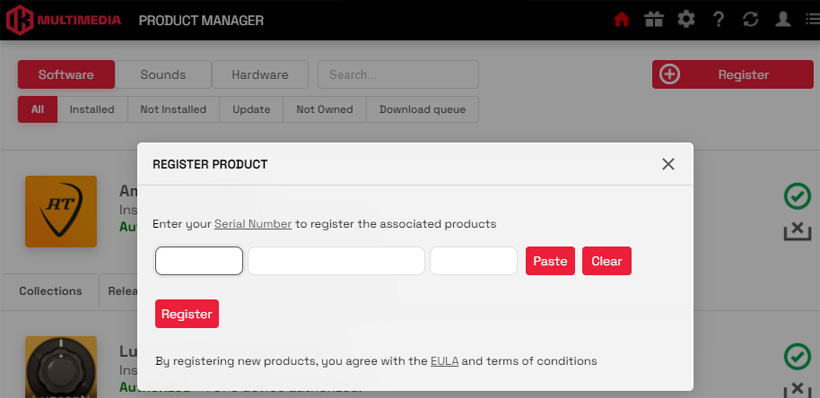
A user account with IK Multimedia is required to use the software. You can enter the serial number and activate the product via the Product Manager.
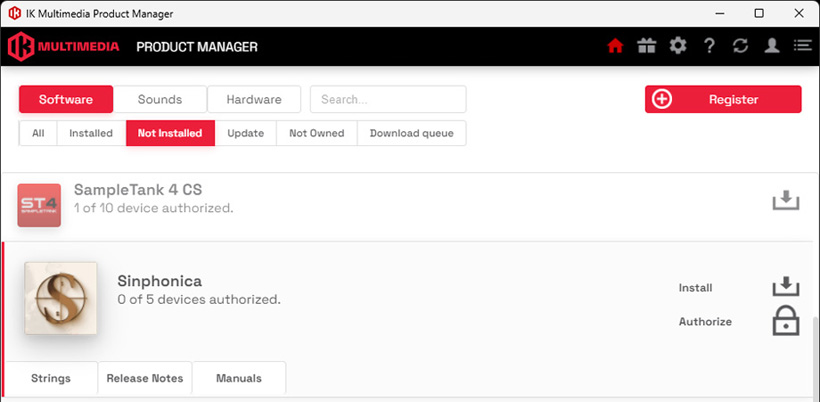
Sinphonica can be installed and authorized on up to five computers with a single license.
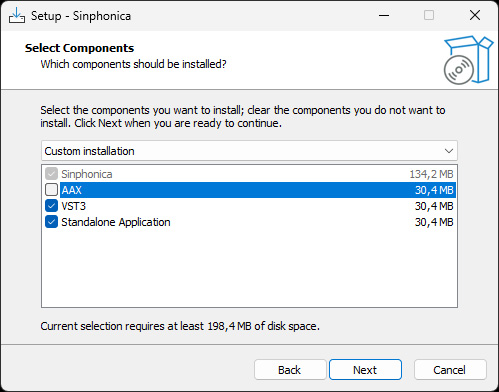
Über den Installer lassen sich Plug-Ins und die Stand-Alone-Software individuell einrichten.

Next, the individual libraries must be installed. The Sinphonica Maestosa Strings package consists of the individual libraries “Violins I”, “Violins II”, “Violas”, “Cellos”, “Double Basses”, and “Ensemble”, all of which must be downloaded from the IK Multimedia server and then be installed.
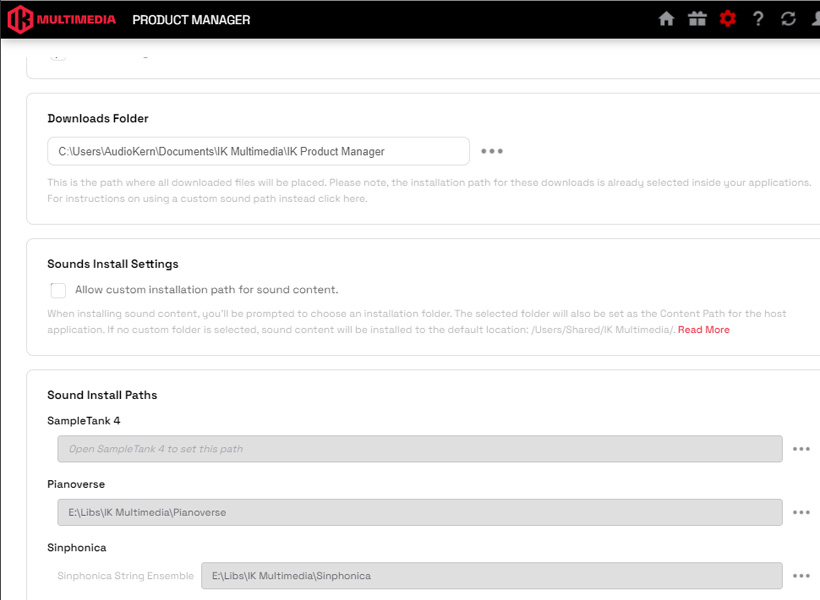
As with Pianoverse, the installation path can be customized. Libraries that have already been installed can be moved to a different folder using the IK Multimedia Product Manager.
Bedienung
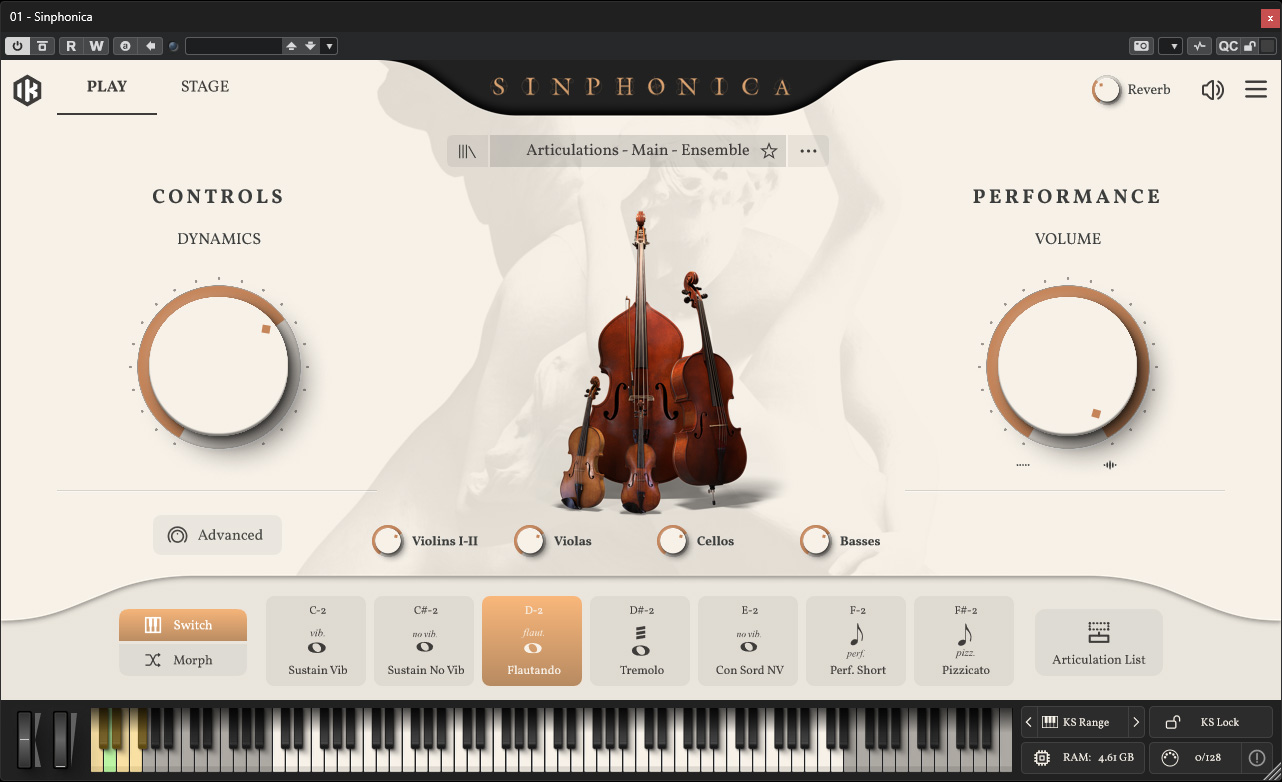
The basic operation of the standalone software and the plug-ins (see fig. above, VST3) is identical.
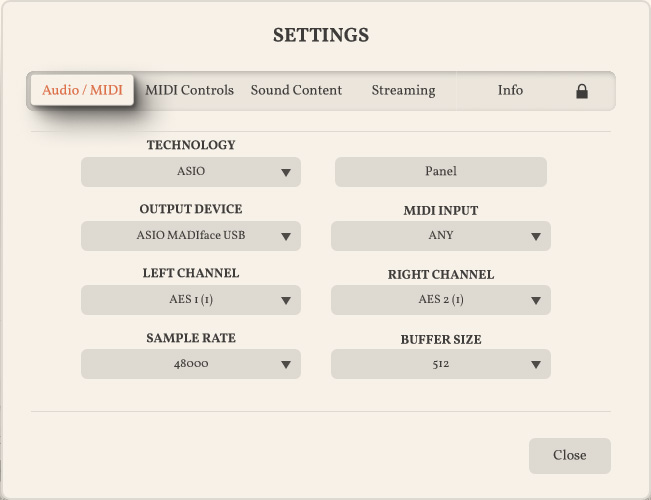
In the standalone software, you’ll also find the settings for the audio interface under “Settings”. ASIO interfaces can also be used here.
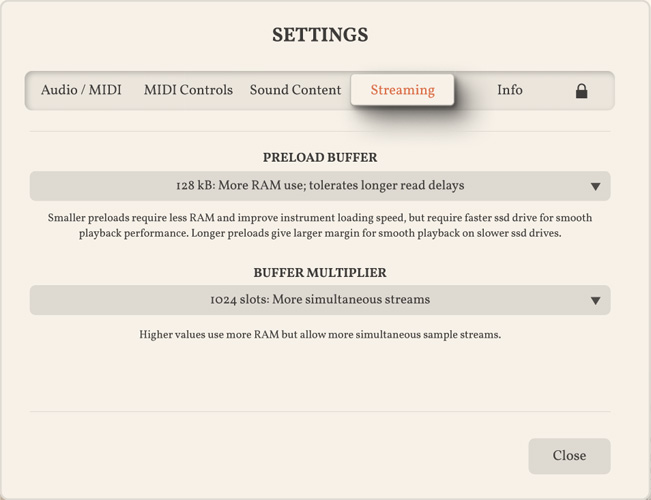
Such extensive libraries are quite demanding in terms of resources like RAM. In the settings, two buffer settings allow you to adjust them to your individual needs and technical conditions.
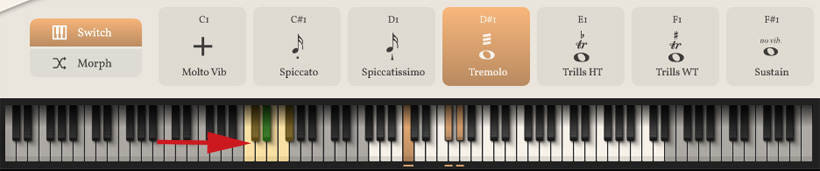
At the bottom is a virtual keyboard that can also be played with the mouse. There are two areas marked with corresponding symbols: a playing area (on the right) and an area for switching articulations (on the left; see the red arrow we’ve added here for clarification). In addition to switching articulations, morphing is also possible.
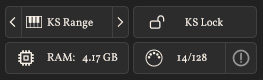
Next to the virtual keyboard is an information area, where the articulation-switching section can also be moved. Pressing a key in this area switches to the articulation assigned to that key. So you only need to tap the key briefly.
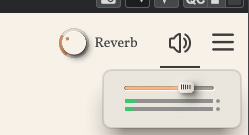
After clicking on the speaker icon in the upper right corner, a fader for the output level appears along with two bar-graph level meters, which at least allows you to determine whether an output level is being produced.
Play Page
There are two selectable pages in the plug-in: the “Play Page” and the “Stage Page.” Let’s start with the Play Page.
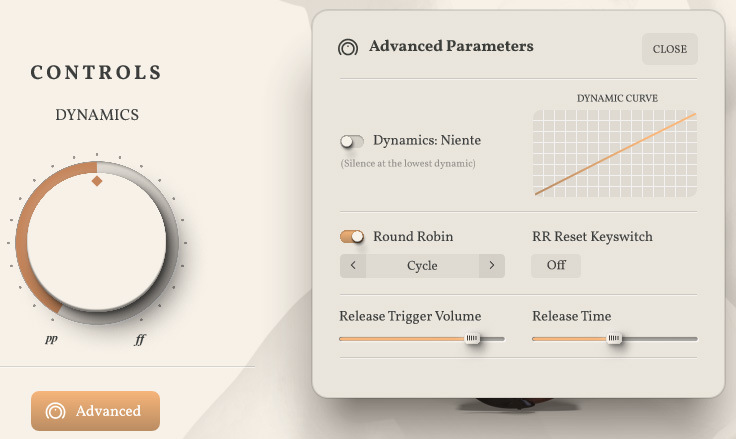
On the left side, you can adjust the dynamics using a knob. Here, “Dynamic” refers not only to the level but also to the tonal character. The level can be adjusted using the large knob on the right. By default, MIDI controller CC1 is assigned as the control element for dynamics. By right-clicking on the DYNAMICS knob, you can also assign any controller through a learning process.
Clicking “Advanced” opens a dialog with parameters (see figure above). Here, you can adjust the dynamics curve and enable the option to prevent any output level from being generated at low dynamics. With Round Robin (RR) enabled, alternate samples are played back for repeated notes to avoid a static sound caused by repetitive playback. You can use the RR Reset Keyswitch to define a key that resets the Round Robin sequence to its starting value. Two knobs allow you to adjust the decay time as well as the level during the decay phase.
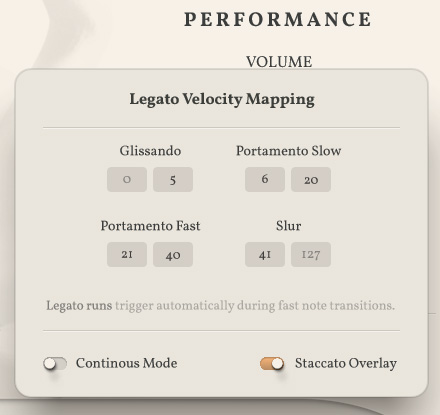
On the right side of the Play Page, an icon allows you to adjust the legato behavior based on velocity via mapping. The behavior when pressing keys simultaneously during the transition from one key to another can also be adjusted using buttons.
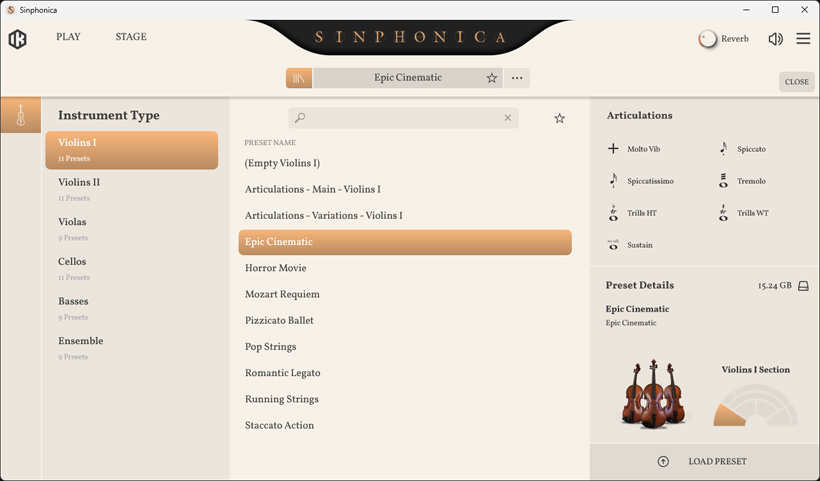
Clicking at the top of the preset bar opens a preset dialog where you can create various presets for the individual libraries.
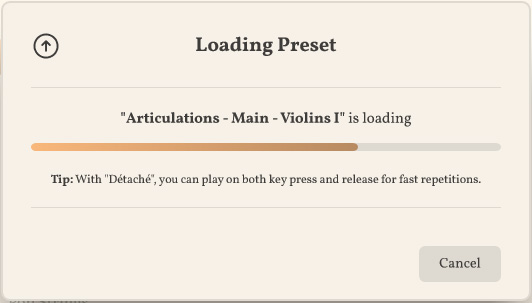
Selecting a preset loads the parameters and corresponding samples.
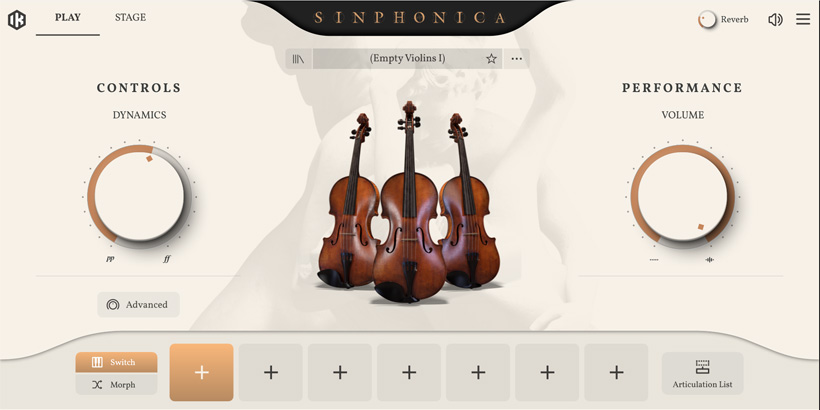
You can also create your own presets by opening an empty preset and assigning up to seven articulations yourself (see figure above).
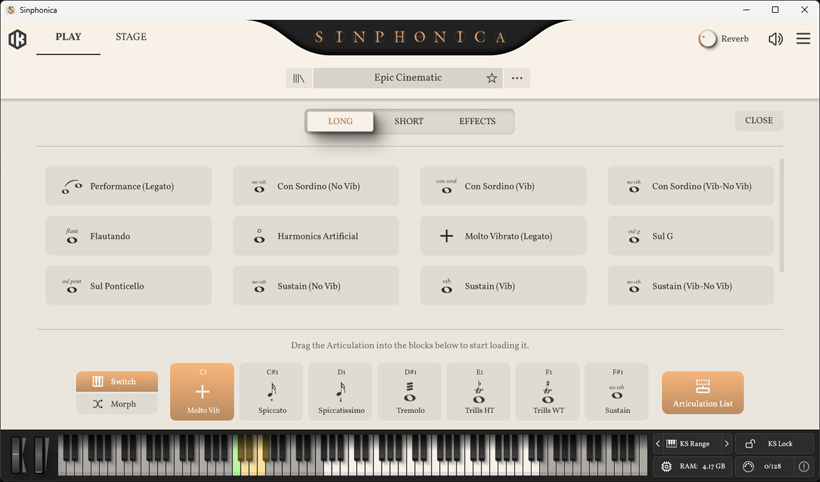
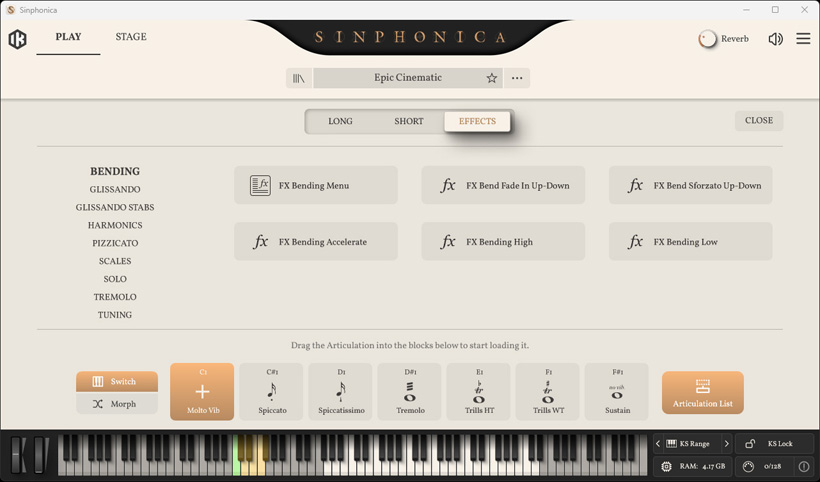
This brings up a selection of available articulations, which are divided into three groups across all libraries: "Long", "Short", and "Effects".
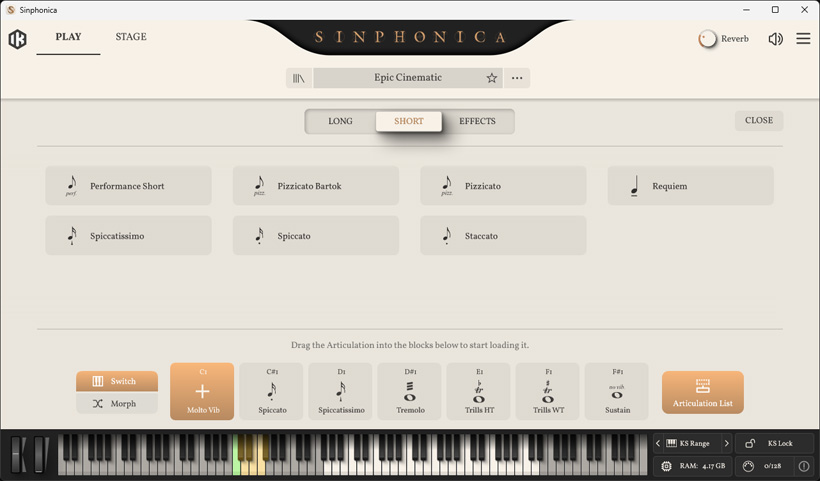
The available articulations naturally vary depending on the selected instrument library.
Stage Page
Now let’s move on to the Stage Page, which features an audio mixer for the virtual microphones and a layout for assigning the preset to a specific area of the virtual orchestra stage.
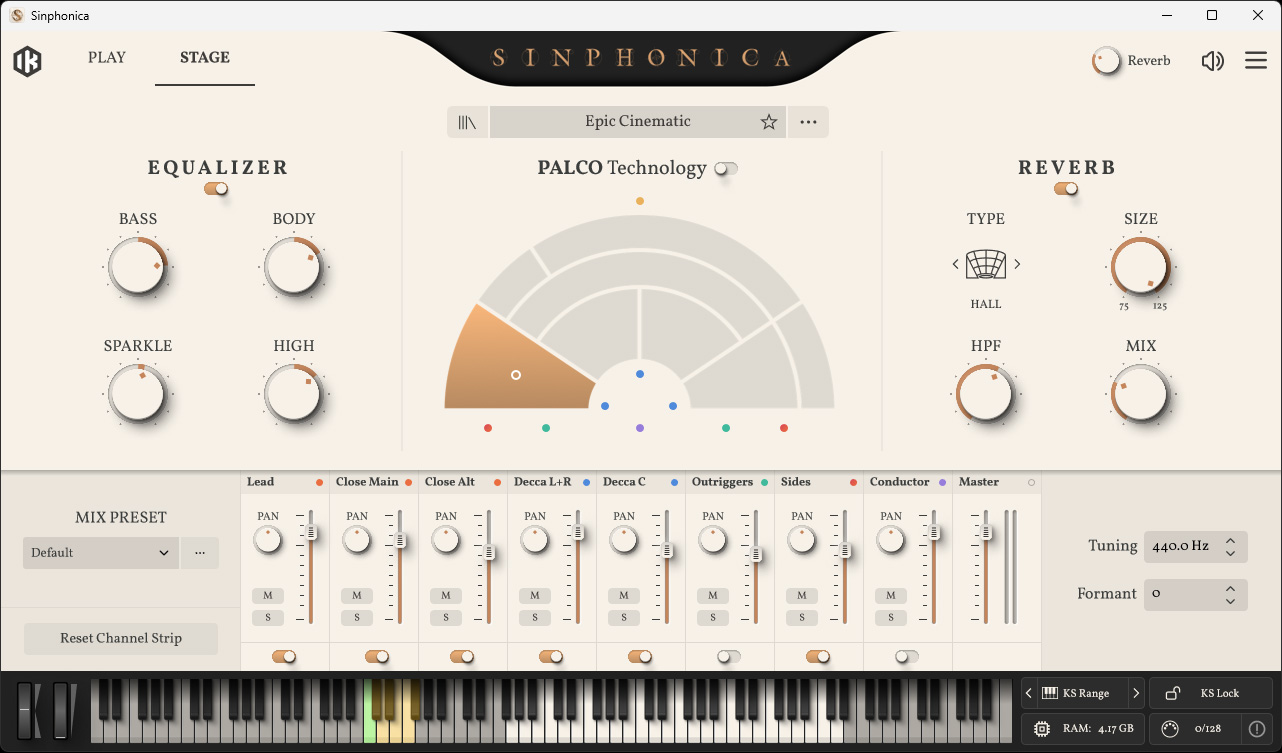
On the left side, there is a switchable equalizer. A nice feature is that the levels for the Decca Tree Center and Left/Right channels can be adjusted separately here.
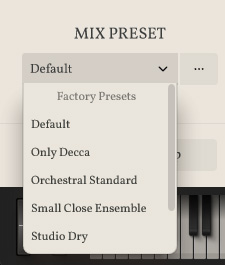
To the left of the mixer, you can access factory presets for it, and you can also save and reload your own mixer presets. On the right side, the user can adjust the reference pitch.
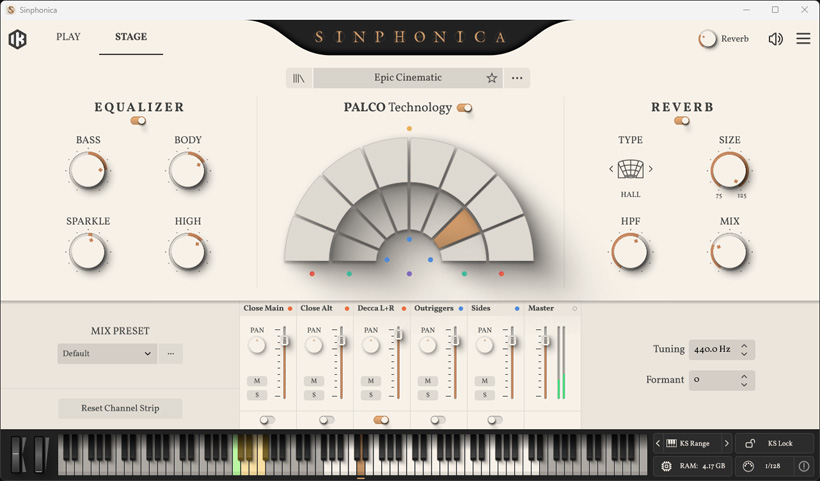
If you activate the so-called “PALCO Technology,” the user can freely assign instrument groups to two sets of eight zones. This allows instrument groups to be assigned to a virtual stage position. It does not use simple level panning, but rather genuine impulse responses recorded at Officine Meccaniche Studios in Milan, where the instrument groups for Sinphonica Strings were also recorded.
With the fixed assignment (PALCO Technology disabled), the placement of the instrument group is set to the modern, so-called American or international layout, in which the first and second violins are arranged side by side at the front on the left side of the stage. If you want to change this to the classical German layout, in which the first and second violins are positioned on the far left and right, respectively, you can do so using this function. However, what is not possible here is to place an instrument group, such as the basses, exactly in the center.
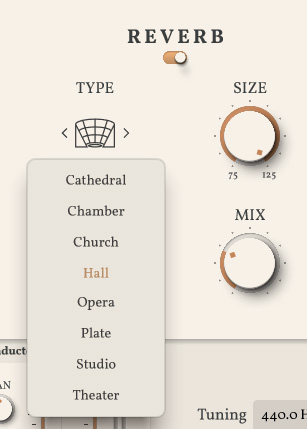
A reverb effect is also available. You can select from eight different rooms and adjust the room size (75 to 125%), a high-pass filter (20 to 300 Hz), and the mix ratio between the original and effect levels.
In Practice
We tested Sinphonica version 1.0.0 on both a macOS computer (thanks to our author Lars Deutsch) and on Windows 11 using our Digital Audio Service B14 workstation. As a standalone program, Sinphonica requires extremely little processing power. As with all extensive libraries, it’s important to use SSDs rather than hard disk drives. For the samples, we used a fast SSD on which the operating system was not installed. For libraries like this, it’s always recommended to use a separate SSD. In Nuendo 15 running on Windows 11, the performance meter in this setup occasionally showed peaks of up to 70 percent after a key press, but there were never any dropouts.
It’s worth noting that Sinphonica Maestosa Strings isn’t the first sound library of its kind. There’s also the Pianoverse library from IK Multimedia, featuring pianos and various grand pianos, which we’ve already tested. The Maestosa Strings libraries together require approximately 109 GB of space on an SSD, which is relatively space-efficient for such an extensive library. What we noticed while testing version 1.0.0 is that errors occurred during the download and installation of the individual libraries on both macOS and Windows. This problem was resolved by redownloading the files or repeating the installation process in the IK Multimedia Product Manager.
The GUI is very intuitive to use. A 55-page English-language user manual answers any remaining questions, though it’s quite rare that you’ll need to look up a parameter or function in more detail. Most of it is self-explanatory. Library players from other providers are significantly more complicated.
The sounds (or samples) are truly impressive. The variety of articulations is extensive and well chosen. Thanks to the round-robin function, the sound remains very authentic even during repetitions. What I particularly like is the velocity mapping of articulations. This makes it very easy to switch between portamento and other articulations while playing — simply by varying the velocity and the simultaneous key press — without having to use the key-articulations toggle buttons. This makes the playing feel very lively and authentic.
Conclusion
The Violins I and Cellos string libraries cost approximately 265 euros, and the Violins II, Violas, and Basses libraries cost approximately 180 euros. The complete Sinphonica Maestrosa Strings package, including all individual libraries, costs approximately 600 euros — which results in savings of over 400 euros compared to purchasing the libraries separately. The price is very reasonable compared to competitors. It’s also important to consider that an orchestral library appeals only to a specific user profile. And while we’re on the subject of user profiles, these aren’t limited to orchestral composers — they also include sound designers, film composers, and, depending on the musical genre, the occasional studio musician. The sonic results with Sinphonica are certainly impressive. We can look forward to the next instrument sections.