 How to resolve AdBlock issue?
 PSPaudioware Tilt-Q
Tilt Filter combined with Contour and High-Pass/Low-Pass Filters
Author: Peter Kaminski
PSPaudioware is a Polish plug-in developer offering some very interesting plug-ins, including options for multichannel audio, as well as practical tools such as the PSP Metra level and loudness measurement plug-in, which we’ve already reviewed. Here, we’d like to introduce the PSP Tilt-Q tilt equalizer, which has been available since March 2026.
System Requirements and Installation
The plug-in is available for both Windows (Windows 7 and later) and macOS (version 10.14 and later) in the VST, VST3, and AAX formats, as well as for AudioUnit (macOS). iLok (Generation 2 or later) is used for copy protection. However, it’s also possible to use the plugin directly on your computer without a dongle. Up to three licenses can be installed.
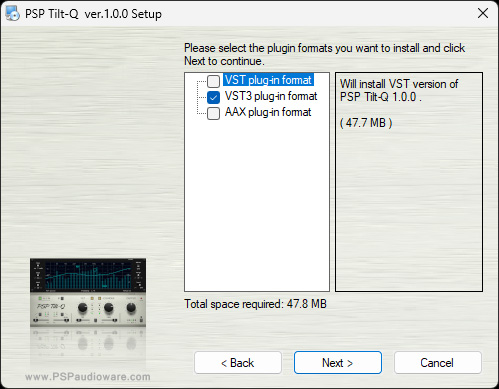
As is customary with PSPaudioware, installation is performed using a special installation software that allows you to install each format individually. There is also an option to test the plug-in for 30 days with no functional restrictions. However, this requires a PSPaudioware user account.
Operation
We’ll cover the exact filter functions offered by the PSP Tilt-Q later in this article. First, here’s an overview of the configuration and presets.
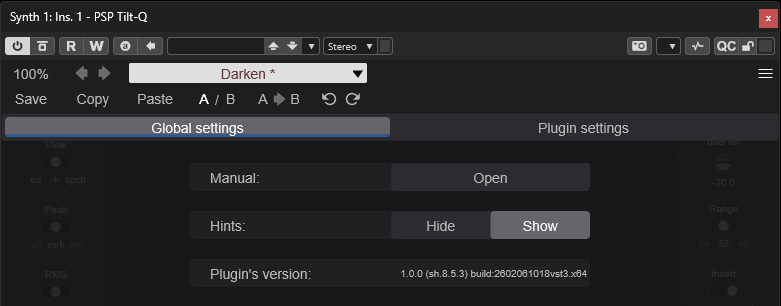
The dialog for global settings can be accessed in the upper-right corner. Here, you can view the manual and enable or disable the tooltips for the individual switches and knobs.
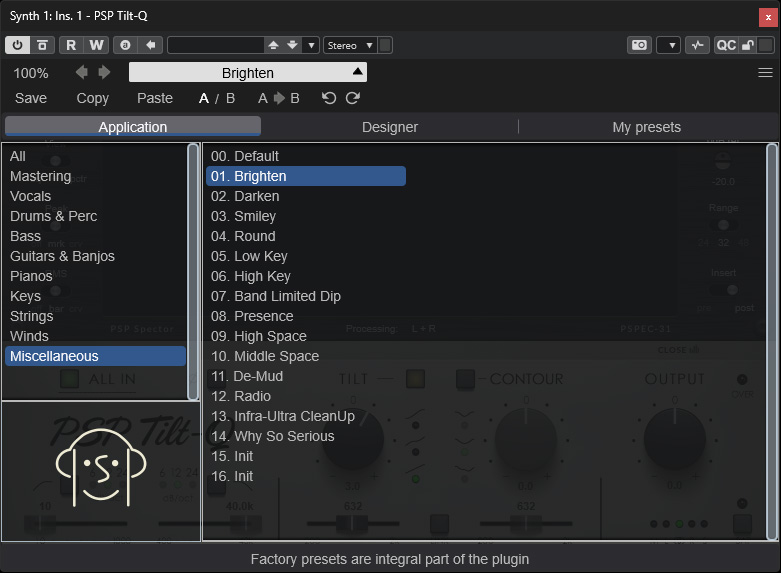
There are 80 factory presets available for a wide range of applications. We won’t judge here just how important factory presets are for an equalizer, but they certainly provide a good starting point for your own settings. Above that, there are virtual grids for saving, copying, and managing two comparison slots (A/B), as well as undo/redo functions. You can also adjust the size of the plug-in window here.
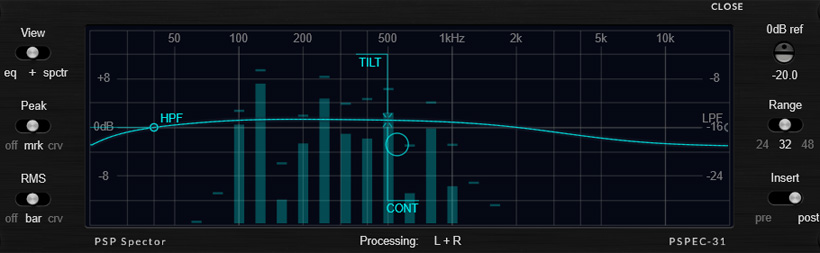
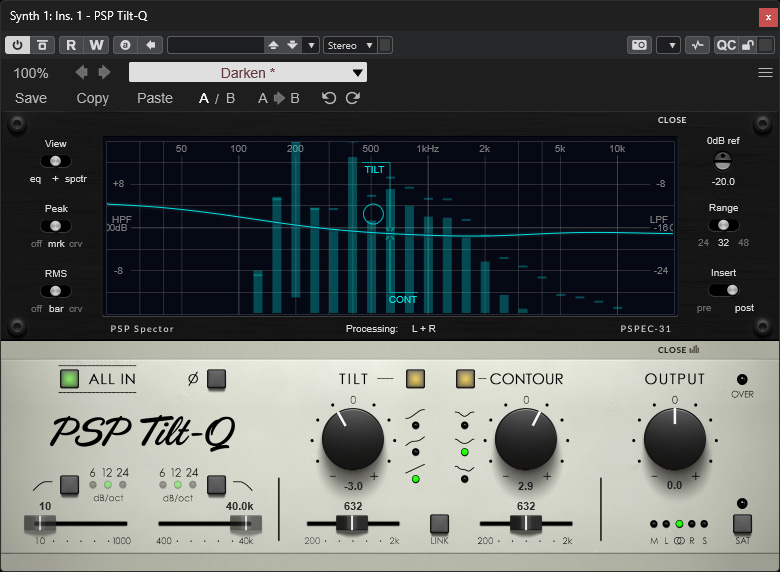
Now we come to the most important part of the plug-in. At the top, there is a graphical representation of the frequency range, as well as a level display in the form of a 31-band bar graph analyzer. The filter frequencies are highlighted in the graph, and a dot symbolizes the overall weighting. On the left and right margins, you can toggle or adjust various parameters, such as: the display mode (EQ, spectrum, or both), peak value display (off, highlighted, or with envelope display), RMS display, reference level, display range, and where the spectrum should be displayed (before or after the equalizer). The CLOSE switch, which is also available in the lower section, allows you to hide the entire upper block containing the frequency range.
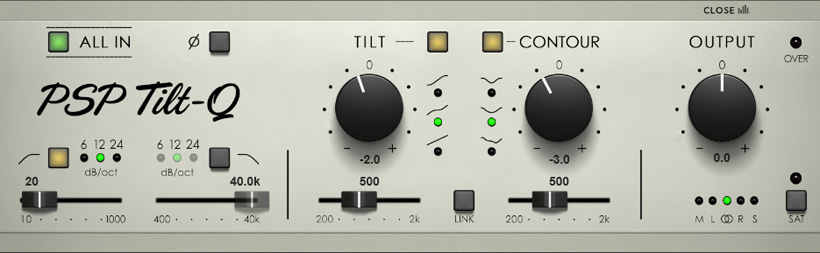
Now let’s take a look at the filters offered by Tilt-Q. Each of the four filters can be enabled or disabled individually. At the top, the ALL IN switch allows you to bypass the entire processing path, and next to it is a switch for phase reversal. Calculations are performed using 64-bit double precision.
The following four filter sections are available:
- High-pass filter with 6/12/24dB/oct. and a cutoff frequency ranging from 10Hz to 1kHz,
- Low-pass filter with 6/12/24dB/oct. and a cutoff frequency ranging from 200Hz to 2kHz,
- a tilt filter with three different slopes and an adjustable cutoff frequency from 200Hz to 2kHz and +/-15dB gain,
- a contour filter with three different slopes and an adjustable cutoff frequency from 200Hz to 2kHz and +/-15dB gain.
The LINK switch allows you to synchronize the tilt and contour filter frequencies or set them simultaneously to the same frequency.
Here’s a quick note for those who aren’t yet familiar with tilt and contour filters: Tilt filters have been around for a very long time - and tilt filter plug-ins are also available from other manufacturers. They allow you to adjust or balance the ratio of low- to high-frequency components relative to a crossover frequency. Contour filters are essentially broadband bandpass/bandstop filters but with special frequency response curves.
You can adjust the output level using the OUTPUT knob in the far-right section. A virtual LED indicator warns of clipping here. At the bottom of this section, you can also set the channel processing mode - stereo, left or right channel only, or mid or side signal.
In Practice
We tested the Tilt-Q on an AudioKern B14 DAW from Digital Audio Service running Windows 11, with Steinberg WaveLab 13 and Nuendo 15 as host applications. In WaveLab 13, the CPU load increased from 0.8% to approximately 1.3% during playback at a sample rate of 48kHz. In Nuendo 15, the performance meter virtually shows no difference between having the plug-in active and having it removed during POLay mode. Therefore, the CPU load is minimal.
The plug-in is extremely easy to use and self-explanatory for most functions. We encountered no issues with the plug-in. One thing we noticed was that when adjusting knobs or making changes in the graphical interface, intermediate steps were sometimes saved during undo operations, so that we occasionally had to click Undo or Redo two or three times to return to the previous setting. If you stop a movement, it’s recognized as a single setting. But that’s about it in terms of noticeable problems.
Although tilt filters are extremely helpful - especially for a sum channel, the main channel, and particularly in mastering - they aren’t used very often these days. The reason for this is likely due to their low degree of familiarity. They’re also excellent for vocals - and especially for choirs - and the Tilt-Q is no exception. Combining it with the Contour filter opens up even more possibilities than a standalone Tilt-Q would offer. It’s a successful filter combination.
Anyone who hasn’t yet worked with tilt filters should definitely give them a try, as they allow for very precise adjustment of the balance between highs and lows to achieve the desired fundamental sound. Thanks to the internal 64-bit double-precision processing, the filters operate with high precision and without artifacts, making them suitable for demanding mastering applications without any limitations. Both 32-bit and 64-bit floating-point formats are supported for the input and output streams. By the way, PSP Tilt-Q can be used with sample rates of up to 384kHz.
Cocnlusion
You can purchase PSP Tilt-Q from the manufacturer’s website or through online specialty retailers. The price is approximately $70, which is absolutely reasonable. I highly recommend it. Anyone who mixes or masters should have a tilt filter in their plug-in repertoire, and you can’t go wrong with the PSP Tilt-Q.